
ProcrastiLearn APK
Block distracting apps until you review a spaced-repetition flashcard
Download APK v1.4.7 · 17.6 MB- Version1.4.7
- Size17.6 MB
- RequiresAndroid 11
- Updated11/4/2026
- LicenceApache-2.0
- PriceFree
About ProcrastiLearn
There's Anki on your phone, there's Duolingo, and you do mean to get around to them. Then you pick the phone up, and twenty minutes later you're somewhere in TikTok, not really sure how you got there.
ProcrastiLearn steps in right at that moment. It catches you just as you're about to disappear into another time sink, and asks you for one word first.
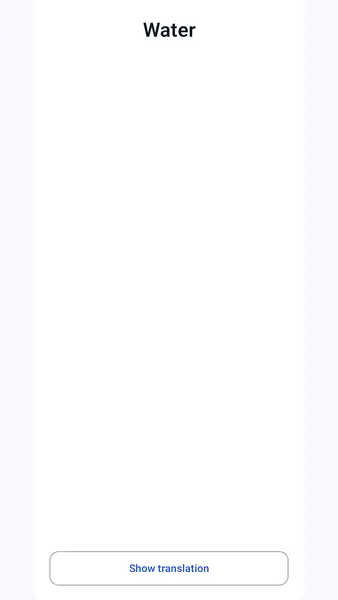
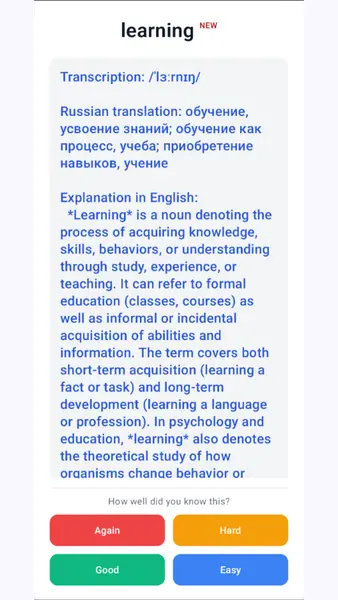
That's how mindless app-opening turns into vocabulary practice. Choose which apps you tend to open out of habit — social media, browsers, games — and whenever you launch one, a full-screen flashcard overlay appears. Reveal the translation, rate how well you remembered it, and the app you wanted opens immediately. No subscription, no ads, no accounts.
HOW IT WORKS
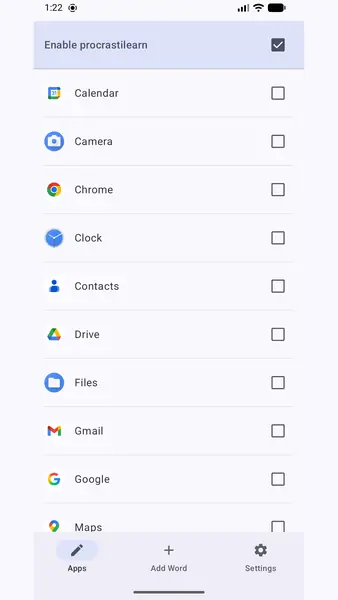
Pick the apps you want to gate in the Apps tab. From that point on, opening any of those apps shows a flashcard first. You rate your answer (Again / Hard / Good / Easy) and the FSRS spaced-repetition algorithm schedules the next review automatically. Daily caps prevent you from being overwhelmed.
If you tend to lose track of time once you're inside a gated app, the optional recurring reminder has you covered: set an interval (e.g. every 3 minutes) and the overlay reappears as long as you stay in that app, turning each lingering session into extra review reps.
VOCABULARY
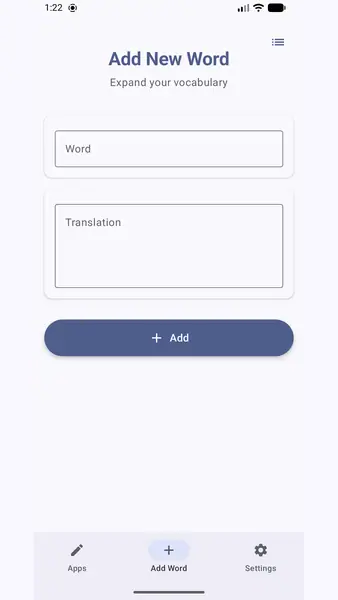
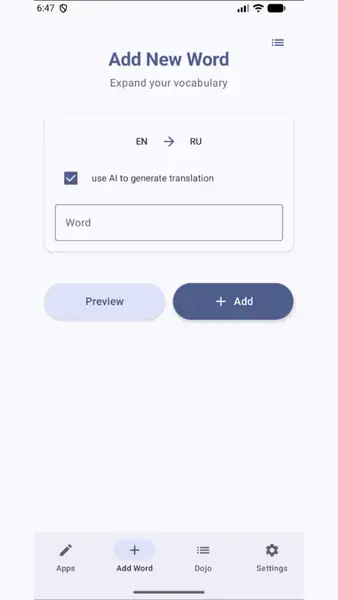
Add words manually or use the optional AI translation feature: paste a word, tap Generate, and the app drafts a translation using OpenAI. The AI prompt is fully editable so you can control tone, context, or target language.
You can also import existing Anki decks (.apkg files) to get started immediately with a vocabulary set you already trust. After that you can be sure that you'll learn it eventually, while watching tiktok or your favourite YouTuber.
Come across a word somewhere else — an article, a chat, another app? Select it and tap "ProcrastiLearn this" from the menu to add it right away, no need to switch apps first.
LANGUAGE SUPPORT
The AI prompt automatically adapts to whatever native and target languages you choose in Settings: explanations appear in your native language, and examples in the language you're learning. Any language pair works out of the box — no manual prompt editing needed. Further language-related improvements will keep arriving, especially based on user requests in GitHub issues or via email.
PRIVACY
All data — vocabulary, blocked apps list, review history, and settings — is stored entirely on your device. There are no analytics, no crash reporters, and no advertising SDKs. The only outbound network traffic is the optional OpenAI API call you initiate by tapping Generate, using your own API key entered in Settings.
PERMISSIONS
Accessibility Service: used solely to detect which app is currently in the foreground so ProcrastiLearn knows when to show the overlay. The service does not read screen content, keystrokes, or any other input.
Display Over Other Apps: required to draw the flashcard overlay on top of the gated app.
OPEN SOURCE
ProcrastiLearn is free and open-source software (Apache 2.0 license). Source code and issue tracker are on GitHub.
What's new in version 1.4.7
Fix a crash when importing some Anki decks.
APK file information
| Package name | com.procrastilearn.app |
|---|---|
| Version | 1.4.7 (code 22) |
| Minimum Android | Android 11 · targets Android 16 |
| Architectures | arm64-v8a, armeabi-v7a, x86, x86_64 |
| SHA-256 | 9878f589db7378b5bfb6fdf5f0d8acfdc70f2d5900879c3202f494cf55ed7a0d |
| Signature | 4fe800ea6e35655d54e7a36ed83004696d11c1cd341e468952a8ffc11dc47c50 |
| Licence | Apache-2.0 — permissive free licence: the source code is public and reusable |
| Source code | github.com/Vladyslav-Soldatenko/ProcrastiLearn |
Permissions
- Draw over other apps sensitive
- Internet access
- View network status
Older versions
- ProcrastiLearn 1.4.7November 4, 2026 · 17.6 MB
- ProcrastiLearn 1.4.6October 14, 2026 · 17.6 MB
- ProcrastiLearn 1.4.5September 29, 2026 · 17.5 MB
How to install ProcrastiLearn APK
- Tap Download APK above, then open the file once the download has finished.
- If Android asks, allow your browser to install unknown apps.
- Tap Install. ProcrastiLearn then appears with your other apps.
Having trouble? Read our guides how to install an APK on Android and "App not installed": how to fix it.
Frequently asked questions
Is ProcrastiLearn free?
Yes. ProcrastiLearn is distributed under the Apache-2.0 licence: free, no subscription, and its source code is public.
Is this APK file safe?
The file is the one built and published by the F-Droid repository from the public source code. Its SHA-256 fingerprint is shown above, so you can compare it after downloading. How to check an APK.
Will ProcrastiLearn work on my phone?
You need at least Android 11. The app also works without Google services, so it runs on recent Huawei phones too.