
PublicArtExplorer APK
Discover and view public art
Download APK v2.1.2 · 26.4 MB- Version2.1.2
- Size26.4 MB
- RequiresAndroid 7.0
- Updated8/13/2026
- LicenceAGPL-3.0-only
- PriceFree
About PublicArtExplorer
Have you ever found yourself standing before a piece of outdoor art, curious about its story? Or arrived in a new place wondering if there’s any outdoor artwork waiting to be discovered nearby?
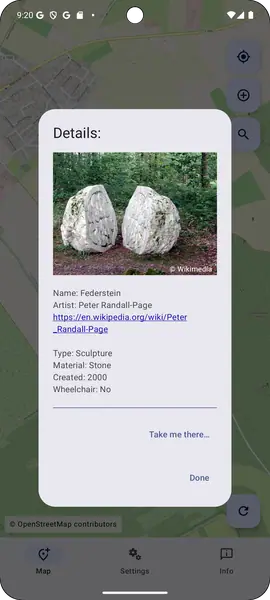
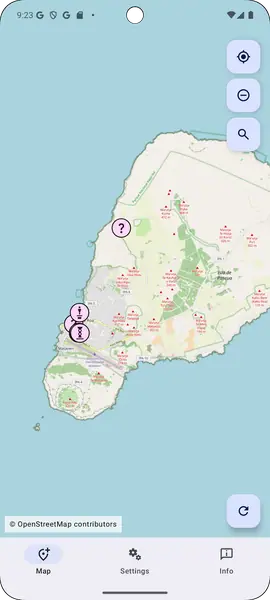
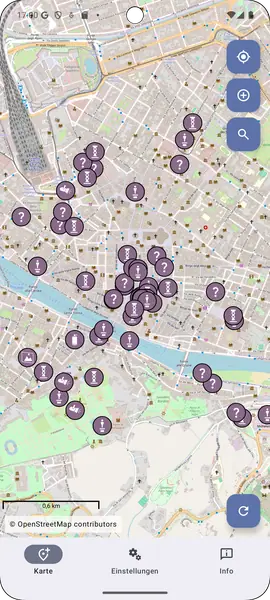
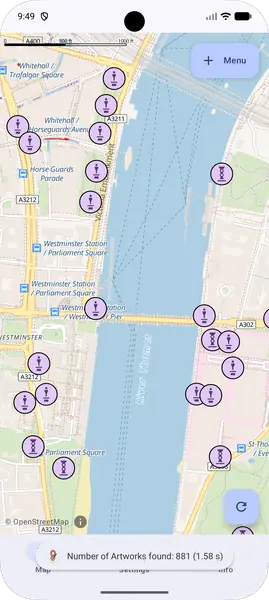
PublicArtExplorer allows you to discover and explore public art around you in just two clicks. The app uses your location to instantly reveal nearby sculptures, murals, and installations, complete with detailed information about each piece and its artist.
PublicArtExplorer’s data is based on the open platforms OpenStreetMap and Wikipedia. Because these platforms are built and maintained by a global community of volunteers, anyone can contribute: if you notice missing details or discover new artworks, you’re encouraged to add or update information directly on OpenStreetMap or Wikipedia. This collective approach means that every contribution helps to improve the app for all users, fostering a shared, up-to-date resource that benefits everyone interested in public art.
Key features
Show what's around and offer to show the details for each artwork.
Aimed at providing low barrier access to public art as well as instigiating people to add missing information to OSM and Wikipedia for the benefit of others.
Web site
https://publicartexplorer.com/
What's new in version 2.1.2
New
- Made it easier to add an image to an otherwise complete node
Fixed/Changed
- Fixed a bug where a photo only artwork did not get the artwork tag added
- Changing artwork server is now a non-expert mode setting
- After running stable for more than 6 months the PublicArtExplorer artwork (overpass) server is now the new default
Please see the full change log here: https://codeberg.org/toz/PublicArtExplorer/src/branch/main/ChangeLog.md
APK file information
| Package name | com.zell_mbc.publicartexplorer.foss |
|---|---|
| Version | 2.1.2 (code 64) |
| Minimum Android | Android 7.0 · targets API 37 |
| Architectures | arm64-v8a, armeabi-v7a |
| SHA-256 | 0d756d56491cd6f558550a2fd3c3825d5149a488853ef834fc6d3c108e28e0dc |
| Signature | 29e794d38b45dfc7df03932a92cf69e0ef037ee1cd6e3506dc82895fcf379f0f |
| Licence | AGPL-3.0-only — copyleft free licence: the code is public and modified versions must stay free |
| Source code | codeberg.org/toz/PublicArtExplorer |
| Official website | publicartexplorer.com/ |
Permissions
- Internet access
- View network status
- Precise location (GPS) sensitive
- Approximate location sensitive
- Vibrate
- View Wi-Fi status
- Show notifications
1 other technical permission(s)
REORDER_TASKS
Older versions
- PublicArtExplorer 2.1.2August 13, 2026 · 26.4 MB
- PublicArtExplorer 2.1.1July 31, 2026 · 26.4 MB
- PublicArtExplorer 2.1.0June 27, 2026 · 25.9 MB
How to install PublicArtExplorer APK
- Tap Download APK above, then open the file once the download has finished.
- If Android asks, allow your browser to install unknown apps.
- Tap Install. PublicArtExplorer then appears with your other apps.
Having trouble? Read our guides how to install an APK on Android and "App not installed": how to fix it.
Frequently asked questions
Is PublicArtExplorer free?
Yes. PublicArtExplorer is distributed under the AGPL-3.0-only licence: free, no subscription, and its source code is public.
Is this APK file safe?
The file is the one built and published by the F-Droid repository from the public source code. Its SHA-256 fingerprint is shown above, so you can compare it after downloading. How to check an APK.
Will PublicArtExplorer work on my phone?
You need at least Android 7.0. The app also works without Google services, so it runs on recent Huawei phones too.