
Recurring Expense Tracker APK
Keep track of your monthly spending
Download APK v0.21.5 · 4.0 MB- Version0.21.5
- Size4.0 MB
- RequiresAndroid 8.0
- Updated11/20/2026
- LicenceGPL-3.0-only
- PriceFree
About Recurring Expense Tracker
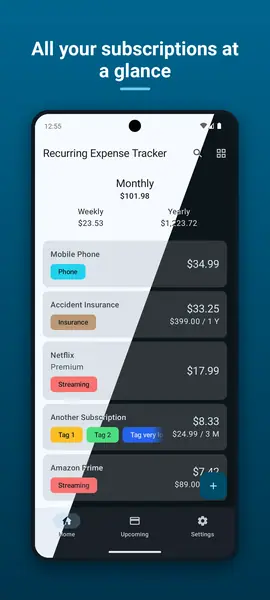
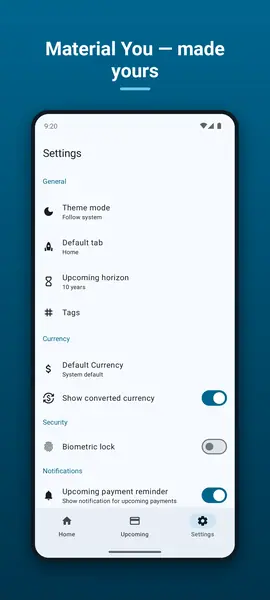
A Material You recurring expense tracker, allowing you to keep track of your monthly spending.
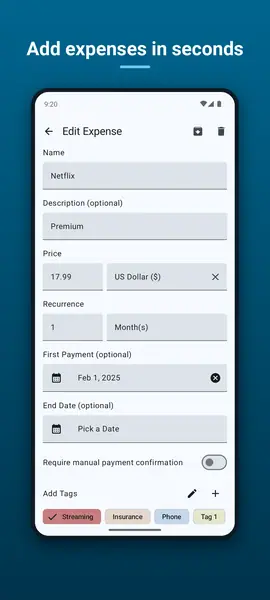
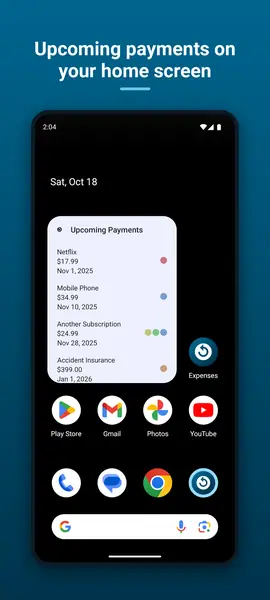
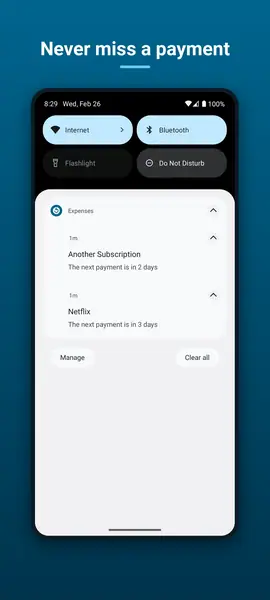
As the name suggests, this app focuses on recurring expenses like rent, insurance, subscriptions, and other regular payments. Built with Kotlin Multiplatform and Material You design principles, it provides a simple yet powerful way to track and visualize your recurring financial commitments. The app is designed to be intuitive and straightforward, helping you understand exactly where your money goes each month. My idea is to add new features iteratively, and I'm happy for any contribution. Feel free to make feature requests or report bugs if you find any.
What's new in version 0.21.5
Changelog 0.21.5:
- Fix: Speed up first load of the Upcoming tab
- Fix: Notification alarm scheduling
- (Lithuanian, Chinese (Simplified Han script)) translation updated
- Update exchange rates and licenses
- Update dependencies
Full Changelog: https://github.com/DennisBauer/RecurringExpenseTracker/releases/tag/v0.21.5
APK file information
| Package name | de.dbauer.expensetracker |
|---|---|
| Version | 0.21.5 (code 69) |
| Minimum Android | Android 8.0 · targets API 37 |
| Architectures | arm64-v8a, armeabi-v7a, x86, x86_64 |
| SHA-256 | 2d35bae930bde045967449c76c09ca33b322669e292c33c48a0eb7074316dbec |
| Signature | 3430fd44cfaf695f564ceb43254bae2a7bd775836a77ad807d6c3131dfdb8341 |
| Licence | GPL-3.0-only — copyleft free licence: the code is public and modified versions must stay free |
| Source code | github.com/DennisBauer/RecurringExpenseTracker |
Permissions
- Show notifications
- Start at boot
- Fingerprint / biometrics
- Fingerprint
- Keep the device awake
- View network status
- Run in the background
Older versions
- Recurring Expense Tracker 0.21.5November 20, 2026 · 4.0 MB
- Recurring Expense Tracker 0.21.4September 28, 2026 · 4.0 MB
- Recurring Expense Tracker 0.21.3June 30, 2026 · 3.9 MB
How to install Recurring Expense Tracker APK
- Tap Download APK above, then open the file once the download has finished.
- If Android asks, allow your browser to install unknown apps.
- Tap Install. Recurring Expense Tracker then appears with your other apps.
Having trouble? Read our guides how to install an APK on Android and "App not installed": how to fix it.
Frequently asked questions
Is Recurring Expense Tracker free?
Yes. Recurring Expense Tracker is distributed under the GPL-3.0-only licence: free, no subscription, and its source code is public.
Is this APK file safe?
The file is the one built and published by the F-Droid repository from the public source code. Its SHA-256 fingerprint is shown above, so you can compare it after downloading. How to check an APK.
Will Recurring Expense Tracker work on my phone?
You need at least Android 8.0. The app also works without Google services, so it runs on recent Huawei phones too.