
Resticopia APK
Restic Backup Android App (Unofficial)
Download APK v0.8.7 · 44.5 MB- Version0.8.7
- Size44.5 MB
- RequiresAndroid 7.0
- Updated5/30/2026
- LicenceGPL-2.0-only
- PriceFree
About Resticopia
A mobile Android application that enables efficient and straightforward data backups powered by Restic backup software.
The application uses a custom-built PRoot environment (based on the build-proot-android project) to run native Restic and Rclone Linux binaries directly on Android devices.
Disclaimer: This is an unofficial application and is not developed or endorsed by the official Restic project team.
Key Capabilities:
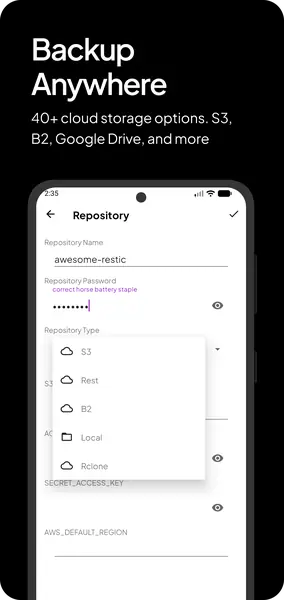
- Repository Management: Create and configure Restic repositories (supports S3, B2, Rest, Local, and Rclone protocols)
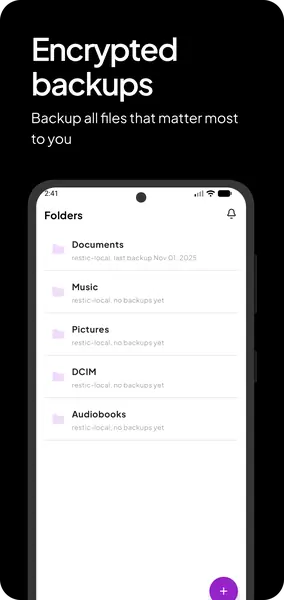
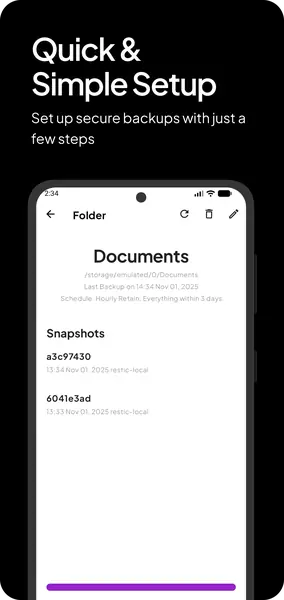
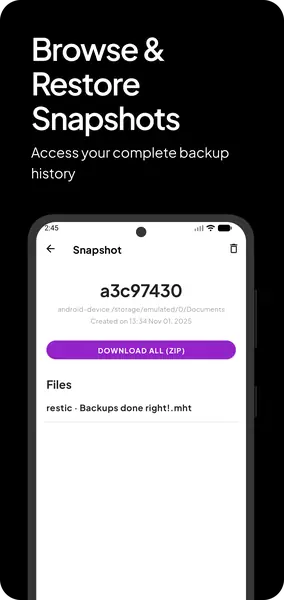
- Snapshot Control: Browse and manage your backup snapshots
- Folder Selection: Choose which directories to include in backups
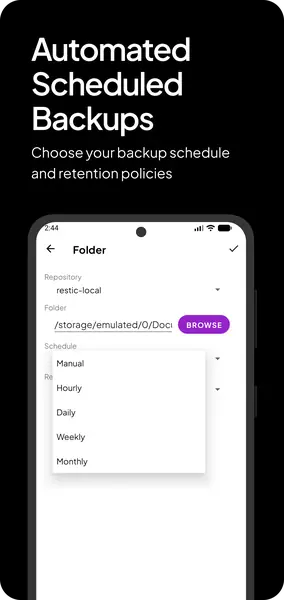
- Automated Scheduling: Set up recurring backup tasks
- Retention Policies: Define cleanup rules for individual folders
- Live Progress: Monitor backup operations through system notifications
- Rclone Integration: Access 40+ cloud storage providers via Rclone backend
What's new in version 0.8.7
Version 0.8.7
- Notify all properties from restic backup into webhook by @Redwid
- Add hostname and paths to restic.forget() command by @Redwid
APK file information
| Package name | org.dydlakcloud.resticopia |
|---|---|
| Version | 0.8.7 (code 22) |
| Minimum Android | Android 7.0 · targets Android 14 |
| Architectures | arm64-v8a |
| SHA-256 | 9e93009a80a604194c80ce99683c54cb0177d17221a5c9141706b858a17e696c |
| Signature | d0450607a6356d31603d2204888b5326aaf018338199a807cc7f81a1eb7629bf |
| Licence | GPL-2.0-only — copyleft free licence: the code is public and modified versions must stay free |
| Source code | codeberg.org/dawdyd/resticopia |
Permissions
- View network status
- Connect via Bluetooth
- Internet access
- Show notifications
- Read storage
- Start at boot
- Write to storage
- Access all files sensitive
- Keep the device awake
Older versions
- Resticopia 0.8.7May 30, 2026 · 44.5 MB
- Resticopia 0.8.6May 20, 2026 · 44.5 MB
- Resticopia 0.8.5May 18, 2026 · 44.5 MB
How to install Resticopia APK
- Tap Download APK above, then open the file once the download has finished.
- If Android asks, allow your browser to install unknown apps.
- Tap Install. Resticopia then appears with your other apps.
Having trouble? Read our guides how to install an APK on Android and "App not installed": how to fix it.
Frequently asked questions
Is Resticopia free?
Yes. Resticopia is distributed under the GPL-2.0-only licence: free, no subscription, and its source code is public.
Is this APK file safe?
The file is the one built and published by the F-Droid repository from the public source code. Its SHA-256 fingerprint is shown above, so you can compare it after downloading. How to check an APK.
Will Resticopia work on my phone?
You need at least Android 7.0. The app also works without Google services, so it runs on recent Huawei phones too.





