
Rethink APK
Rethink: DNS + Firewall + VPN
Firewall apps, use WireGuard VPN, monitor network, block malware, change DNS.
Download APK vv0.5.8 · 30.8 MB- Versionv0.5.8
- Size30.8 MB
- RequiresAndroid 6.0
- Updated10/16/2026
- LicenceApache-2.0
- PriceFree

About Rethink
Say hello to a safer, transparent, and secure Android.
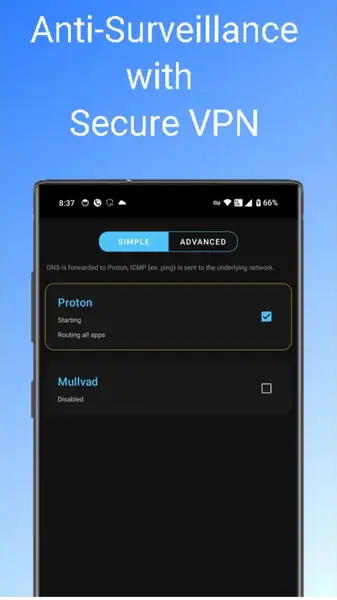
VPN: Connects to multiple WireGuard VPNs of your choice.
Safe: Reveals network activity of installed apps and lets you disable, uninstall, or firewall them.
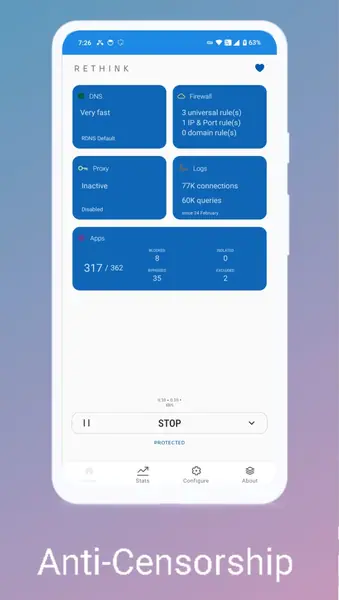
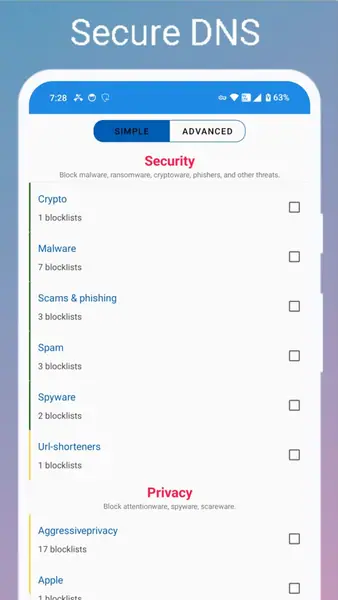
Secure: First line of defense against spyware, ransomware, and malware that steal personal information and takeover accounts. Protects from DNS manipulation typically employed to censor websites, social media, and messaging apps.
Fast: DNS Servers deployed to 300+ locations world-wide to ensure your internet is as fast and highly available as it can be.
Open: Open source and free of any trackers.
*Features*
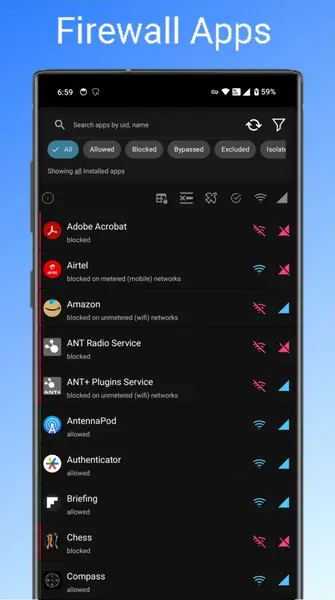
Firewall: Prevent apps from connecting to the Internet. Block spyware, malware, ransomware and more.
A firewall blocks any app connecting to the Internet over WiFi or Mobile data. Since most forms of surveillance require the data to be sent the network to a server, firewalling them effectively mitigates the threat (File Managers, Alarm Clock, Calculator are few such examples of apps that do not require any Internet access to function). The firewall feature uses Accessibility Service to detect and firewall background applications.
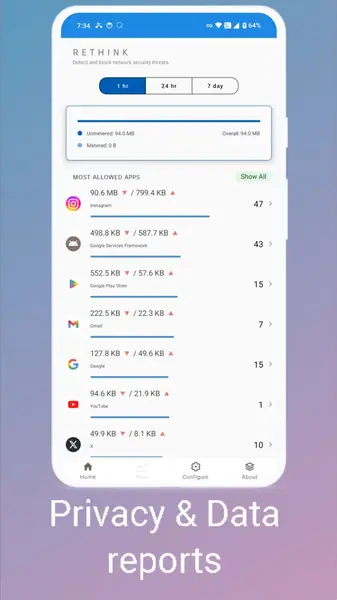
Monitoring: Keep tabs on incoming and outgoing Internet traffic.
If enabled, the connectivity logs are collected and analyzed. Automated reports flag previously unknown or suspicious connections, and reveal the extent of attempt to steal data by spyware networks. In our tests, around 60% of the traffic is flagged and reported as being initiated by known spyware. Logs generated are made available in near-real time to the user for their own analysis.
WireGuard: Secure outgoing Internet traffic.
The app uses fast, modern, light-weight, and secure WireGuard protocol to encrypt outgoing connections to any compatible VPN provider of your choice.
Anti-censorship:
The app encrypts your internet connection to Domain Name System (DNS) server run by Rethink with presence in our 300+ locations world-wide. DNS servers are the address book of the internet: A DNS server provides the exact addresses you need to visit a website or open an app.
Data Monitor: Track per-app and per-connection Mobile or WiFi data usage.
APK file information
| Package name | com.celzero.bravedns |
|---|---|
| Version | v0.5.8 (code 709) |
| Minimum Android | Android 6.0 · targets API 37 |
| Architectures | x86_64 |
| SHA-256 | 0e8e5d70496b506038ca4afaef868fadaac6e0b5416b80aa6e139174fa181004 |
| Signature | abc6766ba34e027dc7dfa29b1c2b5b1d1dc14f7ba637895a81dfb68e40bc1579 |
| Licence | Apache-2.0 — permissive free licence: the source code is public and reusable |
| Source code | github.com/celzero/rethink-app |
| Official website | rethinkdns.com/app |
Permissions
- Start at boot
- Run in the background
- View network status
- Show notifications
- Internet access
- View Wi-Fi status
- Precise location (GPS) sensitive
- Approximate location sensitive
- Background location sensitive
- See installed apps sensitive
- Fingerprint / biometrics
- Fingerprint
- Keep the device awake
- Camera sensitive
3 other technical permission(s)
CHANGE_NETWORK_STATE INTERACT_ACROSS_USERS ACCESS_LOCAL_NETWORK
Older versions
- Rethink v0.5.8October 16, 2026 · 30.8 MB
- Rethink v0.5.8October 16, 2026 · 29.1 MB
- Rethink v0.5.8October 16, 2026 · 29.5 MB
- Rethink v0.5.8October 16, 2026 · 28.9 MB
- Rethink v0.5.7September 22, 2026 · 30.7 MB
- Rethink v0.5.7September 22, 2026 · 29.1 MB
- Rethink v0.5.7September 22, 2026 · 29.4 MB
- Rethink v0.5.7September 22, 2026 · 28.9 MB
- Rethink v0.5.6August 15, 2026 · 31.7 MB
- Rethink v0.5.6August 15, 2026 · 30.0 MB
- Rethink v0.5.6August 16, 2026 · 30.5 MB
- Rethink v0.5.6August 15, 2026 · 29.6 MB
How to install Rethink APK
- Tap Download APK above, then open the file once the download has finished.
- If Android asks, allow your browser to install unknown apps.
- Tap Install. Rethink then appears with your other apps.
Having trouble? Read our guides how to install an APK on Android and "App not installed": how to fix it.
Frequently asked questions
Is Rethink free?
Yes. Rethink is distributed under the Apache-2.0 licence: free, no subscription, and its source code is public.
Is this APK file safe?
The file is the one built and published by the F-Droid repository from the public source code. Its SHA-256 fingerprint is shown above, so you can compare it after downloading. How to check an APK.
Will Rethink work on my phone?
You need at least Android 6.0. The app also works without Google services, so it runs on recent Huawei phones too.





