
RKNHardering APK
Detects VPN and proxy usage on Android using RKN methodology
Download APK v2.11.0 · 15.1 MB- Version2.11.0
- Size15.1 MB
- RequiresAndroid 8.0
- Updated7/29/2026
- LicenceAGPL-3.0-only
- PriceFree
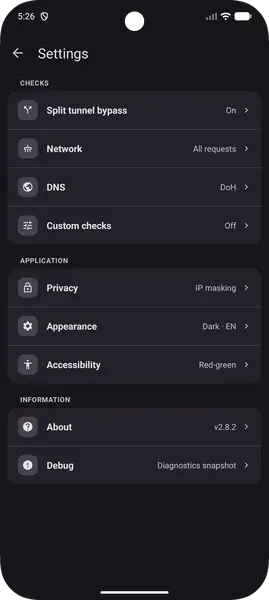
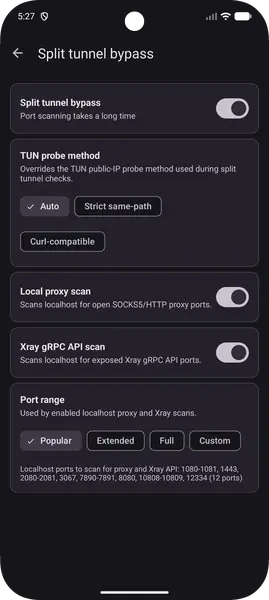
About RKNHardering
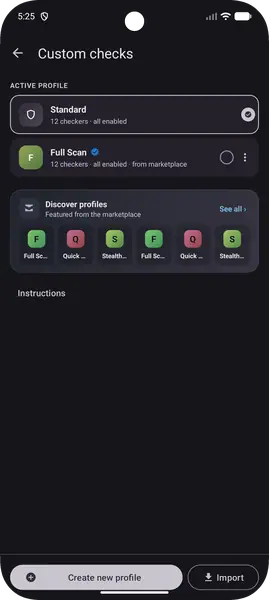
RKNHardering is an Android application that detects VPN and proxy usage on a device, implementing the Russian Federal Service for Supervision of Communications (RKN) methodology for identifying circumvention tools.
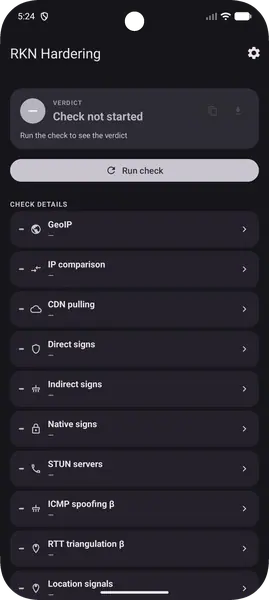
The app runs nine independent detection modules in parallel and produces a combined verdict:
- GeoIP — checks the public IP against GeoIP databases and hosting/proxy signal providers
- IP Comparison — compares responses from RU and non-RU public IP checkers
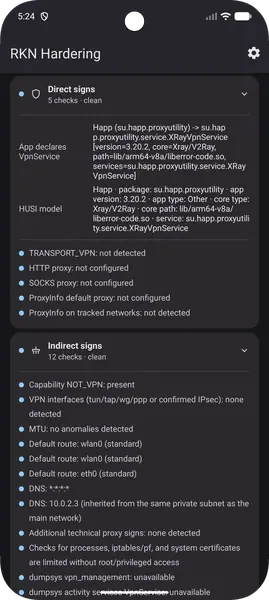
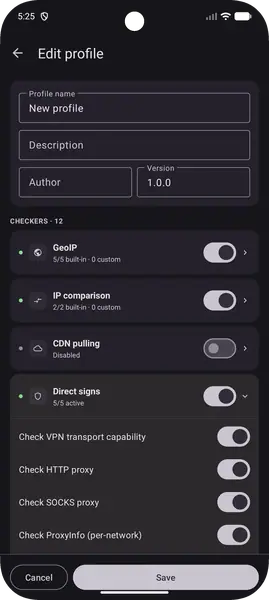
- Direct Signs — inspects NetworkCapabilities, system proxy settings, and installed VPN apps
- Indirect Signs — analyzes network interfaces, routing table, DNS, dumpsys VPN output, and localhost proxy listeners
- Location Signals — reads MCC/SIM/cell/Wi-Fi data and queries BeaconDB for geolocation
- Bypass Check — scans localhost for open SOCKS5/HTTP proxies, Xray gRPC API endpoints, and detects underlying network leaks
- CDN Pulling — sends HTTPS requests to trace endpoints to determine the apparent public IP
- Call Transport — checks STUN and MTProto availability to detect traffic tunneling
- Native Signs — performs JNI-level checks of interfaces, routes, /proc/self/maps hook markers, and root indicators
The final verdict (NOT DETECTED / NEEDS REVIEW / DETECTED) is calculated by VerdictEngine using a weighted combination of the module results.
Minimum Android version: 8.0 (API 26). Source code: https://github.com/xtclovver/RKNHardering
What's new in version 2.11.0
- Added grouped Native signs categories, signal-level results, and online help pages.
- Added privacy-safe beta checks, including VPNHide system-hook timing detection.
- Expanded native VPN and VPNHide detection for kernel and network signals.
- Fixed spoofed ICMP response handling, CDN-check UI, and host-route false positives.
- Improved documentation and translations.
APK file information
| Package name | com.notcvnt.rknhardering |
|---|---|
| Version | 2.11.0 (code 21100) |
| Minimum Android | Android 8.0 · targets Android 16 |
| Architectures | arm64-v8a, armeabi-v7a, x86_64 |
| SHA-256 | 77d64f300534f9068fb8441fc62d8baa97698d2cf5e7b04e5133f0736399fc59 |
| Signature | 4411856721b2876200bfee9c50c4a4ba3050e74785b3518a986bbf1a1a7cddca |
| Licence | AGPL-3.0-only — copyleft free licence: the code is public and modified versions must stay free |
| Source code | github.com/xtclovver/RKNHardering |
Permissions
- Internet access
- View network status
- View Wi-Fi status
- Change Wi-Fi
- Approximate location sensitive
- Precise location (GPS) sensitive
- Phone status sensitive
- See installed apps sensitive
1 other technical permission(s)
NEARBY_WIFI_DEVICES
Older versions
- RKNHardering 2.11.0July 29, 2026 · 15.1 MB
- RKNHardering 2.10.0July 12, 2026 · 14.3 MB
- RKNHardering 2.9.0June 13, 2026 · 14.0 MB
How to install RKNHardering APK
- Tap Download APK above, then open the file once the download has finished.
- If Android asks, allow your browser to install unknown apps.
- Tap Install. RKNHardering then appears with your other apps.
Having trouble? Read our guides how to install an APK on Android and "App not installed": how to fix it.
Frequently asked questions
Is RKNHardering free?
Yes. RKNHardering is distributed under the AGPL-3.0-only licence: free, no subscription, and its source code is public.
Is this APK file safe?
The file is the one built and published by the F-Droid repository from the public source code. Its SHA-256 fingerprint is shown above, so you can compare it after downloading. How to check an APK.
Will RKNHardering work on my phone?
You need at least Android 8.0. The app also works without Google services, so it runs on recent Huawei phones too.