
RPClient APK
AI roleplay chat and story writing client
Download APK v2026.4.4 · 8.2 MB- Version2026.4.4
- Size8.2 MB
- RequiresAndroid 8.0
- Updated11/23/2026
- LicenceMIT
- PriceFree
About RPClient
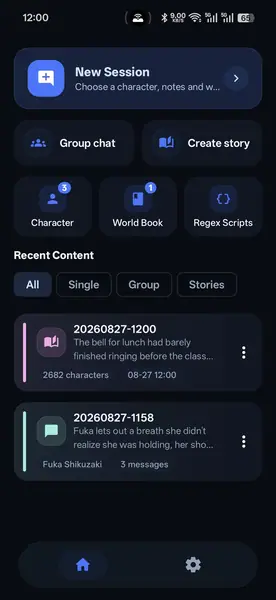
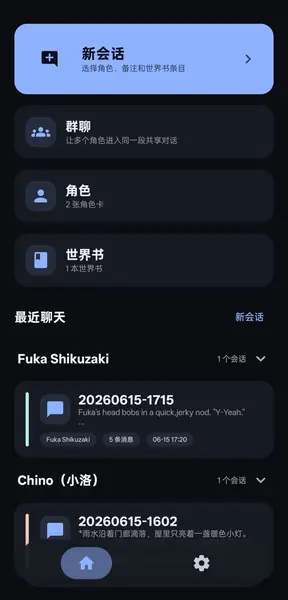
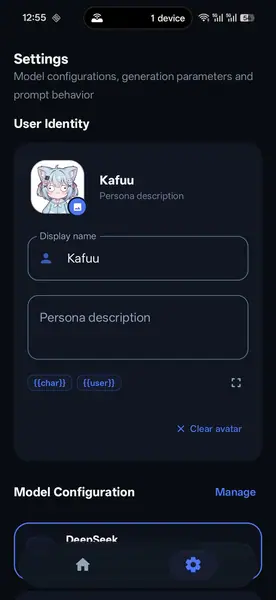
RPClient is an AI roleplay and storytelling client with support for common tavern-style character cards and lorebooks. Create your own characters, write multi-chapter stories, start one-on-one chats, or build group chats where multiple characters join the same story.
RPClient is not an Android remake of SillyTavern. It is a mobile-focused roleplay and storytelling app that supports familiar workflows such as character cards, lorebooks, prompts, and long-term story memory, while offering an interface designed for Android.
Key features:
- Write and organize multi-chapter stories with Story Studio (volumes, chapters, and continuation prompts)
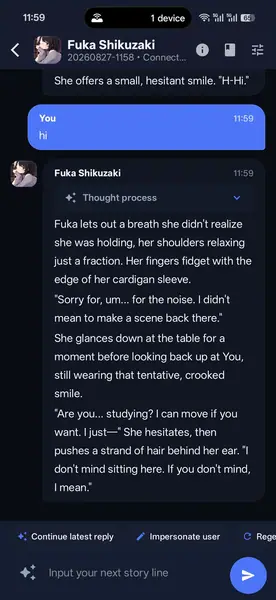
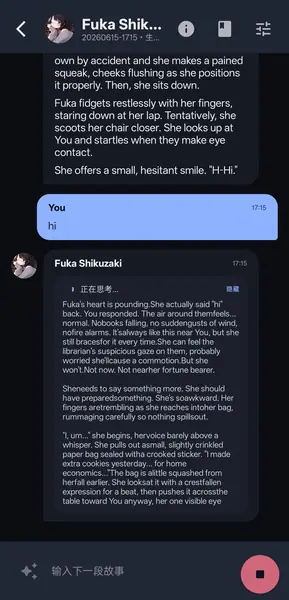
- View model reasoning and thought processes in real time during generation
- Backup and share stories with .rpstory archive export and import
- Import JSON and PNG character cards (including batch import)
- Create, edit, and manage your own characters
- Import and manage tavern-style lorebooks (with mutual exclusion groups)
- Start one-on-one AI character chats
- Create group chats with multiple characters
- Regenerate, continue, or stop replies
- Generate from the user’s perspective
- Keep long stories going with summary memory
- Assign independent models to specific characters and summaries
- Import and export chat histories compatible with SillyTavern (.jsonl)
- Manage prompts, character settings, greetings, and story context
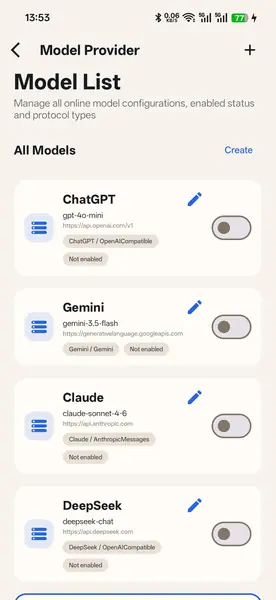
- Connect to OpenAI-compatible APIs, Gemini, Claude, DeepSeek, OpenRouter, and custom providers
- Chats, stories, characters, and settings are stored on your device by default
RPClient does not include a built-in AI model service. To chat or generate stories, you need to configure your own model provider or API key. Requests are sent to the provider you choose, so please use services you trust.
RPClient is not an official SillyTavern Android app and is not affiliated with OpenAI, Google, Anthropic, DeepSeek, or OpenRouter.
APK file information
| Package name | me.kafuuneko.rpclient |
|---|---|
| Version | 2026.4.4 (code 20260404) |
| Minimum Android | Android 8.0 · targets Android 16 |
| Architectures | arm64-v8a, armeabi-v7a, x86, x86_64 |
| SHA-256 | 049ca0b918e5161c198bc3de63773953c09e6f930b3e3d5beee8137cd4fdb3d5 |
| Signature | c54a70bdb7643eb26f9c95454eb9db75d6d36a48ee6b50b38011fd69cad402a1 |
| Licence | MIT — permissive free licence: the source code is public and reusable |
| Source code | github.com/KafuuNeko/RPClient |
Permissions
- Internet access
Older versions
- RPClient 2026.4.4November 23, 2026 · 8.2 MB
- RPClient 2026.4.3November 9, 2026 · 8.1 MB
- RPClient 2026.4.2October 29, 2026 · 8.0 MB
How to install RPClient APK
- Tap Download APK above, then open the file once the download has finished.
- If Android asks, allow your browser to install unknown apps.
- Tap Install. RPClient then appears with your other apps.
Having trouble? Read our guides how to install an APK on Android and "App not installed": how to fix it.
Frequently asked questions
Is RPClient free?
Yes. RPClient is distributed under the MIT licence: free, no subscription, and its source code is public.
Is this APK file safe?
The file is the one built and published by the F-Droid repository from the public source code. Its SHA-256 fingerprint is shown above, so you can compare it after downloading. How to check an APK.
Will RPClient work on my phone?
You need at least Android 8.0. The app also works without Google services, so it runs on recent Huawei phones too.





