
Screenshot Tile (NoRoot) APK
Customizable screenshot tool with quick settings shortcut and floating button
Download APK v2.21.4 · 3.8 MB- Version2.21.4
- Size3.8 MB
- RequiresAndroid 7.0
- Updated9/26/2026
- LicenceGPL-3.0-only
- PriceFree
About Screenshot Tile (NoRoot)
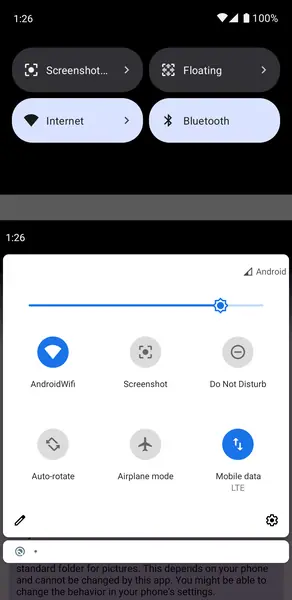
Adds a button/tile to the quick settings panel to take screenshots.
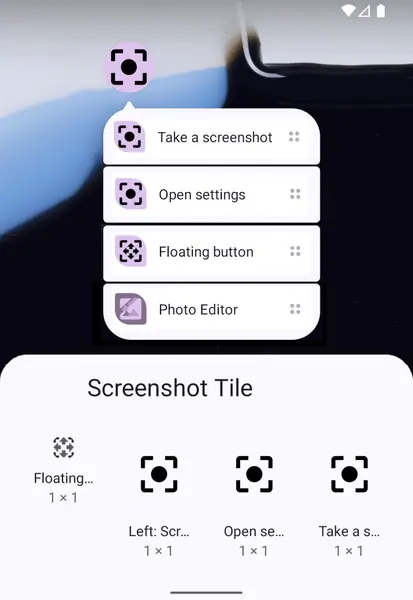
After install you need to add the button/tile to your quick settings and then grant the permissions to record screen captures and save images to the internal storage.
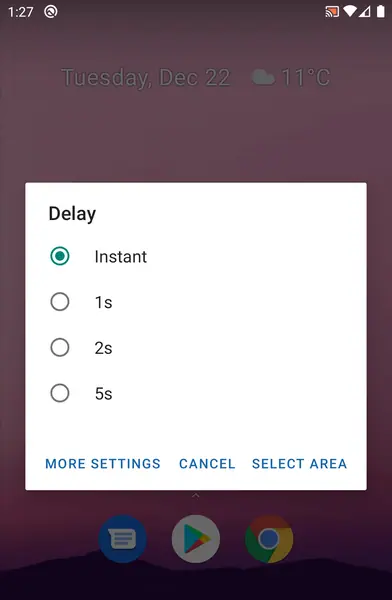
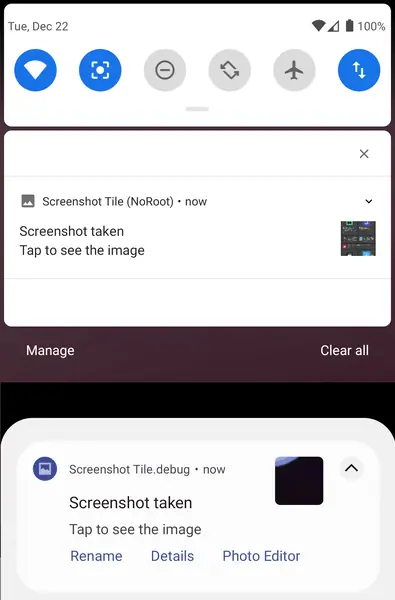
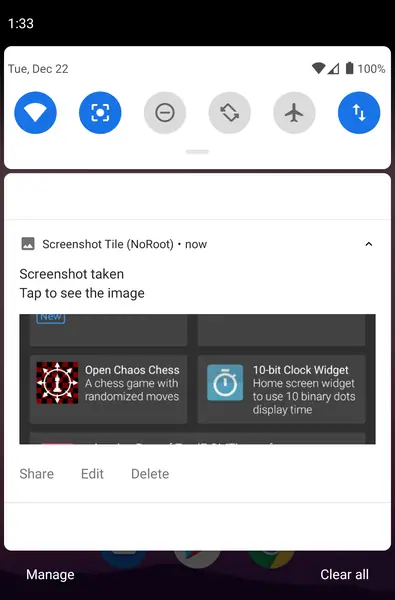
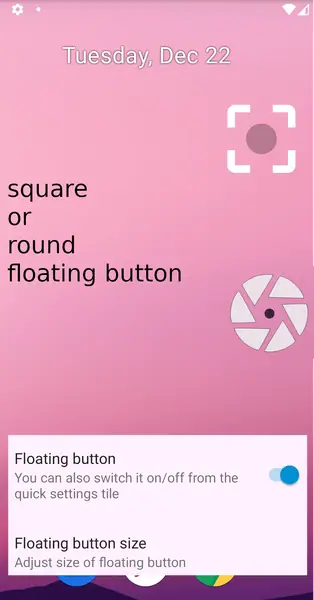
Features:✓ Take screenshots from the quick settings ✓ No root required ✓ Notification after a screenshot was taken (can be disabled) ✓ Immediately share, edit or delete a screenshot from the notification ✓ Edit the screenshot with the included image editor ✓ Floating button/Overlay button like a chat bubble (Android 9+) ✓ Use as assist app to take a screenshot (long-press the Home button) ✓ Only take screenshot of a specific area of the screen (long-press the tile) ✓ Delay taking a screenshot ✓ Store in any folder on any storage e.g. sd card ✓ Store in different file formats: png, jpg or webp ✓ Take automatic screenshots with apps like Tasker or MacroDroid ✓ Free, open-source, no advertising
This is a fork of "Screenshot Tile [Root]" but it does not require root.
Source code: github.com/cvzi/ScreenshotTile Original app: github.com/ipcjs/ScreenshotTile Open Source license is GNU GPLv3
Note: 🎦 When you take a screenshot, the "Google Cast" icon will appear in the status bar and it will be visible in the screenshot image. If you want to hide the icon, there is an explanation here: github.com/cvzi/ScreenshotTile#icon
Permissions:❏ android.permission.WRITE_EXTERNAL_STORAGE "Photos/Media/Files and Storage" This is required to save the screenshot files on the internal storage of your device.
❏ android.permission.FOREGROUND_SERVICE Since Android 9/Pie this permission is required to take screenshots. It basically means that this app can run without showing itself. However the app will always show a notification when it is running.
Automatic screenshots:If you want to automate screenshots from another app, e.g. MacroDroid or Tasker, you can find a step-by-step guide here: github.com/cvzi/ScreenshotTile#automatic-screenshots-with-broadcast-intents
Hiding the app icon:In the app settings you can hide the app icon from your launcher. You can still access the app by long pressing the tile in your quick settings. Unfortunately, Android 10 does not allow hiding an app anymore.
🌎 Support and translationsIf there is a problem or you want to help translate this app into your language, please contact me on github.com/cvzi/ScreenshotTile/issues, [email protected] or contribute a translation on https://crowdin.com/project/screenshottile/
This app can access the Accessibility Services API which allows this app to record the screen. Data is neither collected nor shared by this app using the accessibility capabilities.
What's new in version 2.21.4
v2.21.4
- Update translations
- Automate taking a screenshot by starting an activity (added by @kunalagra)
v2.20.1
- Option to copy screenshot to clipboard
- Option to auto-select "Entire screen" in legacy method permission (Android 14+)
v2.19.0
- Option to hide floating button behind front camera notch
APK file information
| Package name | com.github.cvzi.screenshottile |
|---|---|
| Version | 2.21.4 (code 150) |
| Minimum Android | Android 7.0 · targets Android 16 |
| Architectures | All (universal) |
| SHA-256 | 6fe5e6bf33dc38de7ed7e04474d9fe8d138cfe68a33766016d58329053b27c2d |
| Signature | c1fc886a9128999556b4ccc95b03058cee72dfa45f33d99443e5b481dde7880d |
| Licence | GPL-3.0-only — copyleft free licence: the code is public and modified versions must stay free |
| Source code | github.com/cvzi/ScreenshotTile |
Permissions
- Write to storage
- Run in the background
- Show notifications
- Read storage
Older versions
- Screenshot Tile (NoRoot) 2.21.4September 26, 2026 · 3.8 MB
- Screenshot Tile (NoRoot) 2.21.3July 5, 2026 · 3.8 MB
- Screenshot Tile (NoRoot) 2.21.2June 13, 2026 · 3.8 MB
How to install Screenshot Tile (NoRoot) APK
- Tap Download APK above, then open the file once the download has finished.
- If Android asks, allow your browser to install unknown apps.
- Tap Install. Screenshot Tile (NoRoot) then appears with your other apps.
Having trouble? Read our guides how to install an APK on Android and "App not installed": how to fix it.
Frequently asked questions
Is Screenshot Tile (NoRoot) free?
Yes. Screenshot Tile (NoRoot) is distributed under the GPL-3.0-only licence: free, no subscription, and its source code is public.
Is this APK file safe?
The file is the one built and published by the F-Droid repository from the public source code. Its SHA-256 fingerprint is shown above, so you can compare it after downloading. How to check an APK.
Will Screenshot Tile (NoRoot) work on my phone?
You need at least Android 7.0. The app also works without Google services, so it runs on recent Huawei phones too.





