Scrib APK
On-device voice transcription. Your audio never leaves your phone.
Download APK v0.31 · 12.9 MB- Version0.31
- Size12.9 MB
- RequiresAndroid 8.0
- Updated11/13/2026
- LicenceGPL-3.0-or-later
- PriceFree
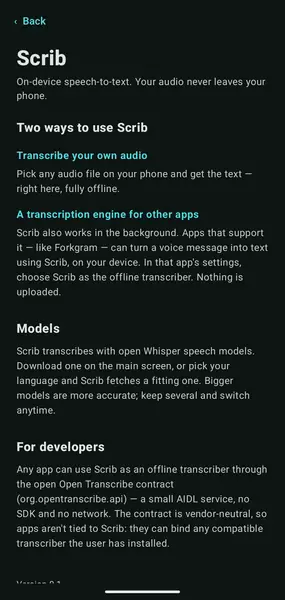
About Scrib
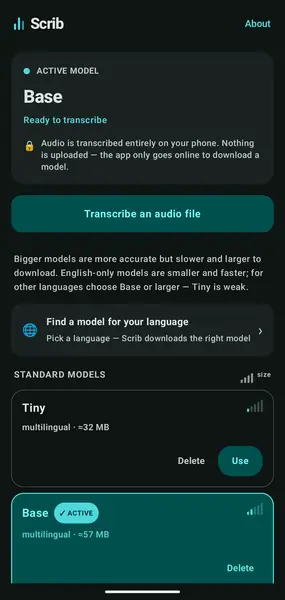
Scrib turns speech into text entirely on your device, using open speech models. Nothing is uploaded — the app only goes online to download a model you choose.
Two ways to use it
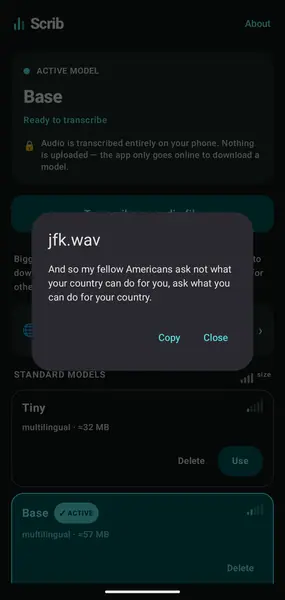
- Transcribe your own audio. Pick any audio file on your phone and get the text, right in the app, fully offline.
- A transcription engine for other apps. Scrib also runs in the background. Apps that support it — such as Forkgram — can turn a voice message into text through Scrib, on your device. In that app's settings, choose Scrib as the offline transcriber.
Models
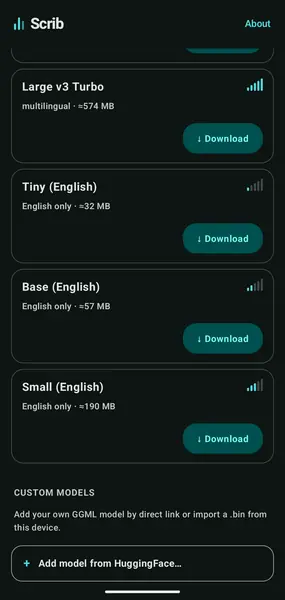
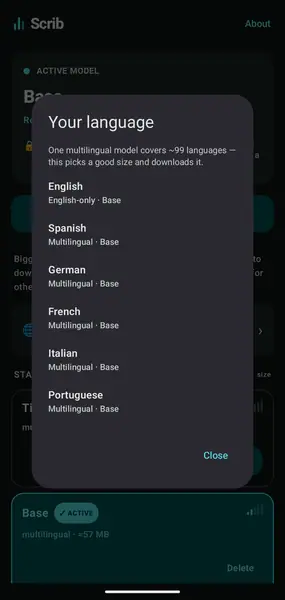
Scrib transcribes with open speech models — Whisper, Parakeet, SenseVoice, Canary, Moonshine, GigaAM and more — through one small ggml runtime. Download one on the main screen, or pick your language and Scrib fetches a suitable one. Larger models are more accurate but slower and bigger to download; keep several and switch any time. You can also add any compatible model by direct link, or import a file from your device. Models are downloaded separately and are not bundled in the app. The sherpa-only families — streaming Zipformer, Dolphin, FireRed — ship as Scrib Max on GitHub.
Privacy
Transcription runs 100% on device. Your voice messages never leave your phone. The only network access is downloading a speech model you pick.
For developers
Any app can use Scrib as an offline transcriber through the open Open Transcribe contract (org.opentranscribe.api) — a small AIDL service, no SDK and no network. The contract is vendor-neutral, so apps aren't tied to Scrib: they can bind any compatible transcriber the user has installed.
What's new in version 0.31
- Scaled the endpoint read timeout with the recording length so slow servers can finish long recordings
- Allowed plain-HTTP endpoints and user-installed certificates for self-hosted servers
APK file information
| Package name | org.scrib.transcriber |
|---|---|
| Version | 0.31 (code 31) |
| Minimum Android | Android 8.0 · targets Android 15 |
| Architectures | arm64-v8a |
| SHA-256 | e5b2492f2b8994eeb8d841cf756c8a120f6f8de070ecf7ac90a61ad1a65ea7b4 |
| Signature | 74702f7dfb6384683ea8d200c9ed578512114825f4eb134fc24eb5e5f22a1b4c |
| Licence | GPL-3.0-or-later — copyleft free licence: the code is public and modified versions must stay free |
| Source code | github.com/23rd/Scrib |
Permissions
- Internet access
- Microphone sensitive
- Run in the background
- Show notifications
Older versions
- Scrib 0.31November 13, 2026 · 12.9 MB
- Scrib 0.30November 11, 2026 · 12.9 MB
- Scrib 0.29November 9, 2026 · 12.9 MB
How to install Scrib APK
- Tap Download APK above, then open the file once the download has finished.
- If Android asks, allow your browser to install unknown apps.
- Tap Install. Scrib then appears with your other apps.
Having trouble? Read our guides how to install an APK on Android and "App not installed": how to fix it.
Frequently asked questions
Is Scrib free?
Yes. Scrib is distributed under the GPL-3.0-or-later licence: free, no subscription, and its source code is public.
Is this APK file safe?
The file is the one built and published by the F-Droid repository from the public source code. Its SHA-256 fingerprint is shown above, so you can compare it after downloading. How to check an APK.
Will Scrib work on my phone?
You need at least Android 8.0. The app also works without Google services, so it runs on recent Huawei phones too.