SD Maid 2/SE APK
SD Maid 2/SE - System Cleaner
A trusted assistant for your Android, to keep it clean and tidy.
Download APK v2.2.3-rc0 · 17.3 MB- Version2.2.3-rc0
- Size17.3 MB
- RequiresAndroid 8.0
- Updated11/23/2026
- LicenceGPL-3.0-only
- PriceFree
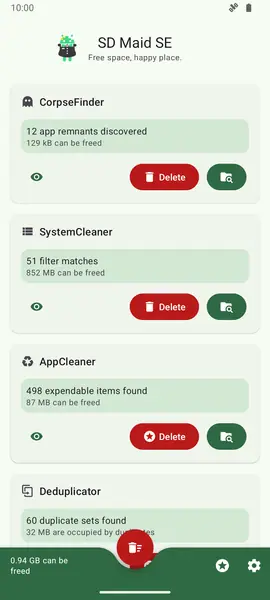
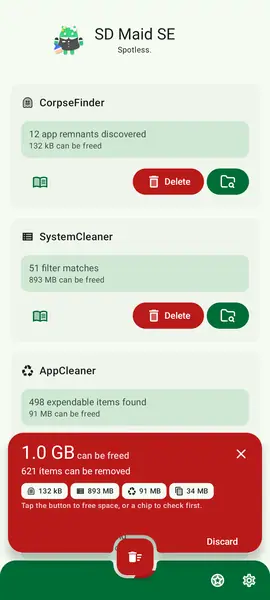
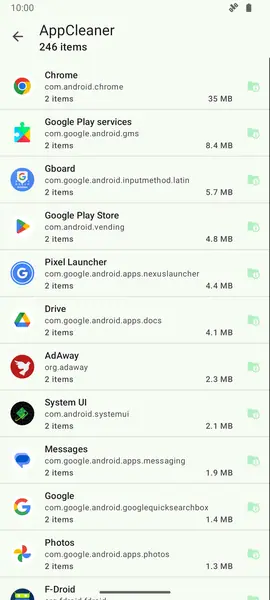
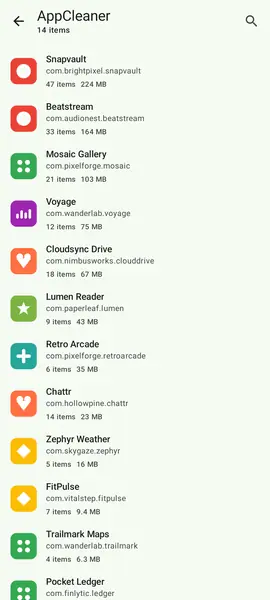
About SD Maid 2/SE
SD Maid 2/SE is your Android’s trusted assistant, to keep it clean and tidy.
Nobody is perfect and neither is Android.
- Apps you have already removed leave something behind.
- Logs, crash reports and other files you don't want are constantly being created.
- Your storage is collecting files and folders you don't recognize.
- Duplicate photos in your gallery.
Let’s not go on here… Let SD Maid 2/SE help you!
SD Maid 2/SE is an app and file manager that knows which apps created files on your device. It compares files with installed apps to help you safely free up storage space.
✨ Clean up after uninstalling apps
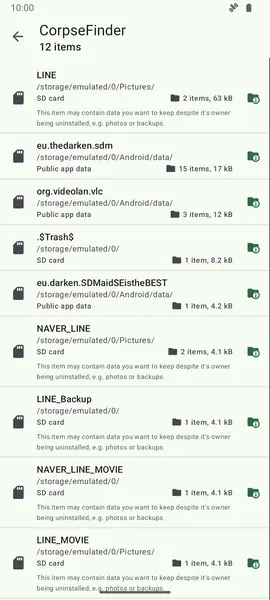
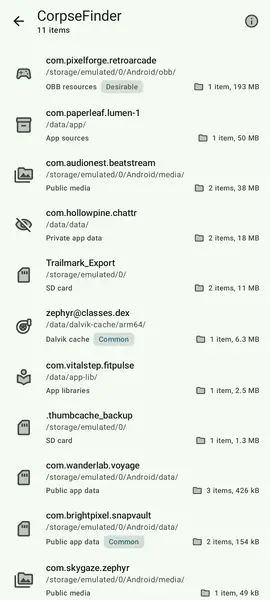
If apps create files outside their designated folders then files can remain even after uninstalling the apps. The "CorpseFinder" tool finds app remnants, tells you to which app they belonged and helps you delete them.
🔍 Search your device the smart way
Filter for empty folders, temporary files, already installed apps and more. You can even create your own search criteria. The "SystemCleaner" tool automatically searches and deletes files based on various criteria.
🧹 Delete expendable files and hidden caches
Thumbnails, trash bins, offline caches and more: If apps don't clean up after themselves, then this app will. The "AppCleaner" tool finds apps with expendable files.
📦 Manage all of your apps
Get a comprehensive list of all apps installed on your device. Enabled, disabled, user or system app: no app can hide from you. The "AppControl" tool is an app manager that lets you search, sort and control your apps.
📊 What is using all your space
Storage management can be complex with apps, media, system, and other files across device storage, SD cards, and USB devices. "StorageAnalyzer" is a file manager that displays how space is used on your device, simplifying your storage management.
📷 Find duplicate data
Duplicate downloads, photos sent through social media or just similar pictures of the same scene: Over time copies can accumulate. The "Deduplicator" tool finds files that are exactly the same or similar and helps you delete extra copies.
👆 Declutter with a swipe
Pick a folder and go through files one by one with simple swipes to keep, delete, or skip. The "Swiper" tool lets you review all decisions before anything is deleted, and you can save a session to continue later.
🗜️ Save space without deleting photos
Photos can take up a lot of storage, but you don't always want to remove them. The "Media Squeeze" tool compresses your images with adjustable quality settings to free up space while keeping your pictures.
This app is ad-free. Some features require a paid upgrade.
SD Maid 2/SE is the successor to SD Maid 1/Legacy. Optimized for newer Android versions and focused on cleaning up.
This app has optional features that utilize the AccessibilityService API to automate tedious actions. Using the AccessibilityService API, this app can click buttons for you to perform operations on multiple apps, e.g. deleting caches. This app does not use the AccessibilityService API to collect information.
SD Maid 2/SE is a File Manager & Cleaner App.
What's new in version 2.2.3-rc0
Bug fixes and small improvements, so you get more space back with less hassle.
What changed in this version: sdmse.darken.eu/changelog
Something broke or behaves oddly after updating? Tell me via Settings > Support. It's a one-person project, so replies can take a little while, but every report gets read.
APK file information
| Package name | eu.darken.sdmse |
|---|---|
| Version | 2.2.3-rc0 (code 20203000) |
| Minimum Android | Android 8.0 · targets Android 16 |
| Architectures | arm64-v8a, armeabi-v7a, x86, x86_64 |
| SHA-256 | 29a98e6160cab1e0fe137e7b19210651122c6ea43791cddc66924ca12e103ac2 |
| Signature | f490032be5383f55900495fa7fc207ece2e786a5c2c6cc52027b99548a9ce938 |
| Licence | GPL-3.0-only — copyleft free licence: the code is public and modified versions must stay free |
| Source code | github.com/d4rken-org/sdmaid-se |
Permissions
- Show notifications
- Internet access
- Write to storage
- Read storage
- Access all files sensitive
- See installed apps sensitive
- Run in the background
- View network status
- Keep the device awake
- Start at boot
7 other technical permission(s)
REQUEST_DELETE_PACKAGES CLEAR_APP_CACHE PACKAGE_USAGE_STATS BROADCAST_CLOSE_SYSTEM_DIALOGS WRITE_SECURE_SETTINGS INTERACT_ACROSS_USERS QUERY_ADVANCED_PROTECTION_MODE
Older versions
- SD Maid 2/SE 2.2.3-rc0November 23, 2026 · 17.3 MB
- SD Maid 2/SE 2.2.2-rc0October 25, 2026 · 17.3 MB
- SD Maid 2/SE 2.2.1-rc0October 12, 2026 · 17.2 MB
How to install SD Maid 2/SE APK
- Tap Download APK above, then open the file once the download has finished.
- If Android asks, allow your browser to install unknown apps.
- Tap Install. SD Maid 2/SE then appears with your other apps.
Having trouble? Read our guides how to install an APK on Android and "App not installed": how to fix it.
Frequently asked questions
Is SD Maid 2/SE free?
Yes. SD Maid 2/SE is distributed under the GPL-3.0-only licence: free, no subscription, and its source code is public.
Is this APK file safe?
The file is the one built and published by the F-Droid repository from the public source code. Its SHA-256 fingerprint is shown above, so you can compare it after downloading. How to check an APK.
Will SD Maid 2/SE work on my phone?
You need at least Android 8.0. The app also works without Google services, so it runs on recent Huawei phones too.