
ServerBox APK
A server status & toolbox app using Flutter
Download APK v1.0.1844 · 42.3 MB- Version1.0.1844
- Size42.3 MB
- RequiresAndroid 7.0
- Updated11/1/2026
- LicenceGPL-3.0-only
- PriceFree
About ServerBox
Monitor and manage Linux, BSD and Windows servers from one app.
A server is reached over SSH, over the ServerBox Monitor agent's HTTP API, or both.
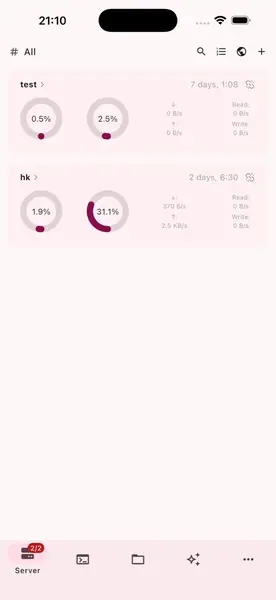
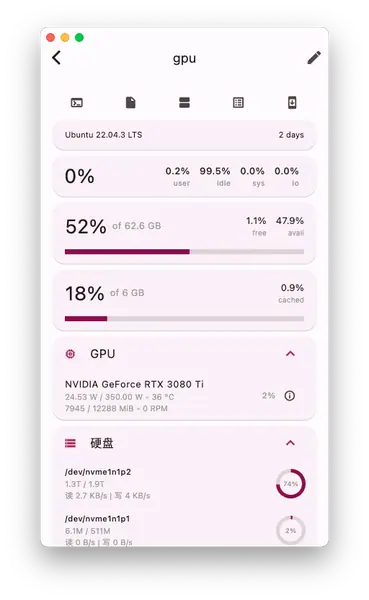
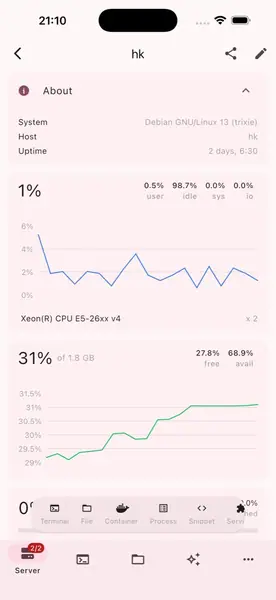
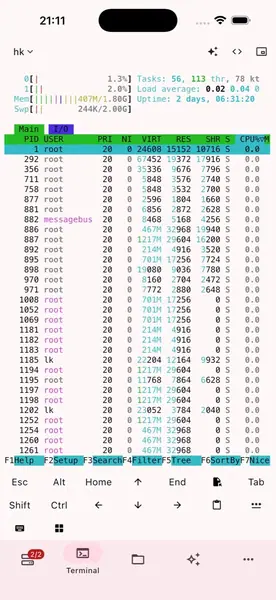
- Status charts: CPU, memory, disk, network, temperature, GPU, S.M.A.R.T, battery
- SSH terminal with a virtual keyboard, a floating window over the rest of the app, and a shell on the device itself
- Files over SFTP, or over SCP where the host has no SFTP subsystem
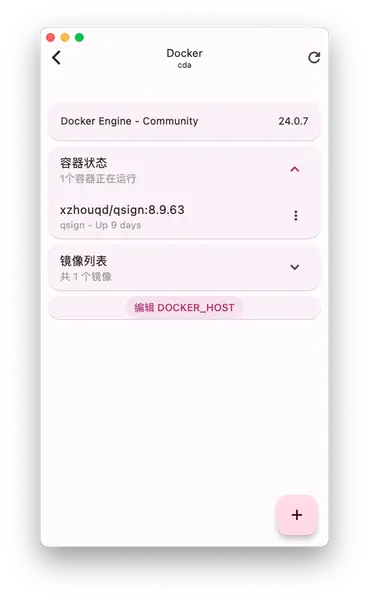
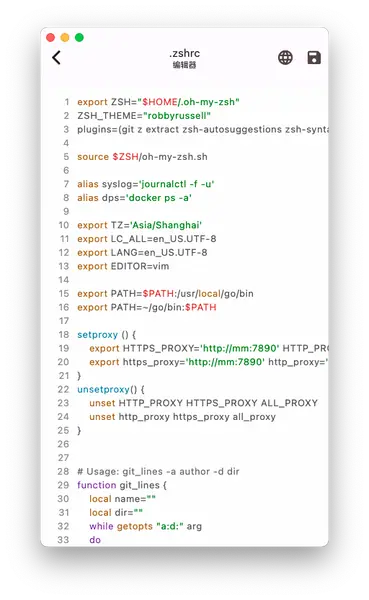
- Docker containers, processes, systemd services, snippets and custom commands
- Benchmark disk, network and CPU, with the results stored and comparable
- Your servers drawn on a globe, placed on the device without an address leaving it
- Port forwarding, jump hosts and ProxyCommand
- Biometric auth, push notifications, home widgets and a watchOS app
- 15 languages
Especially thanks to dartssh2 & xterm.dart.
APK file information
| Package name | tech.lolli.toolbox |
|---|---|
| Version | 1.0.1844 (code 184403) |
| Minimum Android | Android 7.0 · targets Android 16 |
| Architectures | arm64-v8a |
| SHA-256 | 5d0f7d8f0faabd68a0a5da3c0c4e53a8e7214b834f927fb93763c9e6fd7e96d8 |
| Signature | 5e8b245185aaa53736f932106a2364a9948ac3c2c2d972abd10fb0a868f42d5d |
| Licence | GPL-3.0-only — copyleft free licence: the code is public and modified versions must stay free |
| Source code | github.com/lollipopkit/flutter_server_box |
Permissions
- Internet access
- Read storage
- Write to storage
- Fingerprint / biometrics
- Run in the background
- Vibrate
- Show notifications
- Camera sensitive
- Microphone sensitive
- Fingerprint
- View network status
Older versions
- ServerBox 1.0.1844November 1, 2026 · 42.3 MB
- ServerBox 1.0.1844November 1, 2026 · 42.4 MB
- ServerBox 1.0.1844November 1, 2026 · 43.4 MB
- ServerBox 1.0.1816October 25, 2026 · 42.0 MB
- ServerBox 1.0.1816October 25, 2026 · 42.0 MB
- ServerBox 1.0.1816October 25, 2026 · 43.0 MB
- ServerBox 1.0.1787October 22, 2026 · 41.9 MB
- ServerBox 1.0.1787October 22, 2026 · 41.9 MB
- ServerBox 1.0.1787October 22, 2026 · 42.9 MB
How to install ServerBox APK
- Tap Download APK above, then open the file once the download has finished.
- If Android asks, allow your browser to install unknown apps.
- Tap Install. ServerBox then appears with your other apps.
Having trouble? Read our guides how to install an APK on Android and "App not installed": how to fix it.
Frequently asked questions
Is ServerBox free?
Yes. ServerBox is distributed under the GPL-3.0-only licence: free, no subscription, and its source code is public.
Is this APK file safe?
The file is the one built and published by the F-Droid repository from the public source code. Its SHA-256 fingerprint is shown above, so you can compare it after downloading. How to check an APK.
Will ServerBox work on my phone?
You need at least Android 7.0. The app also works without Google services, so it runs on recent Huawei phones too.





