
Snapdrop & PairDrop for Android APK
Transfer files seamlessly between all your devices - Snapdrop
Download APK v2.3.1 · 6.3 MB- Version2.3.1
- Size6.3 MB
- RequiresAndroid 5.0
- Updated2/13/2025
- LicenceGPL-3.0-only
- PriceFree
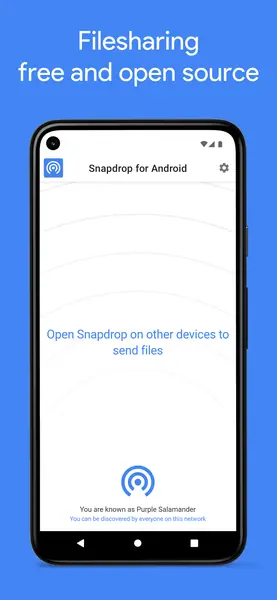

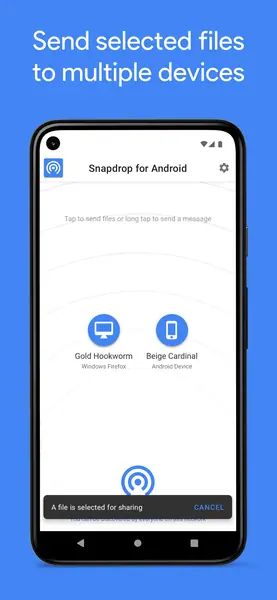
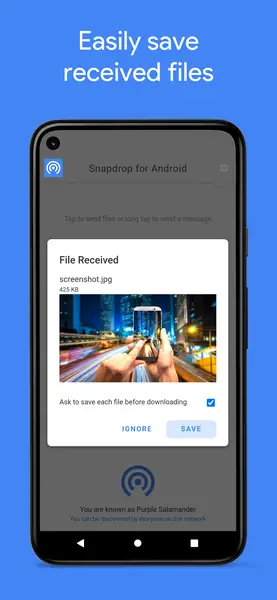

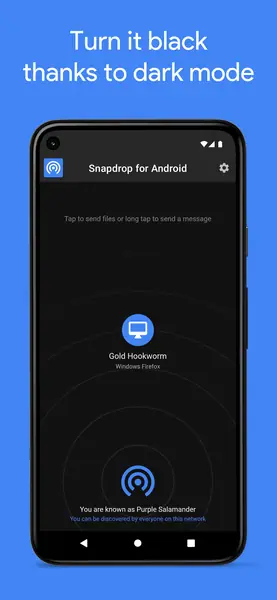
About Snapdrop & PairDrop for Android
Snapdrop & PairDrop for Android is an Android™ client for the free and open source local file sharing solutions https://snapdrop.net/ and https://pairdrop.net/.
Do you also sometimes have the problem that you just need to quickly transfer a file from your phone to the PC?
USB? - Old fashioned! Bluetooth? - Much too cumbersome and slow! E-mail? - Please not another email I write to myself!
Snapdrop!
Snapdrop (as well as the enhanced version "PairDrop") is a local file sharing solution which completely works in your browser. A bit like Apple's Airdrop, but not only for Apple devices. Windows, Linux, Android, IPhone, Mac - no problem at all!
However, even if it theoretically would fully work in your browser, you will love this app if you want to use Snapdrop or PairDrop more often in your daily life. Thanks to perfect integration into the Android operating system, files are sent even faster. Directly from within other apps you can select Snapdrop to share with.
Thanks to its radical simplicity, "Snapdrop & PairDrop for Android" makes the everyday life of thousands of users easier. As an open source project we don't have any commercial interests but want to make the world a little bit better. Join and convince yourself!
SOURCE CODE: https://github.com/fm-sys/snapdrop-android
CREDIT: The app is powered by the Snapdrop Open Source project, which is hosted and maintained by RobinLinus. See also https://www.github.com/robinlinus/snapdrop
APK file information
| Package name | com.fmsys.snapdrop |
|---|---|
| Version | 2.3.1 (code 45) |
| Minimum Android | Android 5.0 · targets Android 14 |
| Architectures | All (universal) |
| SHA-256 | 4c221d7a0c66c36680bf1fcfbf4cba9f737806e497943f3120545f3bad0d923c |
| Signature | d66acae24b359b806de83091b6b5b4e855badd018f5f1b33c1b5f11771d6d31e |
| Licence | GPL-3.0-only — copyleft free licence: the code is public and modified versions must stay free |
| Source code | github.com/fm-sys/snapdrop-android |
Permissions
- View network status
- View Wi-Fi status
- Internet access
- Write to storage
- Read storage
- Show notifications
- Vibrate
2 other technical permission(s)
ACCESS_MEDIA_LOCATION DOWNLOAD_WITHOUT_NOTIFICATION
Older versions
- Snapdrop & PairDrop for Android 2.3.1February 13, 2025 · 6.3 MB
- Snapdrop & PairDrop for Android 2.3.0October 30, 2024 · 6.3 MB
- Snapdrop & PairDrop for Android 2.2.4October 30, 2023 · 5.8 MB
How to install Snapdrop & PairDrop for Android APK
- Tap Download APK above, then open the file once the download has finished.
- If Android asks, allow your browser to install unknown apps.
- Tap Install. Snapdrop & PairDrop for Android then appears with your other apps.
Having trouble? Read our guides how to install an APK on Android and "App not installed": how to fix it.
Frequently asked questions
Is Snapdrop & PairDrop for Android free?
Yes. Snapdrop & PairDrop for Android is distributed under the GPL-3.0-only licence: free, no subscription, and its source code is public.
Is this APK file safe?
The file is the one built and published by the F-Droid repository from the public source code. Its SHA-256 fingerprint is shown above, so you can compare it after downloading. How to check an APK.
Will Snapdrop & PairDrop for Android work on my phone?
You need at least Android 5.0. The app also works without Google services, so it runs on recent Huawei phones too.





