Solo Forge APK
Local-first intermittent fasting, calorie, weight & workout tracker
Download APK v0.10.0 · 3.2 MB- Version0.10.0
- Size3.2 MB
- RequiresAndroid 8.0
- Updated10/25/2026
- LicenceGPL-3.0-only
- PriceFree
About Solo Forge
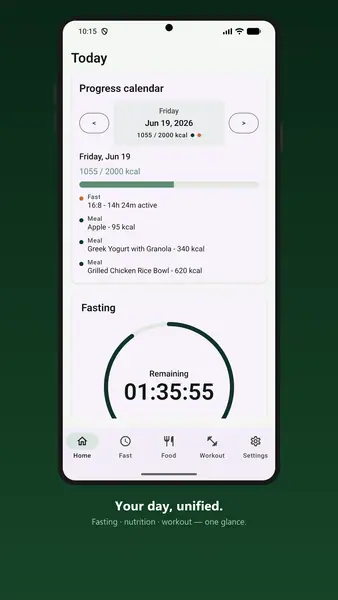
Solo Forge is a free and open source Android fitness app: an intermittent fasting timer, calorie and macro counter, weight tracker, and workout timer in one. No ads, no tracking, fully offline.
It is built around local data ownership:
- No backend
- No accounts
- No analytics
- No crash reporting
- Android cloud backup disabled
- Full backup and restore to a single file, with optional auto-backup to a folder you choose
Features:
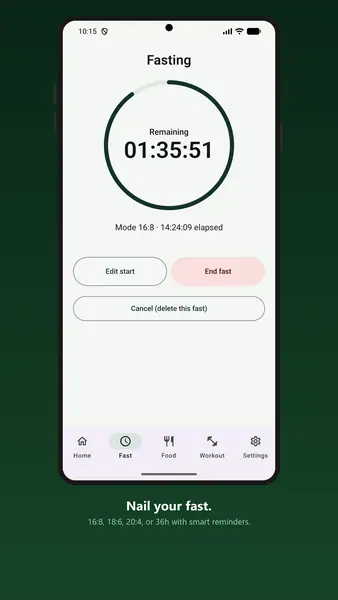
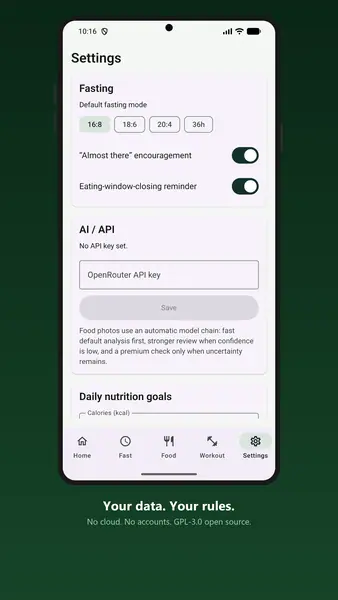
- Intermittent fasting timer with 12:12, 14:10, 16:8, 18:6, 20:4, and 36 hour modes
- State-driven fasting reminders instead of daily notification spam
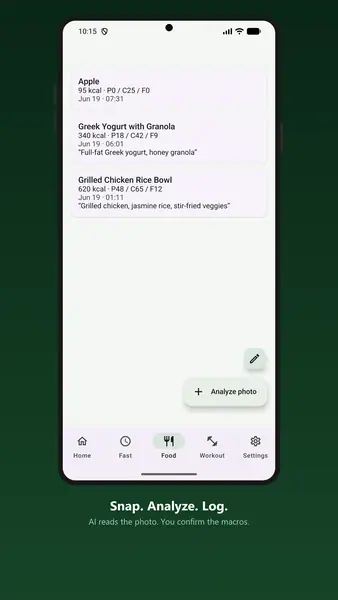
- Food photo analysis using your own OpenRouter API key
- Manual meal entry and editable macro estimates
- Local calorie and macro goals
- Weight history with charting
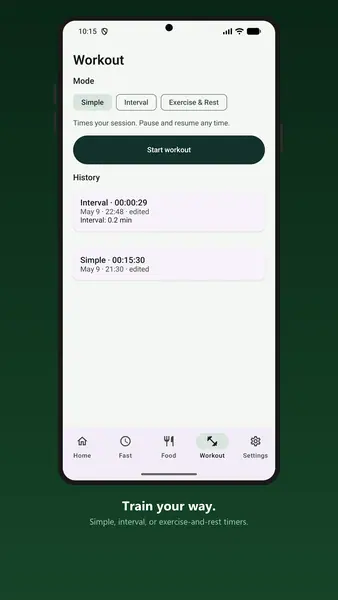
- Simple, interval, and exercise/rest workout timers
- Dashboard for fasting, nutrition, weight, workout time, and streaks
- Daily journal notes on the progress calendar
- Optional Health Connect sync for weight, workouts and meals, so entries recorded by a scale, tracker or another food app do not need retyping
Solo Forge sends a network request only when you start food photo analysis. That request goes to OpenRouter using the API key you provide. All saved meals, weight entries, workouts, fasting history, settings, and exports remain local to your device.
Solo Forge is licensed under GPL-3.0.
What's new in version 0.10.0
Fasts can now run up to 7 days: pick Custom and set any target from 1 hour to a week. A weekly strip shows the hours fasted each day, and streaks count every day a fast covers. A new, entirely optional body profile (height, age, sex, activity, goal weight) suggests daily calories and macros, shows your BMI with a healthy range, and draws your goal on the weight chart. Skip any field and defaults are used; nothing leaves your phone.
APK file information
| Package name | com.kbul.spicycrab |
|---|---|
| Version | 0.10.0 (code 18) |
| Minimum Android | Android 8.0 · targets Android 16 |
| Architectures | arm64-v8a, armeabi-v7a, x86, x86_64 |
| SHA-256 | 7a4c6123bb04a0551ae27aff0ee1ccf2e5bdc063f7767d7c18e6d4832a715520 |
| Signature | 37bd6252441cb925fa6c0d72013e145e9ed880402b098f194fb55b3f1dbea966 |
| Licence | GPL-3.0-only — copyleft free licence: the code is public and modified versions must stay free |
| Source code | github.com/kirilan/SoloForge |
Permissions
- Internet access
- Camera sensitive
- Show notifications
- Run in the background
- Start at boot
- Vibrate
- Keep the device awake
- View network status
6 other technical permission(s)
health.READ_WEIGHT health.WRITE_WEIGHT health.READ_EXERCISE health.WRITE_EXERCISE health.READ_NUTRITION health.WRITE_NUTRITION
Older versions
- Solo Forge 0.10.0October 25, 2026 · 3.2 MB
- Solo Forge 0.9.0October 15, 2026 · 3.1 MB
- Solo Forge 0.8.0October 5, 2026 · 3.1 MB
How to install Solo Forge APK
- Tap Download APK above, then open the file once the download has finished.
- If Android asks, allow your browser to install unknown apps.
- Tap Install. Solo Forge then appears with your other apps.
Having trouble? Read our guides how to install an APK on Android and "App not installed": how to fix it.
Frequently asked questions
Is Solo Forge free?
Yes. Solo Forge is distributed under the GPL-3.0-only licence: free, no subscription, and its source code is public.
Is this APK file safe?
The file is the one built and published by the F-Droid repository from the public source code. Its SHA-256 fingerprint is shown above, so you can compare it after downloading. How to check an APK.
Will Solo Forge work on my phone?
You need at least Android 8.0. The app also works without Google services, so it runs on recent Huawei phones too.