SSHBorg APK
SSH & SFTP client for cyborgs and Android. No ads, no tracking, no cloud.
Download APK v1.22.0 · 15.2 MB- Version1.22.0
- Size15.2 MB
- RequiresAndroid 9
- Updated11/20/2026
- LicenceGPL-3.0-only
- PriceFree
About SSHBorg
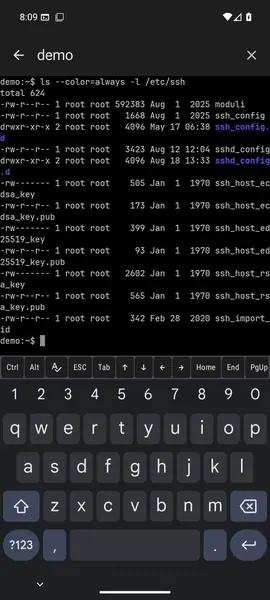
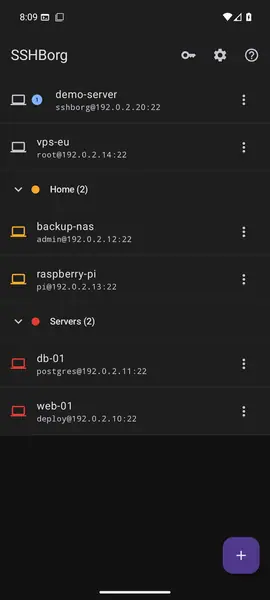
SSHBorg is a powerful SSH and SFTP client for Android. Manage your servers securely from your phone with key authentication, encrypted storage, and biometric lock.
FEATURES
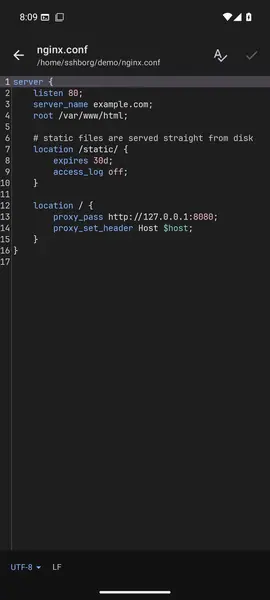
- Full SSH Terminal — Interactive terminal with VT100/xterm emulation, full UTF-8 support, and multiple concurrent sessions.
- Mosh Support — The terminal survives a change of network and a sleeping phone: no reconnection, nothing lost. Requires mosh-server on the server.
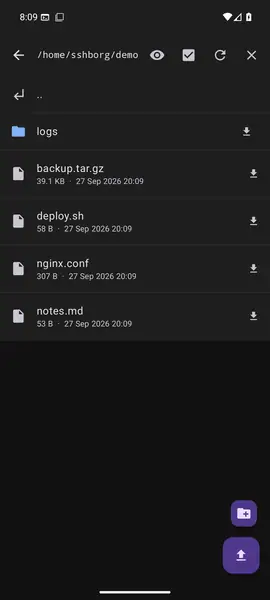
- SFTP File Manager — Browse, upload, download, rename, and delete files on your servers with an intuitive file manager.
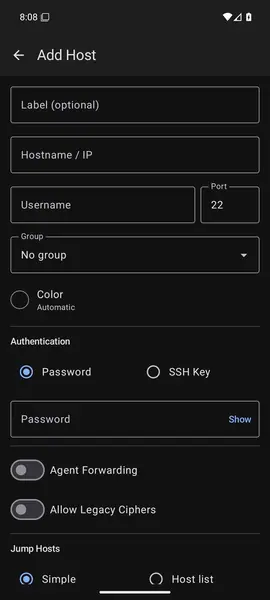
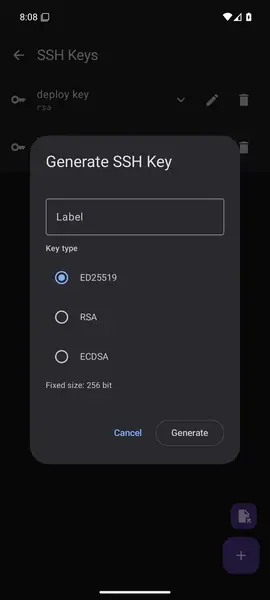
- SSH Key Auth — Generate Ed25519, ECDSA, and RSA keys directly on your device. No passwords needed.
- Jump Host Support — Connect through one or more bastion hosts with transparent tunnelling. Full SSH agent forwarding.
- Biometric Lock — Protect access to your servers with fingerprint or face unlock. Configurable timeout.
- Multilingual — Available in English, Italian, French, German, Spanish, Portuguese, Ukrainian, Russian, Chinese, and Japanese.
- Dark & Light Theme — Follows the system theme or let you choose. Fully readable in any lighting condition.
- Multiple Sessions — Keep several SSH and SFTP sessions open simultaneously. Switch between them instantly.
PRIVACY FIRST, BY DESIGN
SSHBorg never collects your data. Everything stays on your device — your credentials, your keys, your connections.
- No ads
- No tracking
- No cloud
- Open source — GPL v3
- No third-party SDKs
- Android Keystore encryption
sshborg.com
What's new in version 1.22.0
- The host list now shows when you last connected to each host.
- A mosh session can outlive a lost network for as long as you choose, up to a day, and costs less battery while out of contact.
- The backup now carries three terminal and SFTP settings it had been missing.
- The keyboard no longer stays up over the PIN lock screen.
- Updated third-party libraries, including hardening of the SSH and file-transfer layer.
APK file information
| Package name | com.sshborg |
|---|---|
| Version | 1.22.0 (code 40) |
| Minimum Android | Android 9 · targets Android 16 |
| Architectures | arm64-v8a, armeabi-v7a, x86, x86_64 |
| SHA-256 | 71812ec0dd739aef6a794204f2efcb77ed3b2208e05b13777bddd8e099feb77b |
| Signature | 0c872c49e1a4b7873432ae4741cb78347d4b5d07d46a99f6b63f6734641abb82 |
| Licence | GPL-3.0-only — copyleft free licence: the code is public and modified versions must stay free |
| Source code | github.com/payne1982/sshborg |
| Official website | sshborg.com |
Permissions
- Internet access
- Show notifications
- View network status
- Run in the background
- Write to storage
- Fingerprint / biometrics
- Fingerprint
- Read storage
Older versions
- SSHBorg 1.22.0November 20, 2026 · 15.2 MB
- SSHBorg 1.21.0November 4, 2026 · 15.3 MB
- SSHBorg 1.20.0October 22, 2026 · 15.2 MB
How to install SSHBorg APK
- Tap Download APK above, then open the file once the download has finished.
- If Android asks, allow your browser to install unknown apps.
- Tap Install. SSHBorg then appears with your other apps.
Having trouble? Read our guides how to install an APK on Android and "App not installed": how to fix it.
Frequently asked questions
Is SSHBorg free?
Yes. SSHBorg is distributed under the GPL-3.0-only licence: free, no subscription, and its source code is public.
Is this APK file safe?
The file is the one built and published by the F-Droid repository from the public source code. Its SHA-256 fingerprint is shown above, so you can compare it after downloading. How to check an APK.
Will SSHBorg work on my phone?
You need at least Android 9. The app also works without Google services, so it runs on recent Huawei phones too.