
Sterna Mail APK
Private email client for JMAP and IMAP/SMTP. No Google services, no tracking.
Download APK v1.6.8 · 7.0 MB- Version1.6.8
- Size7.0 MB
- RequiresAndroid 8.0
- Updated11/23/2026
- LicenceGPL-3.0-or-later
- PriceFree
About Sterna Mail
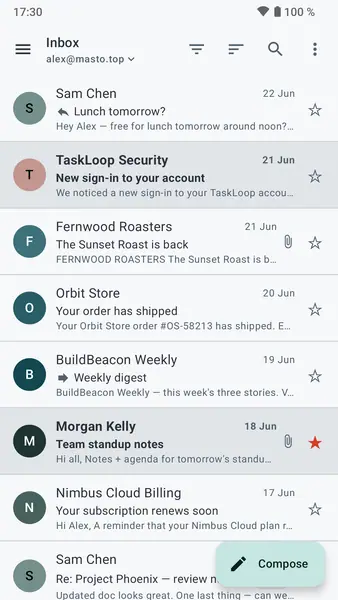
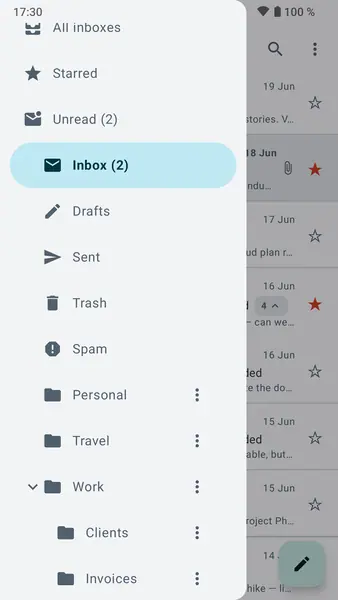
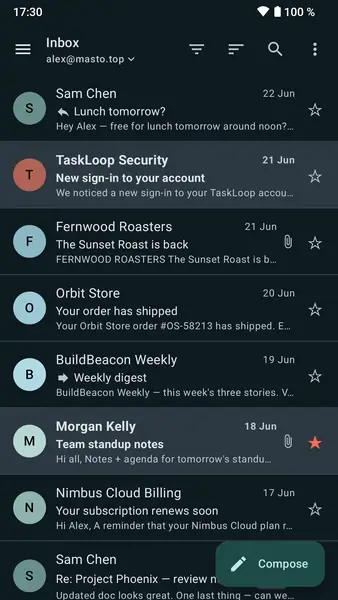
Sterna Mail is a free, private email client for Android. It is built for JMAP, the modern successor to IMAP, and works just as well with any IMAP/SMTP provider.
No tracking, no ads, no Google services. The code is GPLv3, and F-Droid checks that the app it ships is byte for byte the one built from the published source.
Reading:
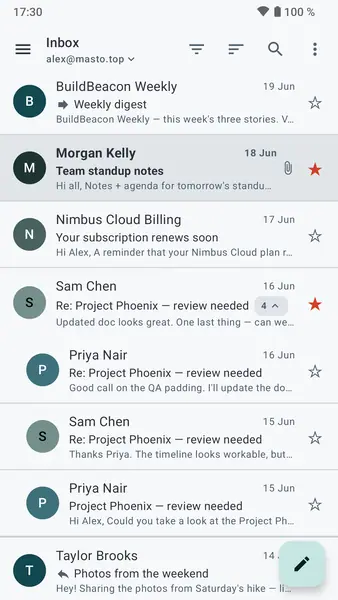
- Several accounts, JMAP and IMAP side by side, with a unified inbox that works offline
- Conversations, search as you type and snooze
Writing:
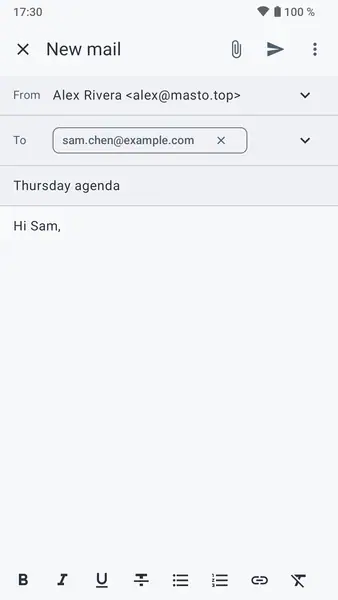
- Several identities, each with its own signature
- Undo send and scheduled send
Privacy and security:
- OpenPGP encryption through an app such as OpenKeychain
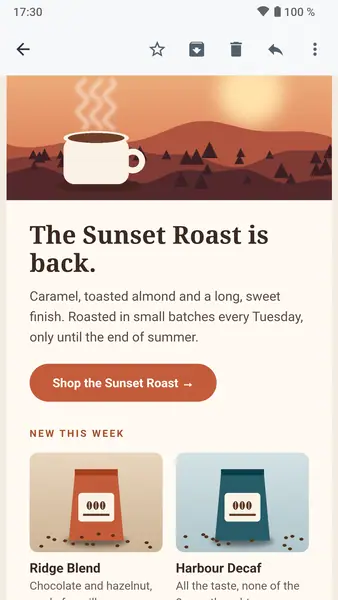
- Remote images and tracking pixels blocked by default, app lock with fingerprint or PIN
Setup and notifications:
- Setup from your email address alone, or a manual form when the domain publishes nothing
- Push notifications without Google, over JMAP, IMAP IDLE or UnifiedPush
- Available in eleven languages
What's new in version 1.6.8
An account can show a photo of your choice instead of its letter. Manage folders now creates, renames and deletes folders. The star on message list rows can be hidden in Appearance.
OpenPGP: a recipient with no known key no longer blocks Send, the OpenPGP app lets you pick the key.
Times follow the phone's 12 or 24 hour setting. A photo attached by Gmail now shows among the attachments. The app lock can be turned on under Android 9 and 10.
APK file information
| Package name | app.sterna |
|---|---|
| Version | 1.6.8 (code 189) |
| Minimum Android | Android 8.0 · targets Android 16 |
| Architectures | arm64-v8a, armeabi-v7a, x86, x86_64 |
| SHA-256 | c3ffce93fd7ca45e394ca13e20c728e5c147ddece3d99d242d195b48a3c8fed1 |
| Signature | cf2d007f7bfa44e08e20943de4fe17fb0873707fd759d6db9cadb1f4b2aaedc4 |
| Licence | GPL-3.0-or-later — copyleft free licence: the code is public and modified versions must stay free |
| Source code | codeberg.org/emon/sterna-mail |
| Official website | sternamail.org |
Permissions
- Internet access
- View network status
- Show notifications
- Read contacts sensitive
- Run in the background
- Start at boot
- Fingerprint / biometrics
- Fingerprint
- Keep the device awake
Older versions
- Sterna Mail 1.6.8November 23, 2026 · 7.0 MB
- Sterna Mail 1.6.7November 13, 2026 · 6.9 MB
- Sterna Mail 1.6.6November 9, 2026 · 6.9 MB
How to install Sterna Mail APK
- Tap Download APK above, then open the file once the download has finished.
- If Android asks, allow your browser to install unknown apps.
- Tap Install. Sterna Mail then appears with your other apps.
Having trouble? Read our guides how to install an APK on Android and "App not installed": how to fix it.
Frequently asked questions
Is Sterna Mail free?
Yes. Sterna Mail is distributed under the GPL-3.0-or-later licence: free, no subscription, and its source code is public.
Is this APK file safe?
The file is the one built and published by the F-Droid repository from the public source code. Its SHA-256 fingerprint is shown above, so you can compare it after downloading. How to check an APK.
Will Sterna Mail work on my phone?
You need at least Android 8.0. The app also works without Google services, so it runs on recent Huawei phones too.