
TeXeTeScribe APK
TeXeTeScribe
Read and write in text-based files: TXT, JSON, HTML, CSV, XML, YAML, INI, MD
Download APK v1.6 · 4.5 MB- Version1.6
- Size4.5 MB
- RequiresAndroid 8.0
- Updated11/20/2026
- LicenceGPL-3.0-only
- PriceFree
About TeXeTeScribe
TeXeTeScribe provides what default Android lacks: read and edit text-based files. It also implements concept of a folder with a notebook functionality.
📖 You data is always readable. If a platform can display characters, it can handle a TXT file: Android, iOS, Windows, Linux, macOS, ChromeOS, Smart TVs, e-readers, gaming consoles, embedded and IoT devices, cloud storage and collaboration tools (Google Drive, iCloud, Dropbox, etc). TXT files are the most universal format because every operating system "understands" them. Text files avoid compatibility issues of proprietary formats, ensuring flawless transfer across devices and platforms.
🛡 Future proof your content. Text files are universal and future-proof, free from the compatibility problems that plague proprietary note formats. You don't need a specific app to access TXT file. It can be viewed and edited on basically everything with a processor.
🔓 Notes in TXT files never get trapped. Most note-taking apps store data inside private app databases or proprietary cloud formats. If the app stops working from a bad update or glitch, or disappears from the app store, your notes often go with it. Unreadable, unexportable, and locked behind a backup you cannot open. Plain .txt files avoid all of that.
💾 Notes survive phone failures. When data is stored in internal memory, Android encrypts it by default, starting 2015. If the system glitches after an update, or the phone can't run its OS, all data in phone's internal memory becomes unaccessible, and basically lost - often Android repair process implies wiping all data. Saving notes on a microSD card keeps them physically separate from the system. Just insert SD card into any other device: files stay fully accessible in any file manager.
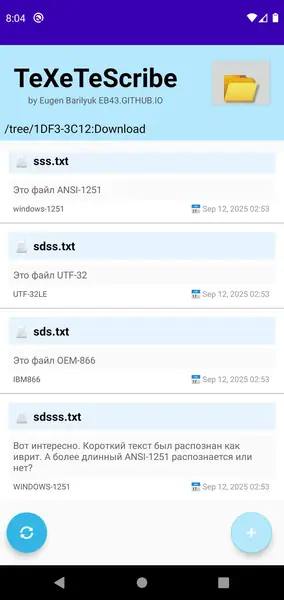
🔠 Text always looks readable. Every text file has its own encoding. Android uses UTF-8 by default, Windows often saves text in ANSI (Windows-1251), old DOS programs use CP866, and classic macOS systems relied on MacRoman. There is also UTF-32, used in some technical files. Most Android apps simply assume everything is UTF-8, which is why older documents or foreign-language text often appear as unreadable gibberish. TeXeTeScribe app automatically detects the correct encoding, and shows the text readably.
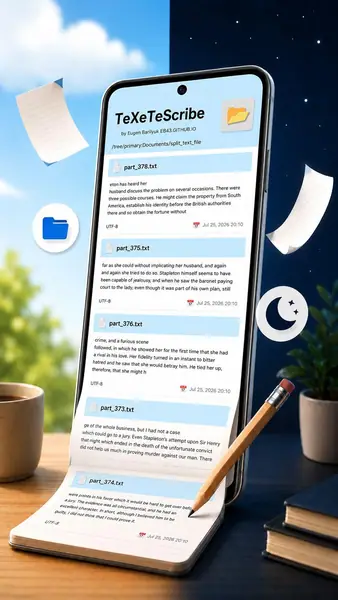
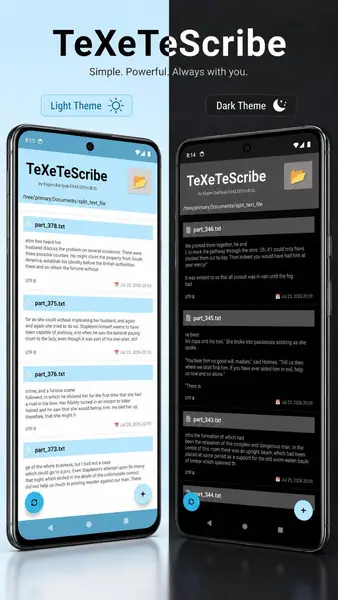
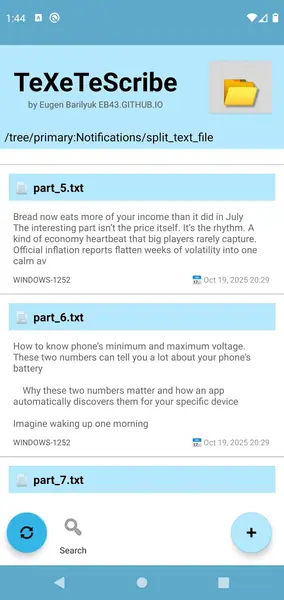
👁 See what’s inside before opening. App shows list of files beyond simple filenames. You get short content previews of each file and its modification time. This lets you instantly recognize which note or document you need without wasting time opening files one by one.
💡 Your latest thoughts stay on top. Typical note apps mix your notes together alphabetically or by title, making yesterday’s idea vanish in the pile. TeXeTeScribe reflects how real note-taking works: what you just wrote is what you are most likely to continue developing. The notes you worked on most recently stay right at the top, so you can continue writing or reviewing without searching.
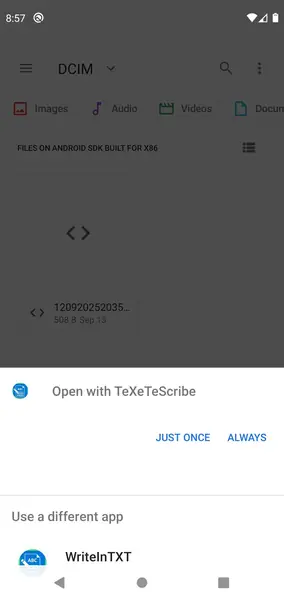
🛠 Open almost any text-based file. TeXeTeScribe recognizes and edits many everyday formats: .txt, .md, .json, .xml, .csv, .html, .log, .yaml, .cfg, and more. It saves time when you just need to read or fix a file, without searching for a different tool.
🛰 Work offline forever. Because everything is stored locally, the app works without a connection. Your notes, configuration files, and logs are always available, even on airplanes or in areas without service.
TeXeTeScribe lets you create, read, and edit plain text notes that remain fully accessible and compatible across all devices and platforms. Your data stays future-proof, portable, and never locked inside proprietary formats or apps.
Created by Eugen Barilyuk EB43 https://eb43.github.io
APK file information
| Package name | barilyuk.texetescribe |
|---|---|
| Version | 1.6 (code 7) |
| Minimum Android | Android 8.0 · targets Android 14 |
| Architectures | All (universal) |
| SHA-256 | d03b0c4175324ef242c8343a6216042f8f3c6bb31b8886f4fba08ecd5ddef848 |
| Signature | 720d87c92968faff3272cea1f158f62a59fa96333e41a1e5ef26b770ce0d9805 |
| Licence | GPL-3.0-only — copyleft free licence: the code is public and modified versions must stay free |
| Source code | github.com/Eb43/txtnotes |
Permissions
- Read storage
- Write to storage
Older versions
- TeXeTeScribe 1.6November 20, 2026 · 4.5 MB
- TeXeTeScribe 1.5July 28, 2026 · 4.5 MB
- TeXeTeScribe 1.4July 15, 2026 · 4.5 MB
How to install TeXeTeScribe APK
- Tap Download APK above, then open the file once the download has finished.
- If Android asks, allow your browser to install unknown apps.
- Tap Install. TeXeTeScribe then appears with your other apps.
Having trouble? Read our guides how to install an APK on Android and "App not installed": how to fix it.
Frequently asked questions
Is TeXeTeScribe free?
Yes. TeXeTeScribe is distributed under the GPL-3.0-only licence: free, no subscription, and its source code is public.
Is this APK file safe?
The file is the one built and published by the F-Droid repository from the public source code. Its SHA-256 fingerprint is shown above, so you can compare it after downloading. How to check an APK.
Will TeXeTeScribe work on my phone?
You need at least Android 8.0. The app also works without Google services, so it runs on recent Huawei phones too.