
OpenDocument Reader APK
Document reader & file editor for Libreoffice & OpenOffice | ODF: ODT, ODS +more
Download APK v4.25.0 · 40.2 MB- Version4.25.0
- Size40.2 MB
- RequiresAndroid 8.0
- Updated11/20/2026
- LicenceGPL-3.0-or-later
- PriceFree
About OpenDocument Reader
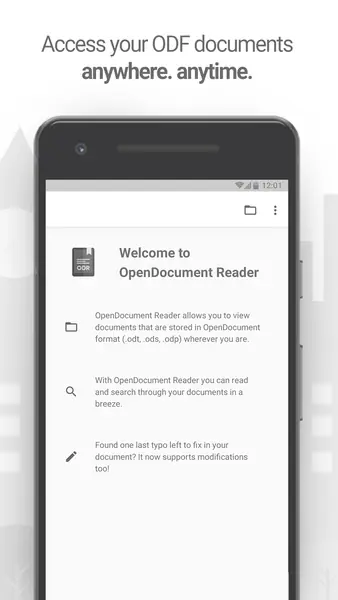
View and modify documents created using LibreOffice or OpenOffice on the go using the Document Reader & Document Editor!📄🚶
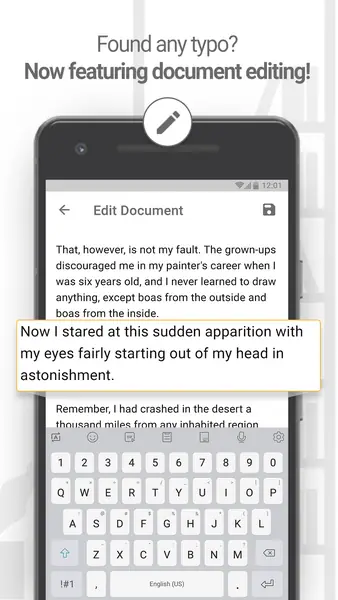
The file reader & document editor allows you to open files like ODF (Open Document Format) documents created using LibreOffice or OpenOffice wherever you are. In the bus on your way to school wanting to look at your notes before the big exam? No problem! With the Document Reader you can open files wherever you like and read & search through your documents to go in a clean and simple way. Is there just one last typo left to fix in your document before sending it out to colleagues? The File Editor supports modification of documents now! Fast, simple and well integrated. ${editing}
You can open files from ODF (ODT, ODS & many more) that you have created with Libre Office or OpenOffice also from within other apps. Supported apps include GMail, Google Drive, iCloud, OneDrive, Nextcloud, Box.net, Dropbox and lots of others! Or pick a document straight off your device with Android's own file picker.
THE ALL IN ONE DOCUMENT READER AND DOCUMENT EDITOR 📄
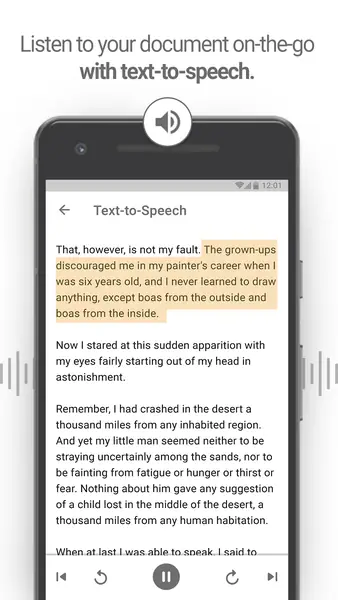
➡️open files with ODF: ODT (writer), ODS (calc), ODP and ODG without a hassle ➡️fix typos, edit spreadsheet cells and highlight text in documents and PDFs ➡️securely open password-protected documents ➡️search for keywords in your ODT (writer), ODS (calc) or ODG and highlight them ➡️print documents if your device is connected to a printer ➡️read your documents in fullscreen to avoid distractions ➡️select and copy text out of your documents ➡️enjoy your documents even without internet connectivity - fully offline capable ➡️read out aloud your documents using Text-To-Speech technology
DOCUMENTS TO GO - WHEREVER YOU LIKE 🚶
In addition to that, the document reader & document editor aims to support various other file formats as well as possible:
- Portable Document Format (PDF)
- Archives: ZIP
- Images: JPG, JPEG, GIF, PNG, WEBP, TIFF, BMP, SVG, etc
- Videos: MP4, WEBM, etc
- Audio: MP3, OGG, etc
- Text files: CSV, TXT, MD, RTF
- Microsoft Office (OOXML): Word (DOC, DOCX), Excel (XLS, XLSX), PowerPoint (PPT, PPTX)
- Apple iWork: Pages, Numbers, Keynote
- Libre Office and Open Office ODF (ODT, ODS, ODP, ODG, FODT, FODS, FODP, FODG)
This app is open source. We are not affiliated with OpenOffice, LibreOffice or similar. Made in Austria. Your documents are opened on your own device and are never uploaded anywhere. ${ads} We highly appreciate all kinds of feedback via email.
ODF is the format used by office suites like Open Office and Libre Office. Text documents (Writer, ODT), as well as spreadsheets (Calc, ODS) and also presentations (Impress, ODP) are supported, including complex formatting and embedded images. Graphs are no problem either. If you want to secure your data you can even open password-protected documents. Other applications that are using this format are NeoOffice, StarOffice, Go-oo, IBM Workplace, IBM Lotus Symphony, ChinaOffice, AndrOpen Office, Co-Create Office, EuroOffice, KaiOffice, Jambo OpenOffice, MagyarOffice, MultiMedia Office, MYOffice, NextOffice, OfficeOne, OfficeTLE, OOo4Kids, OpenOfficePL, OpenOfficeT7, OxOffice, OxygenOffice, Pladao Office, PlusOffice, RedOffice, RomanianOffice, SunShine Office, ThizOffice, UP Office, White Label Office, WPS Office Storm, Collabora Office and 602Office.
What's new in version 4.25.0
Text documents show page headers and footers when pages are on, and number headings and lists as LibreOffice does.
Shapes and slides now show their gradients, patterns, background pictures, shadows and Fontwork text.
Slides no longer show "Click to edit" placeholders.
If your phone blocks the app's network access, the app now says so and opens its settings. Documents stay on your device.
APK file information
| Package name | at.tomtasche.reader |
|---|---|
| Version | 4.25.0 (code 42500) |
| Minimum Android | Android 8.0 · targets Android 16 |
| Architectures | arm64-v8a, armeabi-v7a, x86, x86_64 |
| SHA-256 | f01636bb8a67164facb39a9f1a10635d8ba259db2d0bce598281e71238b76122 |
| Signature | a36aa268476155e751aa25e1dc2fb45b9418fbf65bd51e27904895d017a10739 |
| Licence | GPL-3.0-or-later — copyleft free licence: the code is public and modified versions must stay free |
| Source code | github.com/opendocument-app/OpenDocument.droid |
| Official website | opendocument.app/ |
Permissions
- Internet access
Older versions
- OpenDocument Reader 4.25.0November 20, 2026 · 40.2 MB
- OpenDocument Reader 4.24.0November 4, 2026 · 39.7 MB
- OpenDocument Reader 4.23.0October 29, 2026 · 39.3 MB
How to install OpenDocument Reader APK
- Tap Download APK above, then open the file once the download has finished.
- If Android asks, allow your browser to install unknown apps.
- Tap Install. OpenDocument Reader then appears with your other apps.
Having trouble? Read our guides how to install an APK on Android and "App not installed": how to fix it.
Frequently asked questions
Is OpenDocument Reader free?
Yes. OpenDocument Reader is distributed under the GPL-3.0-or-later licence: free, no subscription, and its source code is public.
Is this APK file safe?
The file is the one built and published by the F-Droid repository from the public source code. Its SHA-256 fingerprint is shown above, so you can compare it after downloading. How to check an APK.
Will OpenDocument Reader work on my phone?
You need at least Android 8.0. The app also works without Google services, so it runs on recent Huawei phones too.




