Todo List (PFA) APK
(SECUSO) Create lists of tasks which can be individually managed.
Download APK v3.4.0 · 8.4 MB- Version3.4.0
- Size8.4 MB
- RequiresAndroid 5.0
- Updated1/18/2026
- LicenceGPL-3.0-or-later
- PriceFree
About Todo List (PFA)
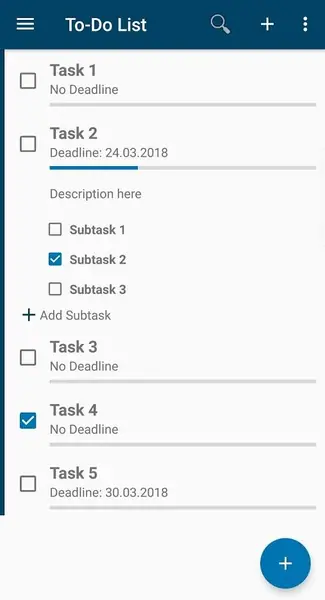
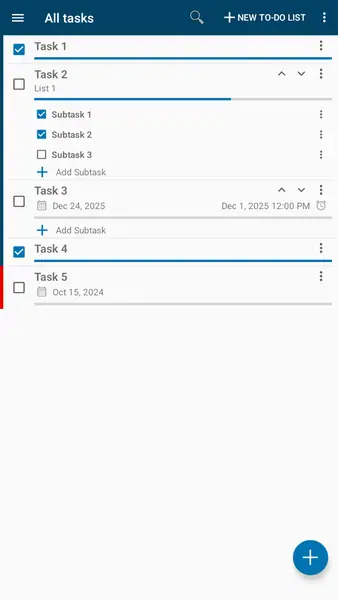
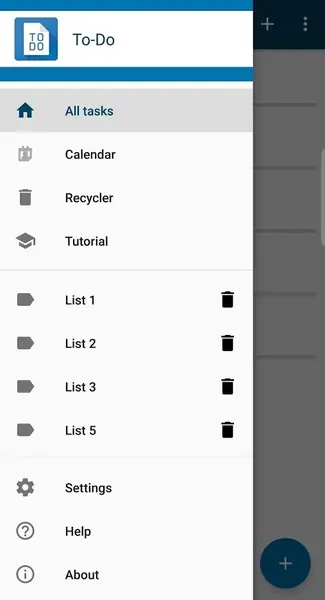
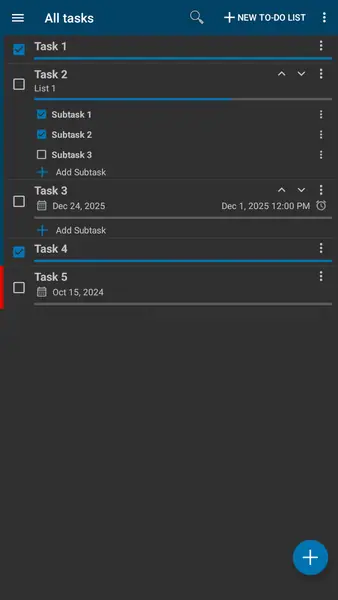
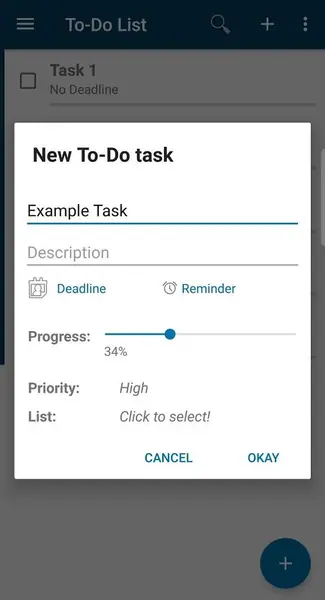
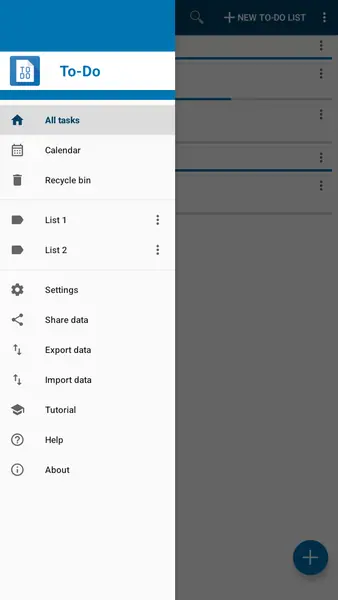
The Privacy Friendly To-Do List can be used to keep outstanding tasks in mind and organize a personal schedule. This application allows to create lists of tasks which can be individually managed. Each list contains a set of tasks. Each task can have a deadline, a reminder time and a list of subtasks. By setting a reminder time the user will be informed by a notification. It is possible to display all tasks in a calendar, to protect the app with a secret pin and to sort and prioritize tasks within a list. Colors indicate the urgency of a task (taking the deadline into account).
Features of Privacy Friendly To-Do List
- PIN protection
Open the Settings menu to setup a PIN protection for your application. The PIN needs to be a number with 4 digits. You are asked for it every time you start the application / start the main view.
- Reminder
You can set a reminder to your tasks that will notify you if a deadline is approaching. Settings provide you the possibility to enable a notification sound.
- Widget
In addition, this app provides a widget that you can add to your device’s home screen. The widget presents you tasks that belong to a chosen list. Clicking on a task or its checkbox leads to the main view of Privacy Friendly To-Do List.
- Progress by subtasks
By default, progress can be chosen freely by the user when creating or editing a task. To-Do List gives the opportunity to automatically compute and show the progress of a task dependent on its done subtasks. Therefore go to Settings and enable progress by subtasks.
Our Privacy Friendly App differs from other applications with respect to three aspects:
- Minimal permissions
Privacy Friendly To-Do List does not use more permissions than are strictly necessary to provide its functionality.
- No advertisement
Privacy Friendly To-Do List completely relinquishes advertisement. Many other free apps in the Google Play Store dazzle annoying advertising which also shortens battery life.
- No tracking
Privacy Friendly To-Do List does not use any trackers.
Privacy Friendly To-Do List is part of the Privacy Friendly Apps group developed by the research group SECUSO at Karlsruhe Institute of Technology. More information at: https://secuso.org/pfa
You can reach us via X - @SECUSOResearch https://x.com/secusoresearch Mastodon - @SECUSO_Research@bawü.social https://xn--baw-joa.social/@SECUSO_Research/ Job Offers - https://secuso.aifb.kit.edu/english/Job_Offers.php
APK file information
| Package name | org.secuso.privacyfriendlytodolist |
|---|---|
| Version | 3.4.0 (code 103) |
| Minimum Android | Android 5.0 · targets Android 16 |
| Architectures | All (universal) |
| SHA-256 | 80c6f68ec94a561157ad8db4d335003d2b2c8aeba2b649ab9f446b44743fc0af |
| Signature | c1ef57684f78c5475dfbfafb34e961e31d3b5fff393bf82577e1fe5fa7eac3fe |
| Licence | GPL-3.0-or-later — copyleft free licence: the code is public and modified versions must stay free |
| Source code | github.com/SecUSo/privacy-friendly-todo-list |
| Official website | secuso.aifb.kit.edu/english/To-Do-List.php |
Permissions
- Keep the device awake
- Start at boot
- Show notifications
1 other technical permission(s)
SCHEDULE_EXACT_ALARM
Older versions
- Todo List (PFA) 3.4.0January 18, 2026 · 8.4 MB
- Todo List (PFA) 3.3.1October 20, 2025 · 8.3 MB
- Todo List (PFA) 3.3.0October 18, 2025 · 8.3 MB
How to install Todo List (PFA) APK
- Tap Download APK above, then open the file once the download has finished.
- If Android asks, allow your browser to install unknown apps.
- Tap Install. Todo List (PFA) then appears with your other apps.
Having trouble? Read our guides how to install an APK on Android and "App not installed": how to fix it.
Frequently asked questions
Is Todo List (PFA) free?
Yes. Todo List (PFA) is distributed under the GPL-3.0-or-later licence: free, no subscription, and its source code is public.
Is this APK file safe?
The file is the one built and published by the F-Droid repository from the public source code. Its SHA-256 fingerprint is shown above, so you can compare it after downloading. How to check an APK.
Will Todo List (PFA) work on my phone?
You need at least Android 5.0. The app also works without Google services, so it runs on recent Huawei phones too.