
Trackhop APK
Sync playlists across music services, on your phone, with no ads or account
Download APK v2.1.4 · 10.2 MB- Version2.1.4
- Size10.2 MB
- RequiresAndroid 8.0
- Updated11/23/2026
- LicenceAGPL-3.0-only
- PriceFree
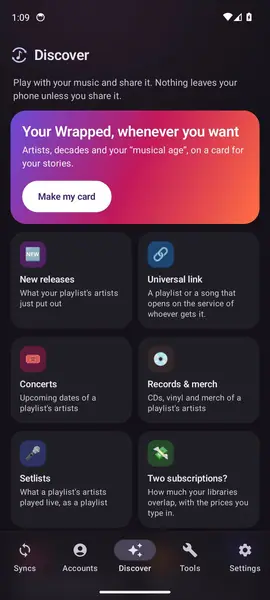
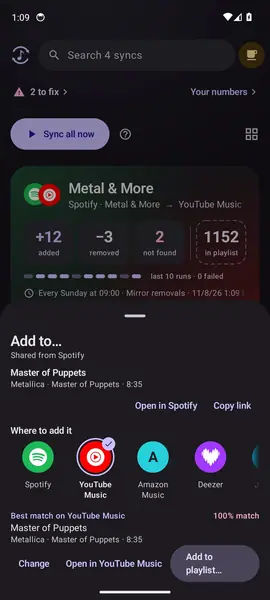
About Trackhop
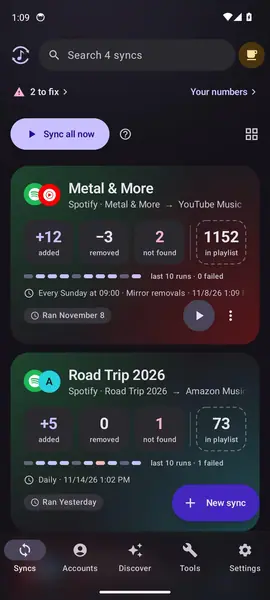
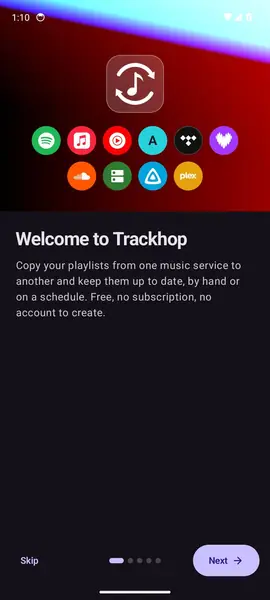
Keep your playlists identical across music services, without rebuilding them by hand. Everything runs on your phone: no account, no server, no ads, no tracking.
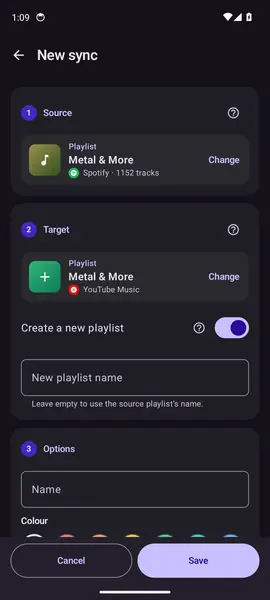
- Pick a source playlist and a target one, or let the app create it
- Sync by hand or on a schedule: hourly, every 6 hours, daily or weekly
- Additions only, or mirror removals too
- Liked songs as a source
- Review the tracks that were not found: one-tap proposals, the likeliest results first, the source album's tracks, or paste the track's link
- Import and export playlist files (CSV, M3U, iTunes XML, JSON) for services without an API
- Backups of a whole account as dated versions, duplicate removal
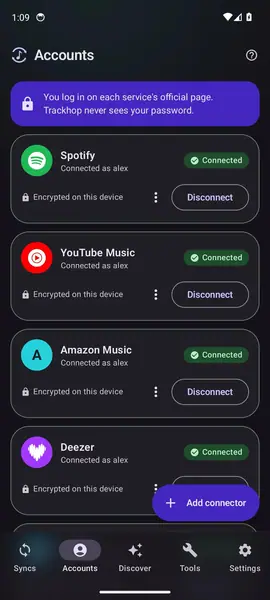
Works with Spotify, Apple Music, YouTube Music, TIDAL, Deezer, Subsonic/Navidrome, Jellyfin and Plex servers, Last.fm and ListenBrainz as sources, and files. Services that need a developer key are set up with an in-app guide; the key and every access token stay encrypted on the device. Deezer's sign-in comes back through a static page on xlollx.github.io, the https redirect Deezer requires; it only forwards to the app and stores nothing.
YouTube Music, Amazon Music and the Spotify and Apple Music sign-in without developer keys work through the services' own web players, built in. They are not official APIs: the app shows a notice before the first sign-in.
Other connections, all optional and without an account: Deezer's public catalogue to look up a recording's ISRC when a track has none (off in Settings), a static registry on GitHub for the Spotify web player's query hashes, song.link for the review's extra results, and the AI provider you configure yourself for the playlist generator (OpenAI, Anthropic, Google Gemini or a compatible server; only the text you type is sent).
Trackhop is not affiliated with any of these services; their names are used only to indicate compatibility.
What's new in version 2.1.4
Trackhop 2.1.4. When a service slows down adding many liked songs, Trackhop waits and goes on, and the songs it could not add yet are shown as "to add next run" instead of not found; the next run adds them. The card and the notification say so. Manage playlists now lists your liked songs too, to look through, remove songs or export. Small fixes.
APK file information
| Package name | com.xlollx.songport |
|---|---|
| Version | 2.1.4 (code 176) |
| Minimum Android | Android 8.0 · targets Android 16 |
| Architectures | arm64-v8a, armeabi-v7a, x86, x86_64 |
| SHA-256 | 91e621b491c6ec2a3d50809593fdc5a0382a28594cb0eb511e91329d78780a1c |
| Signature | 21eadf268c72f85565961a6045bf4be5abaf256d680d1e0d808d93ed22d35032 |
| Licence | AGPL-3.0-only — copyleft free licence: the code is public and modified versions must stay free |
| Source code | github.com/xlollx/Trackhop |
| Official website | trackhop.org |
Permissions
- Internet access
- View network status
- Show notifications
- Vibrate
- Keep the device awake
- Fingerprint / biometrics
- Run in the background
- Start at boot
- Fingerprint
1 other technical permission(s)
SCHEDULE_EXACT_ALARM
Older versions
- Trackhop 2.1.4November 23, 2026 · 10.2 MB
- Trackhop 2.0.0November 20, 2026 · 9.1 MB
- Trackhop 1.16.3November 17, 2026 · 7.1 MB
How to install Trackhop APK
- Tap Download APK above, then open the file once the download has finished.
- If Android asks, allow your browser to install unknown apps.
- Tap Install. Trackhop then appears with your other apps.
Having trouble? Read our guides how to install an APK on Android and "App not installed": how to fix it.
Frequently asked questions
Is Trackhop free?
Yes. Trackhop is distributed under the AGPL-3.0-only licence: free, no subscription, and its source code is public.
Is this APK file safe?
The file is the one built and published by the F-Droid repository from the public source code. Its SHA-256 fingerprint is shown above, so you can compare it after downloading. How to check an APK.
Will Trackhop work on my phone?
You need at least Android 8.0. The app also works without Google services, so it runs on recent Huawei phones too.





