Tuta Mail APK
Encrypted email & calendar service - easy to use, secure by design.
Download APK v369.261119.0 · 75.0 MB- Version369.261119.0
- Size75.0 MB
- RequiresAndroid 8.0
- Updated11/23/2026
- LicenceGPL-3.0-or-later
- PriceFree

About Tuta Mail
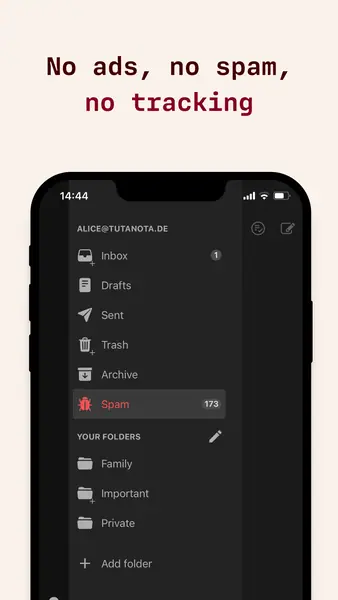
Tutanota enables you to use the benefits of the cloud - availability, flexibility, automatic back-up - without compromising on security. With Tutanota's built-in encryption you own your data, no one else can access it. Tutanota comes with a light & beautiful GUI, dark theme included, with instant push notifications, auto-sync, full-text search, swipe gestures and more.
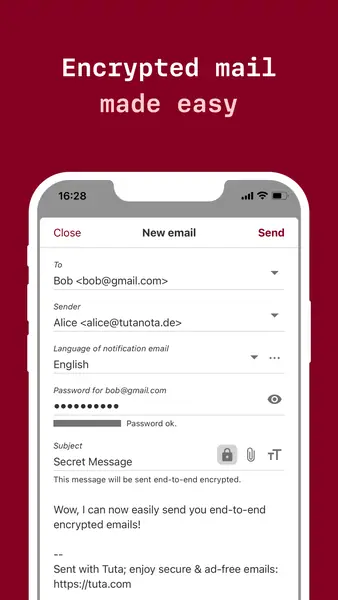
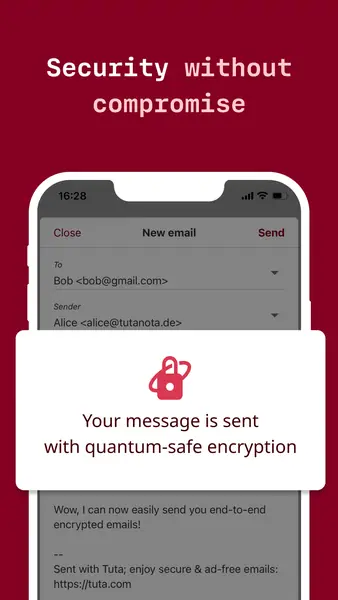
The open source email app Tutanota enables you to send end-to-end encrypted emails to anybody. Even emails that are being sent without end-to-end encryption and all your contacts are stored securely encrypted on the Tutanota servers.
Our passion for privacy.
Tutanota is being built by a team passionate about everybody's right to privacy. We are supported by an amazing community, which enables us to grow our team continuously making Tutanota a success without depending on venture capital interests.
Tutanota respects you & your data:
- Only you can access your encrypted emails & contacts.
- Tutanota does not track or profile you.
- Open source client & apps.
- Innovative full-text search feature lets you easily search your mailbox.
- TLS with support of PFS, DMARC, DKIM, DNSSEC and DANE.
- Secure password reset that gives us absolutely no access.
- 100% developed and located in Germany under strict Data Protection Laws (GDPR).
Official website: https://tutanota.com Source code: https://github.com/tutao/tutanota With the Tutanota app, you can:
- create your own Tutanota email address (ending in @tutanota.com, @tutanota.de, @tutamail.com, @tuta.io or @keemail.me) with 1 GB of free storage.
- create your custom domain email address for €1 per month.
- send and receive end-to-end encrypted emails to anybody.
- send and receive old-fashioned emails (not end-to-end encrypted). Even these emails are stored encrypted on the Tutanota servers.
- automatically encrypt subject, content and attachments.
- get push notifications instantly.
- auto-complete email addresses as you type from your Tutanota or your phone contacts.
The Tutanota app asks for very few permissions to keep your level of privacy to a maximum:
- Full network access: Used to send and receive emails.
- Receive data from the internet: To notify you when you receive a new email.
- View network connections: To find out if an internet connection exists.
- Read your contacts: This enables you to select recipients from your phone's contacts.
- Read from SD card: To allow adding of attachments from the SD card to emails.
- Control vibration: To notify you when you receive a new email.
- Deactivate sleeping mode: To notify you when you receive a new email.
What's new in version 369.261119.0
see: https://github.com/tutao/tutanota/releases
APK file information
| Package name | de.tutao.tutanota |
|---|---|
| Version | 369.261119.0 (code 396747) |
| Minimum Android | Android 8.0 · targets Android 16 |
| Architectures | arm64-v8a, armeabi, armeabi-v7a, mips, mips64, x86, x86_64 |
| SHA-256 | 22f9eea8b439701acfae3bd21fe39b77c1545f3fffcb6596a2ed6f978ae37a4b |
| Signature | fc1932e08464aefcae82597dc0fc9d04c08b24aa09d1f950df20ea81234f30cb |
| Licence | GPL-3.0-or-later — copyleft free licence: the code is public and modified versions must stay free |
| Source code | github.com/tutao/tutanota |
| Official website | tutanota.com |
Permissions
- View network status
- Show notifications
- Internet access
- Read contacts sensitive
- Edit contacts sensitive
- Write to storage
- Vibrate
- Start at boot
- Camera sensitive
- Fingerprint / biometrics
- Fingerprint
- Read storage
8 other technical permission(s)
REQUEST_IGNORE_BATTERY_OPTIMIZATIONS USE_EXACT_ALARM GET_ACCOUNTS MANAGE_ACCOUNTS AUTHENTICATE_ACCOUNTS USE_CREDENTIALS WRITE_SYNC_SETTINGS SCHEDULE_EXACT_ALARM
Older versions
- Tuta Mail 369.261119.0November 23, 2026 · 75.0 MB
- Tuta Mail 368.261109.0November 13, 2026 · 74.8 MB
- Tuta Mail 366.261105.0November 11, 2026 · 74.7 MB
How to install Tuta Mail APK
- Tap Download APK above, then open the file once the download has finished.
- If Android asks, allow your browser to install unknown apps.
- Tap Install. Tuta Mail then appears with your other apps.
Having trouble? Read our guides how to install an APK on Android and "App not installed": how to fix it.
Frequently asked questions
Is Tuta Mail free?
Yes. Tuta Mail is distributed under the GPL-3.0-or-later licence: free, no subscription, and its source code is public.
Is this APK file safe?
The file is the one built and published by the F-Droid repository from the public source code. Its SHA-256 fingerprint is shown above, so you can compare it after downloading. How to check an APK.
Will Tuta Mail work on my phone?
You need at least Android 8.0. The app also works without Google services, so it runs on recent Huawei phones too.