
Vacation Days APK
See when you’re free — Vacation Days helps you keep track of your days off.
Download APK v17.2 · 33.3 MB- Version17.2
- Size33.3 MB
- RequiresAndroid 10
- Updated2/15/2026
- LicenceApache-2.0
- PriceFree
About Vacation Days
See when you’re free and plan holidays.
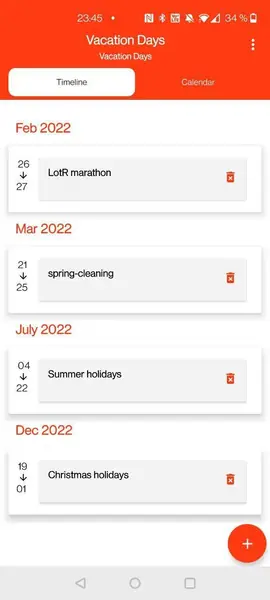
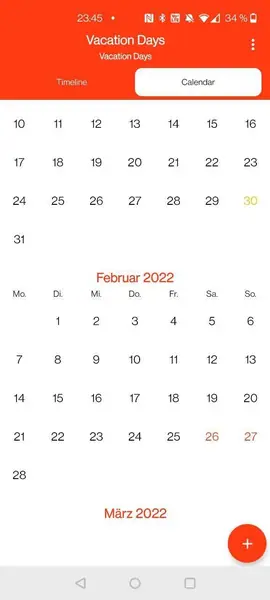
At a glance. View your vacation days in one of two layouts: a timeline or a calendar. Counters in the top bar show your vacation days for the current year — and how many are left.
Sorted in seconds. Tap the floating button to add new vacation days. Enter a name, swipe to select a date range, and you’re done.
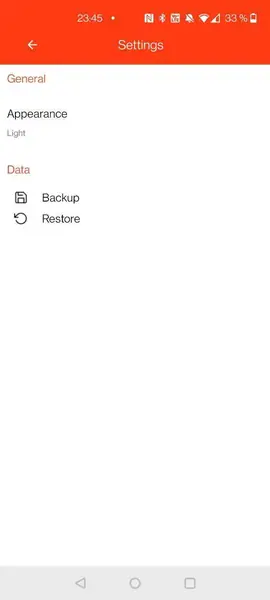
Switching phones? Back up all your data on one device and restore it on another. Make periodic backups to keep your data safe.
Night owls, rejoice. A beautiful Dark Mode for late-night viewing. Toggle it automatically or have it follow the system appearance.
Webpage: https://www.crazymarvin.com/vacation-days Translate it on Hosted Weblate: https://hosted.weblate.org/engage/vacationdays/ Libre software on GitHub: https://github.com/Crazy-Marvin/VacationDays
What's new in version 17.2
Switch from Foreground Service to Work Manager for better efficiency 🔋 Dependency updates ⚙️ Translation updates 🗺️
APK file information
| Package name | rocks.poopjournal.vacationdays |
|---|---|
| Version | 17.2 (code 19) |
| Minimum Android | Android 10 · targets Android 16 |
| Architectures | arm64-v8a, armeabi-v7a, x86, x86_64 |
| SHA-256 | bca82f57b22476357d6b405ea562937ee14a9a80034e6fd883fb68410895a947 |
| Signature | 5ac798c10bca99d39f0f2bea87e7e3368e8eb43aea52a9b7a898bd67de1de1b8 |
| Licence | Apache-2.0 — permissive free licence: the source code is public and reusable |
| Source code | github.com/Crazy-Marvin/VacationDays |
| Official website | crazymarvin.com/vacation-days/ |
Permissions
- Show notifications
- Start at boot
- Keep the device awake
- View network status
- Run in the background
Older versions
- Vacation Days 17.2February 15, 2026 · 33.3 MB
- Vacation Days 17.1February 1, 2026 · 33.3 MB
- Vacation Days 17.0June 22, 2025 · 31.7 MB
How to install Vacation Days APK
- Tap Download APK above, then open the file once the download has finished.
- If Android asks, allow your browser to install unknown apps.
- Tap Install. Vacation Days then appears with your other apps.
Having trouble? Read our guides how to install an APK on Android and "App not installed": how to fix it.
Frequently asked questions
Is Vacation Days free?
Yes. Vacation Days is distributed under the Apache-2.0 licence: free, no subscription, and its source code is public.
Is this APK file safe?
The file is the one built and published by the F-Droid repository from the public source code. Its SHA-256 fingerprint is shown above, so you can compare it after downloading. How to check an APK.
Will Vacation Days work on my phone?
You need at least Android 10. The app also works without Google services, so it runs on recent Huawei phones too.