Break.Down.Timer APK
A timer with intermediate notifications
Descargar APK v1.7.0 · 61,0 MB- Versión1.7.0
- Tamaño61,0 MB
- RequiereAndroid 7.0
- Actualizada17/11/2026
- LicenciaMIT
- PrecioGratis
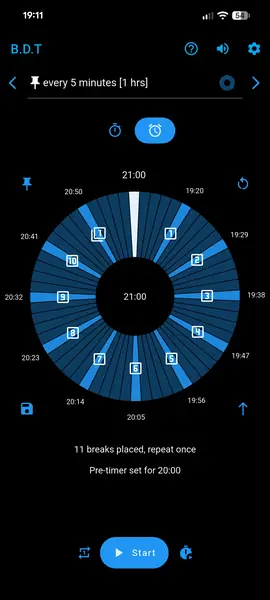
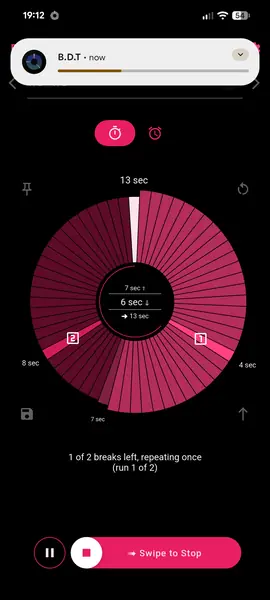
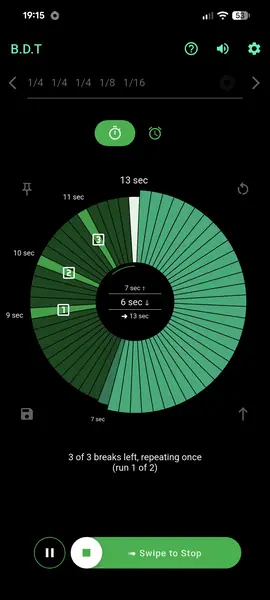
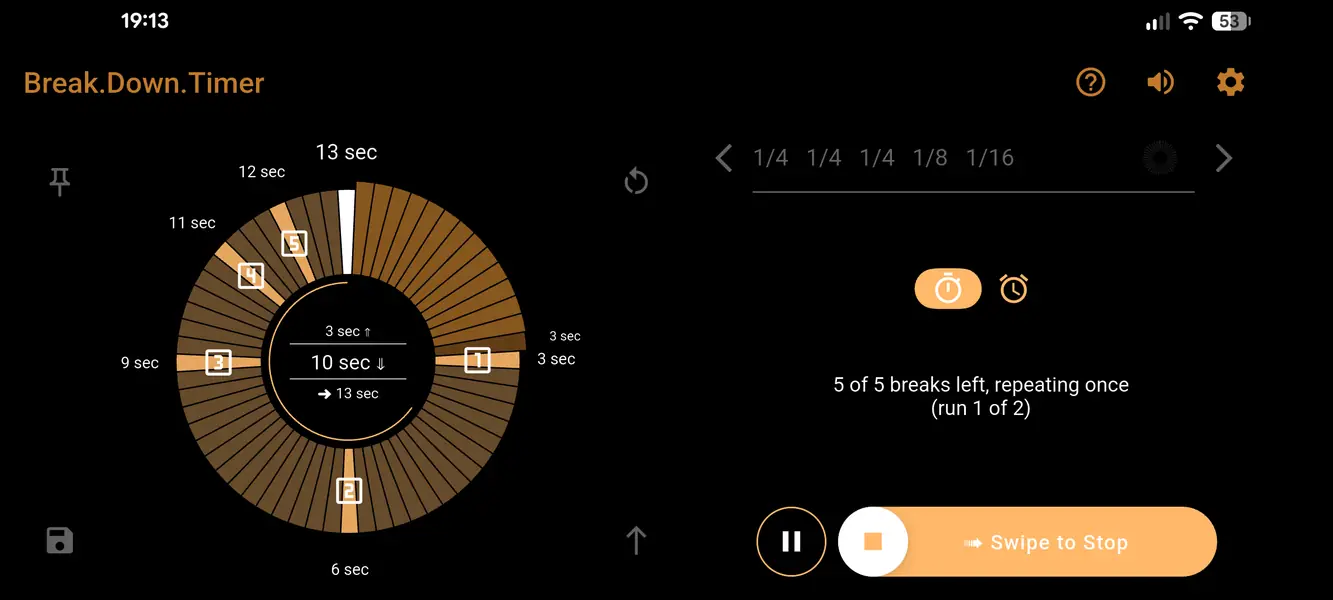
Acerca de Break.Down.Timer
Descripción del desarrollador (en inglés).
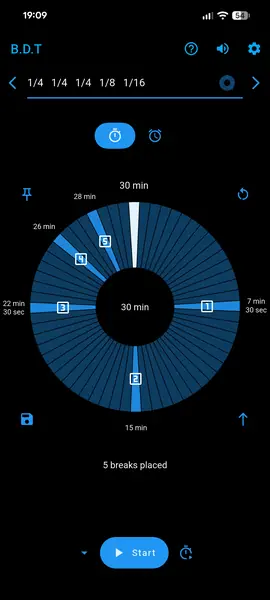
This is a handy timer that lets you set notifications ("breaks") during the timer's duration.
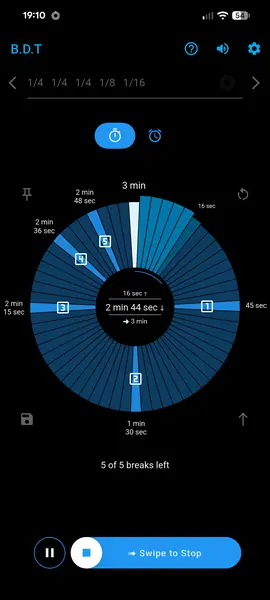
Imagine this scenario: You have 45 minutes for a walk and should return halfway through. So, set the timer duration to 45 minutes, define a break at the halfway point, and start the timer. You will now receive a notification (audio, vibration, device notification) once the halfway point is reached, AND, of course, when the entire time has elapsed.
Other scenarios include notifications every 15 minutes to keep track of the elapsed and remaining time. Or to receive notifications shortly before the timer expires.
The notifications are coded as audio signals and/or vibrations so you can recognize the breaks without having to look at the display. The pattern is very simple: A short beep means "1," a long beep means "5." "Beeeeep beep," for example, means "6." All signals begin with a short "bep-bep" sequence to attract your attention.
Thanks to the audio and vibration patterns, you'll be notified of the timer's progress without having to take your smartphone out of your pocket. This is especially convenient during workouts or other outdoor activities.
Features:
- Up to 20 notifications ("breaks") during a timer run
- Audible and haptic feedback
- Intuitive patterns to indicate the current reached break
- Two different timer modes, "Timer" and "Clock"
- Various predefined "break" presets
- Save your own presets
- Various color and audio schemes
- Pre-timer to get the actual timer started at a precise moment
- Pausing and resuming a running timer
- Single or infinite repetitions of the timer run
For more information see bdt.jepfa.de
If you like the app please star it on Github
Novedades de la versión 1.7.0
- add pause/resume button
- add pre-timer
- support break-slice drag'n'drop
- improve signaling from background (#31)
- UI improvements
- bugfixes
Información del archivo APK
| Nombre del paquete | de.jepfa.bdt |
|---|---|
| Versión | 1.7.0 (código 10700) |
| Android mínimo | Android 7.0 · diseñada para API 37 |
| Arquitecturas | arm64-v8a, armeabi-v7a, x86_64 |
| SHA-256 | 6b577745da232e013f769effafe07448be496d6956bb02b5990563d8bfb41cb8 |
| Firma | e1c030071f95ed694320eab4381684667d125dc6c69baa575d146d245744802f |
| Licencia | MIT — licencia libre permisiva: el código fuente es público y reutilizable |
| Código fuente | github.com/jenspfahl/BDT |
| Sitio oficial | bdt.jepfa.de |
Permisos solicitados
- Iniciarse al arrancar
- Impedir la suspensión
- Mostrar notificaciones
- Vibrar
- Funcionar en segundo plano
3 permiso(s) técnico(s) más
SCHEDULE_EXACT_ALARM SCHEDULE_EXACT_ALARM REQUEST_IGNORE_BATTERY_OPTIMIZATIONS
Versiones anteriores
- Break.Down.Timer 1.7.017 de noviembre de 2026 · 61,0 MB
- Break.Down.Timer 1.6.13 de octubre de 2026 · 60,6 MB
- Break.Down.Timer 1.5.15 de agosto de 2026 · 54,5 MB
Cómo instalar Break.Down.Timer APK
- Pulsa Descargar APK arriba y abre el archivo cuando termine la descarga.
- Si Android lo pide, permite que tu navegador instale apps desconocidas.
- Pulsa Instalar. Break.Down.Timer aparecerá junto a tus otras apps.
→ Cómo instalar un archivo APK en Android (paso a paso)
→ «La aplicación no está instalada»: causas y soluciones
Preguntas frecuentes
¿Break.Down.Timer es gratis?
Sí. Break.Down.Timer se distribuye con licencia MIT: gratis, sin suscripción y con el código fuente público.
¿Es seguro este archivo APK?
El archivo es el que compila y publica el repositorio F-Droid a partir del código fuente público. Su huella SHA-256 aparece arriba para que puedas compararla tras la descarga. ¿Un APK es peligroso? Cómo verificar un archivo antes de instalarlo
¿Funciona Break.Down.Timer en mi teléfono?
Necesitas como mínimo Android 7.0. La app también funciona sin los servicios de Google, así que funciona en los teléfonos Huawei recientes.