
Break.Down.Timer APK
A timer with intermediate notifications
Scarica l'APK v1.7.0 · 61,0 MB- Versione1.7.0
- Dimensione61,0 MB
- RichiedeAndroid 7.0
- Aggiornata17/11/2026
- LicenzaMIT
- PrezzoGratis
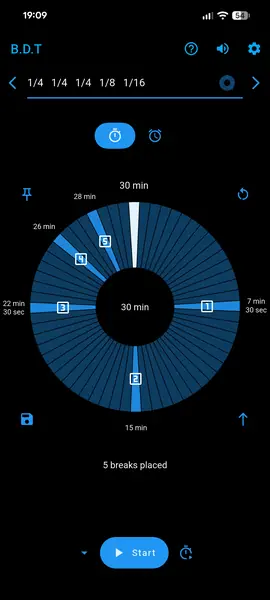
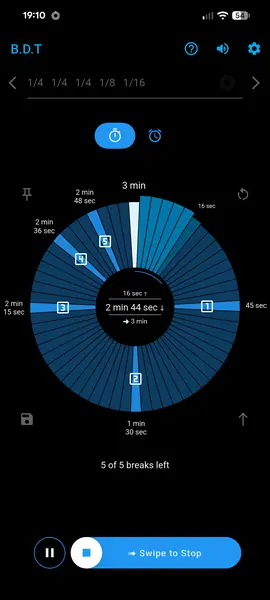
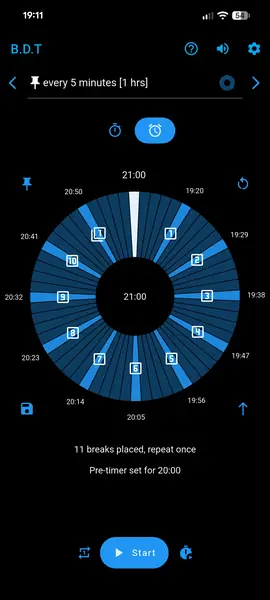
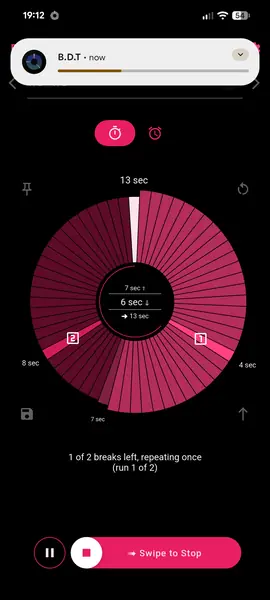
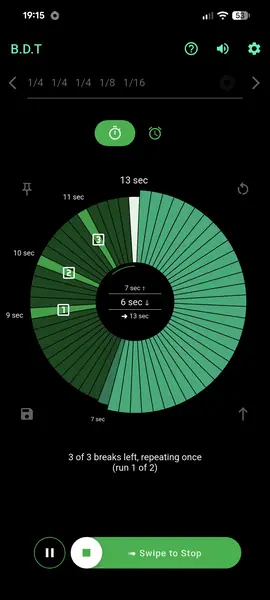
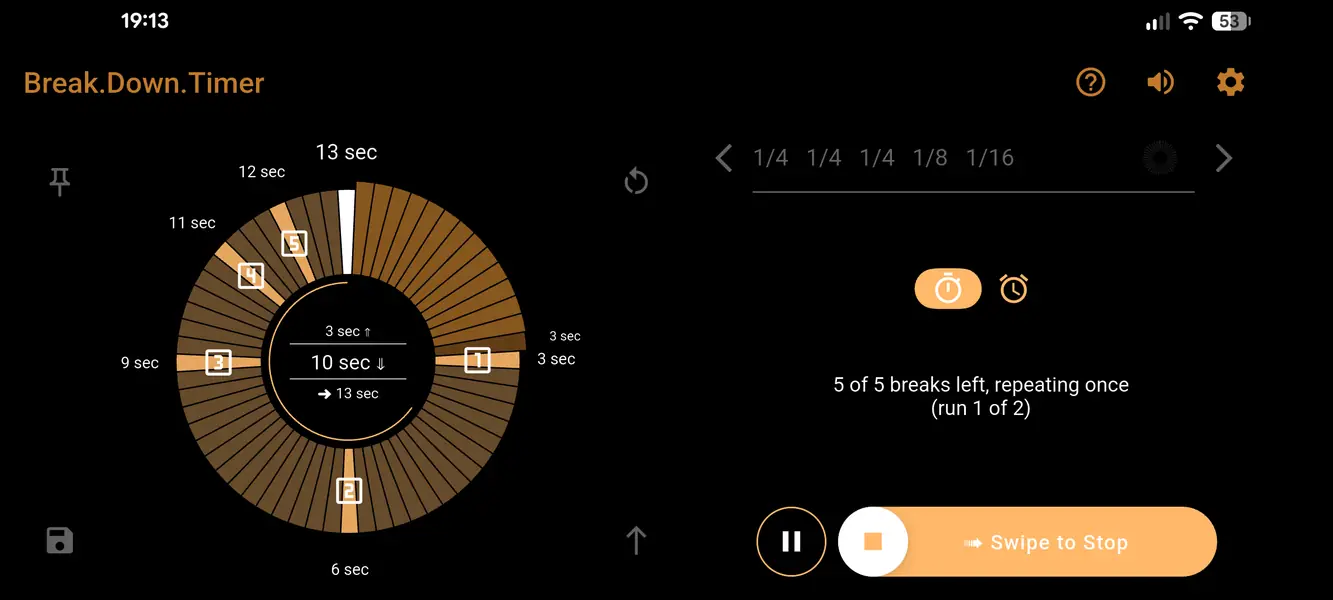
Informazioni su Break.Down.Timer
Descrizione fornita dallo sviluppatore (in inglese).
This is a handy timer that lets you set notifications ("breaks") during the timer's duration.
Imagine this scenario: You have 45 minutes for a walk and should return halfway through. So, set the timer duration to 45 minutes, define a break at the halfway point, and start the timer. You will now receive a notification (audio, vibration, device notification) once the halfway point is reached, AND, of course, when the entire time has elapsed.
Other scenarios include notifications every 15 minutes to keep track of the elapsed and remaining time. Or to receive notifications shortly before the timer expires.
The notifications are coded as audio signals and/or vibrations so you can recognize the breaks without having to look at the display. The pattern is very simple: A short beep means "1," a long beep means "5." "Beeeeep beep," for example, means "6." All signals begin with a short "bep-bep" sequence to attract your attention.
Thanks to the audio and vibration patterns, you'll be notified of the timer's progress without having to take your smartphone out of your pocket. This is especially convenient during workouts or other outdoor activities.
Features:
- Up to 20 notifications ("breaks") during a timer run
- Audible and haptic feedback
- Intuitive patterns to indicate the current reached break
- Two different timer modes, "Timer" and "Clock"
- Various predefined "break" presets
- Save your own presets
- Various color and audio schemes
- Pre-timer to get the actual timer started at a precise moment
- Pausing and resuming a running timer
- Single or infinite repetitions of the timer run
For more information see bdt.jepfa.de
If you like the app please star it on Github
Novità della versione 1.7.0
- add pause/resume button
- add pre-timer
- support break-slice drag'n'drop
- improve signaling from background (#31)
- UI improvements
- bugfixes
Informazioni sul file APK
| Nome del pacchetto | de.jepfa.bdt |
|---|---|
| Versione | 1.7.0 (codice 10700) |
| Android minimo | Android 7.0 · pensata per API 37 |
| Architetture | arm64-v8a, armeabi-v7a, x86_64 |
| SHA-256 | 6b577745da232e013f769effafe07448be496d6956bb02b5990563d8bfb41cb8 |
| Firma | e1c030071f95ed694320eab4381684667d125dc6c69baa575d146d245744802f |
| Licenza | MIT — licenza libera permissiva: il codice sorgente è pubblico e riutilizzabile |
| Codice sorgente | github.com/jenspfahl/BDT |
| Sito ufficiale | bdt.jepfa.de |
Autorizzazioni richieste
- Avviarsi all'accensione
- Impedire lo standby
- Mostrare notifiche
- Vibrare
- Funzionare in background
Altre 3 autorizzazioni tecniche
SCHEDULE_EXACT_ALARM SCHEDULE_EXACT_ALARM REQUEST_IGNORE_BATTERY_OPTIMIZATIONS
Versioni precedenti
- Break.Down.Timer 1.7.017 novembre 2026 · 61,0 MB
- Break.Down.Timer 1.6.13 ottobre 2026 · 60,6 MB
- Break.Down.Timer 1.5.15 agosto 2026 · 54,5 MB
Come installare Break.Down.Timer APK
- Tocca Scarica l'APK qui sopra, poi apri il file al termine del download.
- Se Android lo chiede, consenti al browser di installare app sconosciute.
- Tocca Installa. Break.Down.Timer comparirà insieme alle altre app.
→ Come installare un file APK su Android (passo passo)
→ «App non installata»: cause e soluzioni
Domande frequenti
Break.Down.Timer è gratis?
Sì. Break.Down.Timer è distribuita con licenza MIT: gratuita, senza abbonamento e con codice sorgente pubblico.
Questo file APK è sicuro?
Il file è quello compilato e pubblicato dal repository F-Droid a partire dal codice sorgente pubblico. L'impronta SHA-256 è indicata qui sopra: puoi confrontarla dopo il download. Un APK è pericoloso? Come verificare un file prima di installarlo
Break.Down.Timer funziona sul mio telefono?
Serve almeno Android 7.0. L'app funziona anche senza i servizi Google, quindi anche sui telefoni Huawei recenti.