
Flash Deck APK
A simple and easy to use flash card to help you study
Descargar APK v2.5.0 · 10,5 MB- Versión2.5.0
- Tamaño10,5 MB
- RequiereAndroid 6.0
- Actualizada13/11/2026
- LicenciaGPL-3.0-only
- PrecioGratis
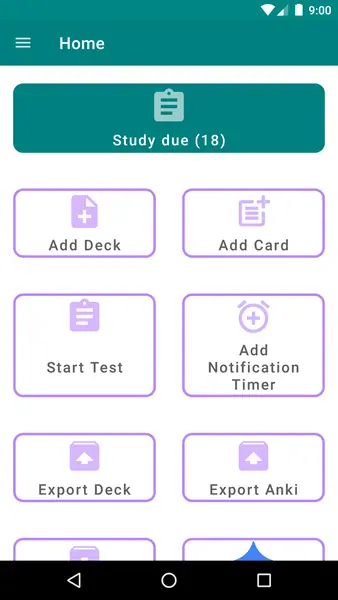
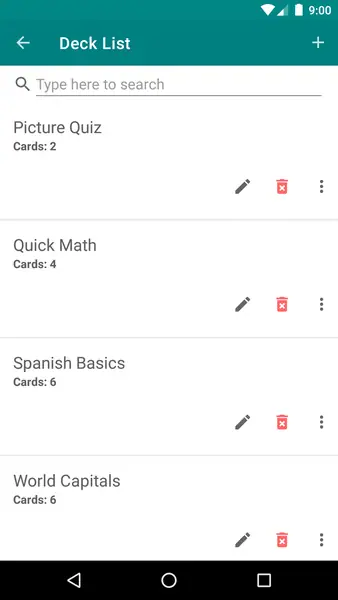
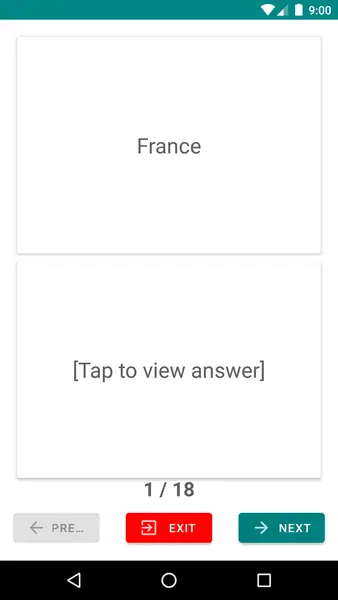
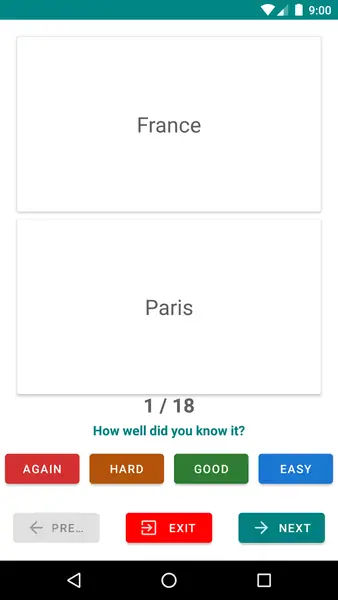
Acerca de Flash Deck
Descripción del desarrollador (en inglés).
A simple and easy to use flash card app to help you study smarter and learn faster!
Create & Manage
- Easily add decks and flash cards
- Reversible cards — swap question and answer during tests
- Copy and move cards between decks
- Save & Add Another button for quick consecutive card creation
- Record voices and attach images for your cards
Study & Test
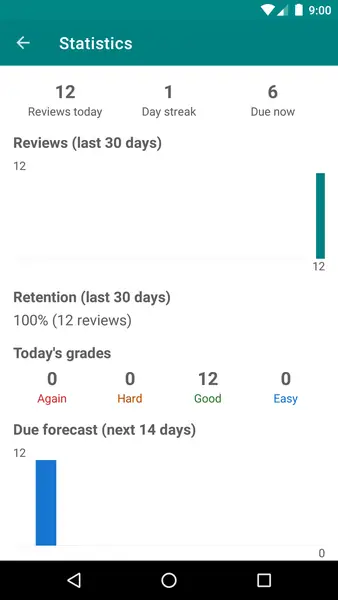
- Test mode with shuffle and progress tracking
- Test state persistence — resume your test after app restart
- Flash bot to smartly suggest cards to test you based on your behavior
Reminders
- Notification timer to periodically quiz you
- Notification time window — set start and end times for reminders
- Voice playback directly from notifications
- Create shortcut to show random card from deck for casual study (Android 8+)
Import & Export
- Easily export & share your decks to your friends
- Import and export decks in Anki .apkg format (supports Basic cards with images and audio)
AI-Powered
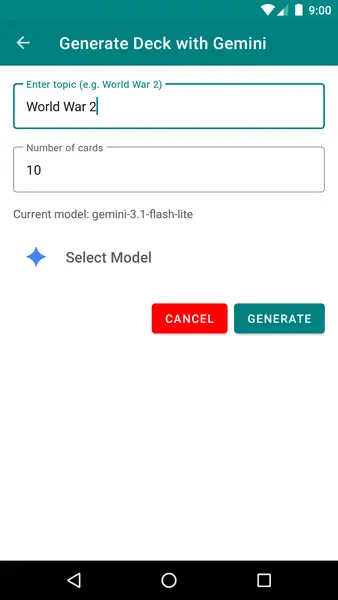
- Generate flash card decks from any topic using Google Gemini AI
- Transform existing decks with AI — translate, expand, create harder questions, and more
- AI model selection — choose from available Gemini models
Appearance
- Support dark mode and light mode
Novedades de la versión 2.5.0
Release 2.5.0+65
Features:
- Text-to-speech for flashcards — speak a card's question and answer with dedicated buttons on the study pages, set the language per deck, and optionally auto-speak the question when a test opens
- New text-to-speech settings — enable speech, auto-speak the question, test the voice and check the engine status; the grading notification reads the answer aloud too
Fixes:
- The deck dialog no longer crashes when dismissed with BACK or ESC
- The licenses page now shows a
Información del archivo APK
| Nombre del paquete | m.co.rh.id.a_flash_deck |
|---|---|
| Versión | 2.5.0 (código 65) |
| Android mínimo | Android 6.0 · diseñada para API 37 |
| Arquitecturas | arm64-v8a, armeabi-v7a, x86, x86_64 |
| SHA-256 | b6ff2bb7fdf481d2a833aaf345917a40b4904fbc2debb5a86510b1e2bb4eb7a6 |
| Firma | ba0a843466573ee57cada3f8f01ef5244af4ec9b2b2f0f148a54702c5a2a812d |
| Licencia | GPL-3.0-only — licencia libre copyleft: el código es público y las versiones modificadas deben seguir siendo libres |
| Código fuente | github.com/rh-id/a-flash-deck |
Permisos solicitados
- Micrófono sensible
- Mostrar notificaciones
- Acceso a Internet
- Impedir la suspensión
- Iniciarse al arrancar
- Funcionar en segundo plano
Versiones anteriores
- Flash Deck 2.5.013 de noviembre de 2026 · 10,5 MB
- Flash Deck 2.4.025 de octubre de 2026 · 10,5 MB
- Flash Deck 2.3.014 de octubre de 2026 · 8,0 MB
Cómo instalar Flash Deck APK
- Pulsa Descargar APK arriba y abre el archivo cuando termine la descarga.
- Si Android lo pide, permite que tu navegador instale apps desconocidas.
- Pulsa Instalar. Flash Deck aparecerá junto a tus otras apps.
→ Cómo instalar un archivo APK en Android (paso a paso)
→ «La aplicación no está instalada»: causas y soluciones
Preguntas frecuentes
¿Flash Deck es gratis?
Sí. Flash Deck se distribuye con licencia GPL-3.0-only: gratis, sin suscripción y con el código fuente público.
¿Es seguro este archivo APK?
El archivo es el que compila y publica el repositorio F-Droid a partir del código fuente público. Su huella SHA-256 aparece arriba para que puedas compararla tras la descarga. ¿Un APK es peligroso? Cómo verificar un archivo antes de instalarlo
¿Funciona Flash Deck en mi teléfono?
Necesitas como mínimo Android 6.0. La app también funciona sin los servicios de Google, así que funciona en los teléfonos Huawei recientes.





