
NetManager APK
A FOSS mobile network monitoring app built with ease-of-use and speed in mind.
Descargar APK v0.2.4-foss · 23,6 MB- Versión0.2.4-foss
- Tamaño23,6 MB
- RequiereAndroid 7.0
- Actualizada4/11/2026
- LicenciaGPL-3.0-or-later
- PrecioGratis
Acerca de NetManager
Descripción del desarrollador (en inglés).
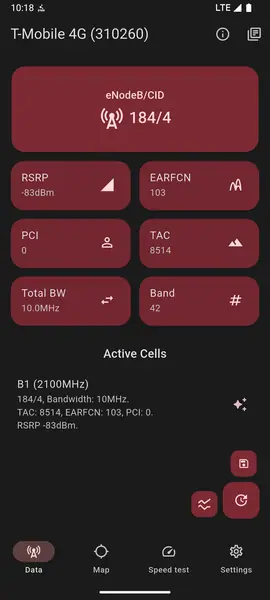
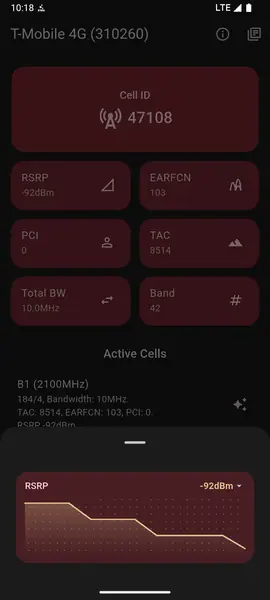
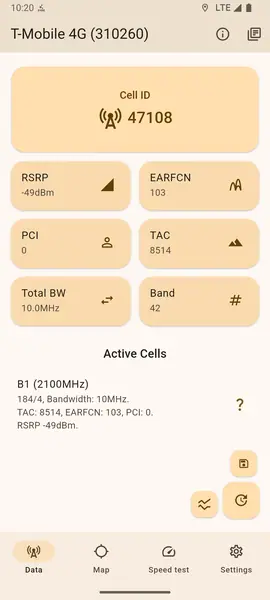
NetManager is a powerful, open-source mobile network monitoring app made for everyday users, enthusiasts, and network professionals. Built with Flutter and adhering to Material Design guidelines, it provides a clean and fast way to gather mobile cell data.
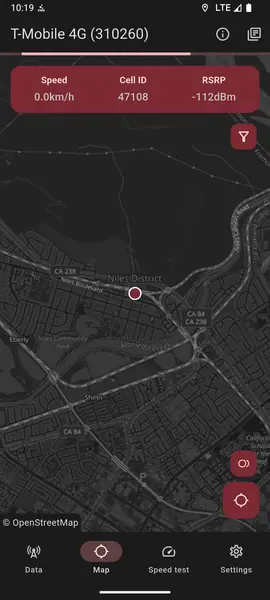
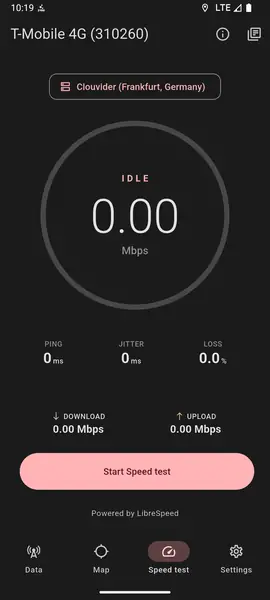
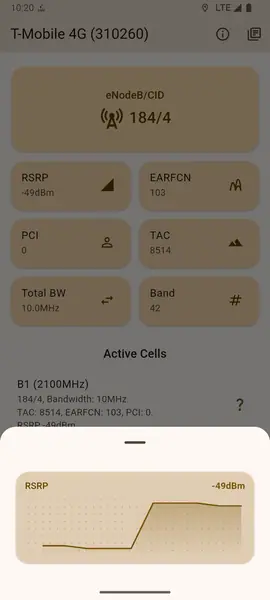
Features Cleanly displays real-time network metrics across all cellular technologies up to 5G NR, complete with full Dual SIM support for concurrent monitoring. Import custom cell database files (.ntm and .clf v3) to enrich network details and view active cell towers on a customizable map powered by OpenStreetMap. Record radio signal strength and network info during trips (drive tests). Replay them inside the app or export them to .kml/.csv formats to view in external tools like Google Earth. Built-in speed test utility supporting LibreSpeed, OpenSpeedTest and custom backends. Tracks real-time network changes, such as cell handoffs and frequency band adjustments; receive system notifications for the events you choose. Optional background service records network events and trip data even when the app is closed, keeping you updated via an active status notification. Access hidden Android field testing menus (such as Samsung ServiceMode, MTK Engineer Mode, MIUI BandMode, and Huawei ProjectMenu) directly without dialer codes. Import speed tests from other apps (might require an account/connection to the respective app's services). Easily read your SIM's carrier config, IMS info & logs with NetManager's advanced mode through Shizuku.
Compatibility NetManager currently supports Android 7.0+ (API 24+).
Información del archivo APK
| Nombre del paquete | pw.dotto.netmanager.foss |
|---|---|
| Versión | 0.2.4-foss (código 5172) |
| Android mínimo | Android 7.0 · diseñada para Android 16 |
| Arquitecturas | arm64-v8a |
| SHA-256 | e450224aa90a4879c83456ee4754a79ac38064429ecea2622b5539c539c2d62d |
| Firma | 7aef716f2bd8f1e1b9935ce64d5966b5d3060f4562a889ce7adfd8aab12350f6 |
| Licencia | GPL-3.0-or-later — licencia libre copyleft: el código es público y las versiones modificadas deben seguir siendo libres |
| Código fuente | github.com/DottoXD/NetManager |
Permisos solicitados
- Estado del teléfono sensible
- Ubicación aproximada sensible
- Ubicación precisa (GPS) sensible
- Ubicación en segundo plano sensible
- Acceso a Internet
- Ver el estado de la red
- Iniciarse al arrancar
- Mostrar notificaciones
- Funcionar en segundo plano
- Escribir en el almacenamiento
- Vibrar
- Leer el almacenamiento
5 permiso(s) técnico(s) más
READ_BASIC_PHONE_STATE REQUEST_IGNORE_BATTERY_OPTIMIZATIONS CHANGE_NETWORK_STATE SCHEDULE_EXACT_ALARM MANAGE_OWN_CALLS
Versiones anteriores
- NetManager 0.2.4-foss4 de noviembre de 2026 · 23,6 MB
- NetManager 0.2.4-foss4 de noviembre de 2026 · 21,2 MB
- NetManager 0.2.3-foss25 de octubre de 2026 · 23,9 MB
- NetManager 0.2.3-foss25 de octubre de 2026 · 21,5 MB
Cómo instalar NetManager APK
- Pulsa Descargar APK arriba y abre el archivo cuando termine la descarga.
- Si Android lo pide, permite que tu navegador instale apps desconocidas.
- Pulsa Instalar. NetManager aparecerá junto a tus otras apps.
→ Cómo instalar un archivo APK en Android (paso a paso)
→ «La aplicación no está instalada»: causas y soluciones
Preguntas frecuentes
¿NetManager es gratis?
Sí. NetManager se distribuye con licencia GPL-3.0-or-later: gratis, sin suscripción y con el código fuente público.
¿Es seguro este archivo APK?
El archivo es el que compila y publica el repositorio F-Droid a partir del código fuente público. Su huella SHA-256 aparece arriba para que puedas compararla tras la descarga. ¿Un APK es peligroso? Cómo verificar un archivo antes de instalarlo
¿Funciona NetManager en mi teléfono?
Necesitas como mínimo Android 7.0. La app también funciona sin los servicios de Google, así que funciona en los teléfonos Huawei recientes.