
NetManager APK
A FOSS mobile network monitoring app built with ease-of-use and speed in mind.
Download APK v0.2.4-foss · 23.6 MB- Version0.2.4-foss
- Size23.6 MB
- RequiresAndroid 7.0
- Updated11/4/2026
- LicenceGPL-3.0-or-later
- PriceFree
About NetManager
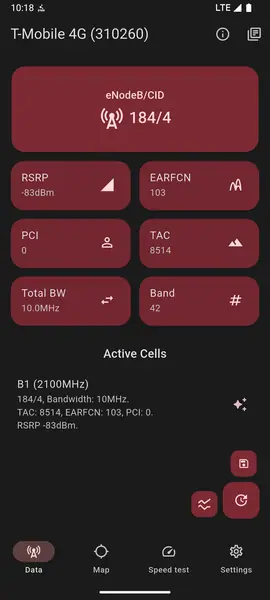
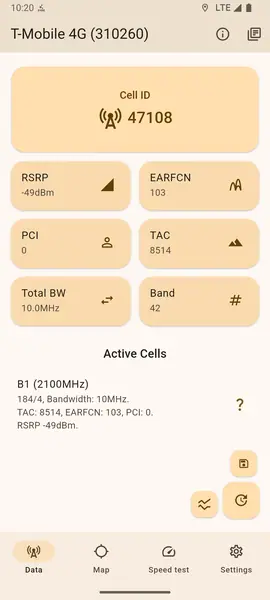
NetManager is a powerful, open-source mobile network monitoring app made for everyday users, enthusiasts, and network professionals. Built with Flutter and adhering to Material Design guidelines, it provides a clean and fast way to gather mobile cell data.
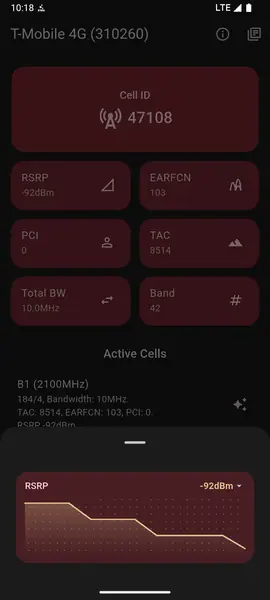
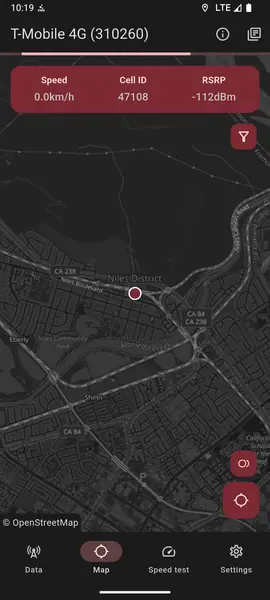
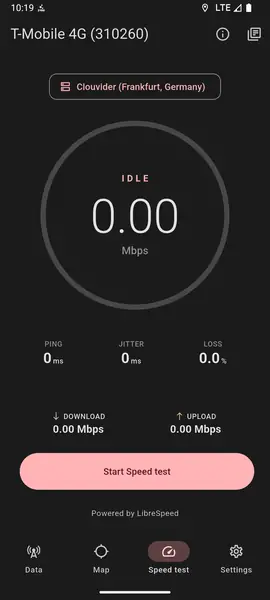
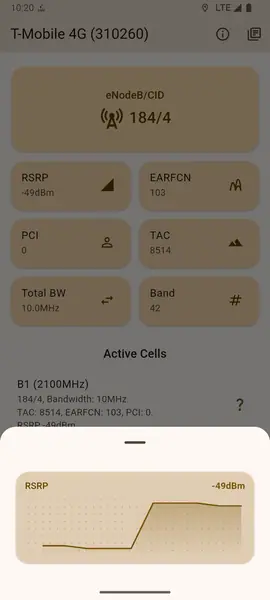
Features Cleanly displays real-time network metrics across all cellular technologies up to 5G NR, complete with full Dual SIM support for concurrent monitoring. Import custom cell database files (.ntm and .clf v3) to enrich network details and view active cell towers on a customizable map powered by OpenStreetMap. Record radio signal strength and network info during trips (drive tests). Replay them inside the app or export them to .kml/.csv formats to view in external tools like Google Earth. Built-in speed test utility supporting LibreSpeed, OpenSpeedTest and custom backends. Tracks real-time network changes, such as cell handoffs and frequency band adjustments; receive system notifications for the events you choose. Optional background service records network events and trip data even when the app is closed, keeping you updated via an active status notification. Access hidden Android field testing menus (such as Samsung ServiceMode, MTK Engineer Mode, MIUI BandMode, and Huawei ProjectMenu) directly without dialer codes. Import speed tests from other apps (might require an account/connection to the respective app's services). Easily read your SIM's carrier config, IMS info & logs with NetManager's advanced mode through Shizuku.
Compatibility NetManager currently supports Android 7.0+ (API 24+).
APK file information
| Package name | pw.dotto.netmanager.foss |
|---|---|
| Version | 0.2.4-foss (code 5172) |
| Minimum Android | Android 7.0 · targets Android 16 |
| Architectures | arm64-v8a |
| SHA-256 | e450224aa90a4879c83456ee4754a79ac38064429ecea2622b5539c539c2d62d |
| Signature | 7aef716f2bd8f1e1b9935ce64d5966b5d3060f4562a889ce7adfd8aab12350f6 |
| Licence | GPL-3.0-or-later — copyleft free licence: the code is public and modified versions must stay free |
| Source code | github.com/DottoXD/NetManager |
Permissions
- Phone status sensitive
- Approximate location sensitive
- Precise location (GPS) sensitive
- Background location sensitive
- Internet access
- View network status
- Start at boot
- Show notifications
- Run in the background
- Write to storage
- Vibrate
- Read storage
5 other technical permission(s)
READ_BASIC_PHONE_STATE REQUEST_IGNORE_BATTERY_OPTIMIZATIONS CHANGE_NETWORK_STATE SCHEDULE_EXACT_ALARM MANAGE_OWN_CALLS
Older versions
- NetManager 0.2.4-fossNovember 4, 2026 · 23.6 MB
- NetManager 0.2.4-fossNovember 4, 2026 · 21.2 MB
- NetManager 0.2.3-fossOctober 25, 2026 · 23.9 MB
- NetManager 0.2.3-fossOctober 25, 2026 · 21.5 MB
How to install NetManager APK
- Tap Download APK above, then open the file once the download has finished.
- If Android asks, allow your browser to install unknown apps.
- Tap Install. NetManager then appears with your other apps.
Having trouble? Read our guides how to install an APK on Android and "App not installed": how to fix it.
Frequently asked questions
Is NetManager free?
Yes. NetManager is distributed under the GPL-3.0-or-later licence: free, no subscription, and its source code is public.
Is this APK file safe?
The file is the one built and published by the F-Droid repository from the public source code. Its SHA-256 fingerprint is shown above, so you can compare it after downloading. How to check an APK.
Will NetManager work on my phone?
You need at least Android 7.0. The app also works without Google services, so it runs on recent Huawei phones too.