RomanDigital APK
Digital Clock App and Widget with Roman Numeral Display
Descargar APK v3.1.0 · 8,9 MB- Versión3.1.0
- Tamaño8,9 MB
- RequiereAndroid 5.0
- Actualizada16/8/2026
- LicenciaApache-2.0
- PrecioGratis


Acerca de RomanDigital
Descripción del desarrollador (en inglés).
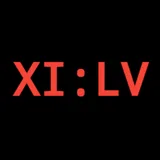
The RomanDigital app provides a clock of unique style that can be used to repurpose an old device or to display time on a current model.
For more personal use, the RomanDigital widget makes a distinctive addition to a device's Home screen.
RomanDigital includes features expected in an ordinary digital clock, such as:
- Choice of 12 or 24 hour format
- Optional AM/PM indicator (uniquely integrated into the time display)
- Option to keep display on when app is in the foreground
- Display in either portrait or landscape
RomanDigital also includes:
- Independent configuration of app and widgets.
- Selectable app and widget time display layout between horizontal and vertical.
- Selectable app and widget time display typeface (monospace, sans-serif, or serif).
- Variable widget background opacity that can be set from 0% to 100% by tens.
- Selectable widget time zone.
- Selectable widget layouts to add a time zone label.
- Selectable app time display color.
For more detailed information including a FAQ list, please see the README.md file accompanying the RomanDigital source code.
For those interested in placing RomanDigital on their phone's lock screen in the case where the phone doesn't support placing custom widgets there, please see the aforementioned FAQ for a possible workaround.
Source code for RomanDigital is available at: https://github.com/dfyockey/RomanDigital
Novedades de la versión 3.1.0
Added:
- Vertical time display layout (hours above minutes), independently selectable for the app and each widget.
Changed:
- Minimum widget cell size to 1x1.
Fixed:
- Crash resulting from ForegroundServiceStartNotAllowedException being thrown. The fix in version 3.0.2 was found to only be effective under test conditions. Apologies to users who have experienced a crash due to this issue.
- Lack of sufficient space on a widget, under some circumstances, for a time zone label to be properly disp
Información del archivo APK
| Nombre del paquete | net.diffengine.romandigitalclock |
|---|---|
| Versión | 3.1.0 (código 18) |
| Android mínimo | Android 5.0 · diseñada para Android 15 |
| Arquitecturas | Todas (universal) |
| SHA-256 | dec5739b4b91ff3876d380b06f1c464fa46634013db70791926224222841af6a |
| Firma | 48a768c4ced584b930fe9315333a131e653426e5ceb16bfa5de12dc9403db0f4 |
| Licencia | Apache-2.0 — licencia libre permisiva: el código fuente es público y reutilizable |
| Código fuente | github.com/dfyockey/RomanDigital |
Permisos solicitados
- Mostrar notificaciones
- Funcionar en segundo plano
- Iniciarse al arrancar
Versiones anteriores
- RomanDigital 3.1.016 de agosto de 2026 · 8,9 MB
- RomanDigital 3.0.230 de mayo de 2026 · 8,9 MB
- RomanDigital 3.0.118 de marzo de 2026 · 8,9 MB
Cómo instalar RomanDigital APK
- Pulsa Descargar APK arriba y abre el archivo cuando termine la descarga.
- Si Android lo pide, permite que tu navegador instale apps desconocidas.
- Pulsa Instalar. RomanDigital aparecerá junto a tus otras apps.
→ Cómo instalar un archivo APK en Android (paso a paso)
→ «La aplicación no está instalada»: causas y soluciones
Preguntas frecuentes
¿RomanDigital es gratis?
Sí. RomanDigital se distribuye con licencia Apache-2.0: gratis, sin suscripción y con el código fuente público.
¿Es seguro este archivo APK?
El archivo es el que compila y publica el repositorio F-Droid a partir del código fuente público. Su huella SHA-256 aparece arriba para que puedas compararla tras la descarga. ¿Un APK es peligroso? Cómo verificar un archivo antes de instalarlo
¿Funciona RomanDigital en mi teléfono?
Necesitas como mínimo Android 5.0. La app también funciona sin los servicios de Google, así que funciona en los teléfonos Huawei recientes.