RomanDigital APK
Digital Clock App and Widget with Roman Numeral Display
Download APK v3.1.0 · 8.9 MB- Version3.1.0
- Size8.9 MB
- RequiresAndroid 5.0
- Updated8/16/2026
- LicenceApache-2.0
- PriceFree


About RomanDigital
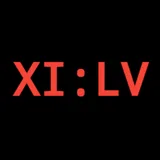
The RomanDigital app provides a clock of unique style that can be used to repurpose an old device or to display time on a current model.
For more personal use, the RomanDigital widget makes a distinctive addition to a device's Home screen.
RomanDigital includes features expected in an ordinary digital clock, such as:
- Choice of 12 or 24 hour format
- Optional AM/PM indicator (uniquely integrated into the time display)
- Option to keep display on when app is in the foreground
- Display in either portrait or landscape
RomanDigital also includes:
- Independent configuration of app and widgets.
- Selectable app and widget time display layout between horizontal and vertical.
- Selectable app and widget time display typeface (monospace, sans-serif, or serif).
- Variable widget background opacity that can be set from 0% to 100% by tens.
- Selectable widget time zone.
- Selectable widget layouts to add a time zone label.
- Selectable app time display color.
For more detailed information including a FAQ list, please see the README.md file accompanying the RomanDigital source code.
For those interested in placing RomanDigital on their phone's lock screen in the case where the phone doesn't support placing custom widgets there, please see the aforementioned FAQ for a possible workaround.
Source code for RomanDigital is available at: https://github.com/dfyockey/RomanDigital
What's new in version 3.1.0
Added:
- Vertical time display layout (hours above minutes), independently selectable for the app and each widget.
Changed:
- Minimum widget cell size to 1x1.
Fixed:
- Crash resulting from ForegroundServiceStartNotAllowedException being thrown. The fix in version 3.0.2 was found to only be effective under test conditions. Apologies to users who have experienced a crash due to this issue.
- Lack of sufficient space on a widget, under some circumstances, for a time zone label to be properly disp
APK file information
| Package name | net.diffengine.romandigitalclock |
|---|---|
| Version | 3.1.0 (code 18) |
| Minimum Android | Android 5.0 · targets Android 15 |
| Architectures | All (universal) |
| SHA-256 | dec5739b4b91ff3876d380b06f1c464fa46634013db70791926224222841af6a |
| Signature | 48a768c4ced584b930fe9315333a131e653426e5ceb16bfa5de12dc9403db0f4 |
| Licence | Apache-2.0 — permissive free licence: the source code is public and reusable |
| Source code | github.com/dfyockey/RomanDigital |
Permissions
- Show notifications
- Run in the background
- Start at boot
Older versions
- RomanDigital 3.1.0August 16, 2026 · 8.9 MB
- RomanDigital 3.0.2May 30, 2026 · 8.9 MB
- RomanDigital 3.0.1March 18, 2026 · 8.9 MB
How to install RomanDigital APK
- Tap Download APK above, then open the file once the download has finished.
- If Android asks, allow your browser to install unknown apps.
- Tap Install. RomanDigital then appears with your other apps.
Having trouble? Read our guides how to install an APK on Android and "App not installed": how to fix it.
Frequently asked questions
Is RomanDigital free?
Yes. RomanDigital is distributed under the Apache-2.0 licence: free, no subscription, and its source code is public.
Is this APK file safe?
The file is the one built and published by the F-Droid repository from the public source code. Its SHA-256 fingerprint is shown above, so you can compare it after downloading. How to check an APK.
Will RomanDigital work on my phone?
You need at least Android 5.0. The app also works without Google services, so it runs on recent Huawei phones too.