
WikiReader APK
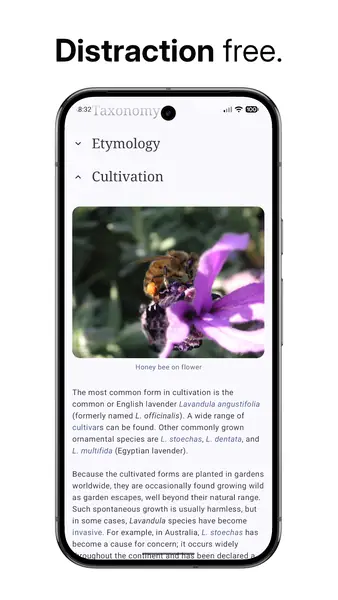
Baca halaman Wikipedia tanpa gangguan
Unduh APK v2.5.5 · 3,2 MB- Versi2.5.5
- Ukuran3,2 MB
- ButuhAndroid 8.0
- Diperbarui13/11/2025
- LisensiGPL-3.0-only
- HargaGratis
Tentang WikiReader
Deskripsi dari pengembang (dalam bahasa Inggris).
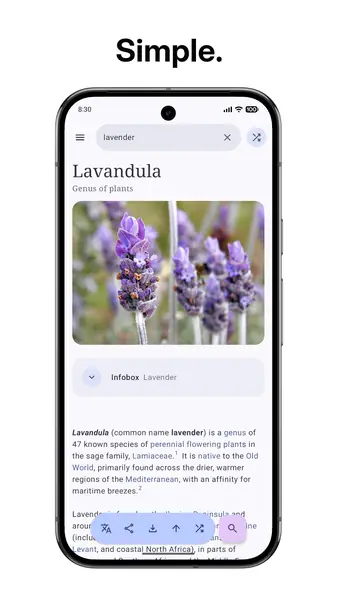
A lightweight Android app for reading Wikipedia articles distraction-free. Supports light mode, dark mode, Material You dynamic colors and 300+ Wikipedia languages, with a customisable simple interface
Features
- Fast loading: The article text is loaded before anything else, so you can get to reading, quick
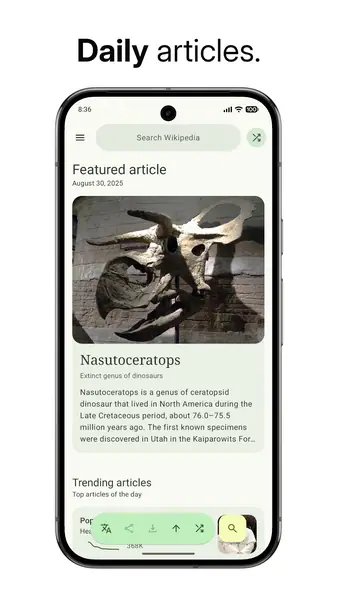
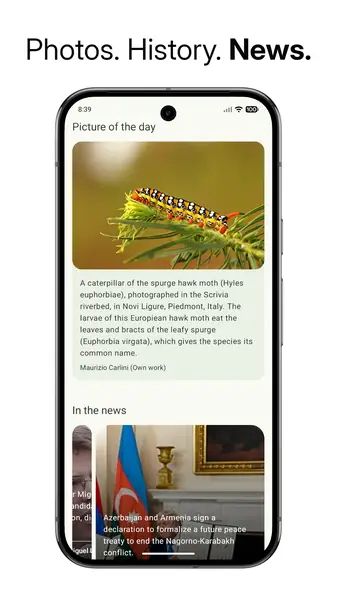
- Feed: Read the article of the day, find trending articles and get up to speed on the news with the Wikipedia Feed
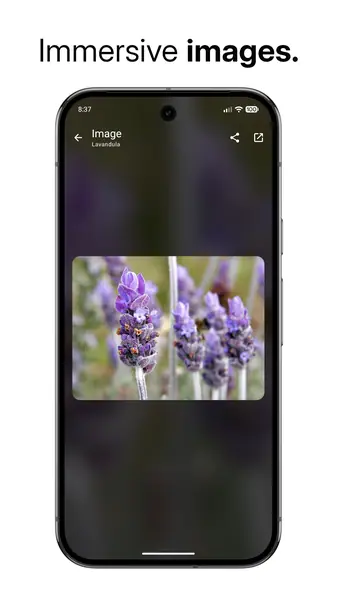
- Article image: View an image of the topic from its Wikipedia page. Click on it to enlarge it and view in full-screen
- Random article: Feeling lucky? Click the random article button to read a random article
- Choose your language: Choose from over 300 languages on Wikipedia
- Save articles: Download articles to your device for offline reading
- One-handed use: Use the floating action buttons at the bottom for a complete one-handed experience
- Lightweight: The app starts instantly, and works smoothly
- Material 3 Expressive: Designed according to the latest Material 3 Expressive design
guidelines
- Smooth animations: Smooth and fluent animations
- Customizable colors: Choose from light/dark themes and customize the Material 3 color palette
- Customizable font size: Choose your own comfortable font size
- Data saver: Save your limited data plan by loading text only
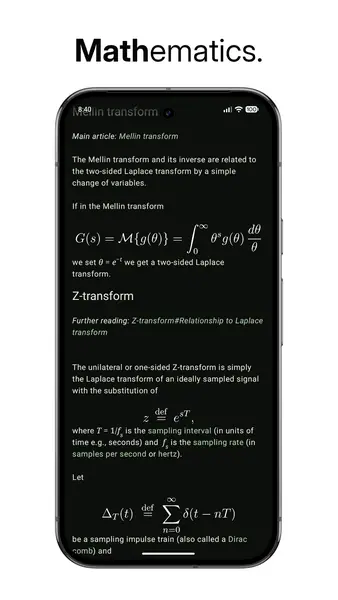
- Math expressions: View properly rendered mathematical expressions for easily reading mathematical articles
Yang baru di versi 2.5.5
New features:
- New navigation animations
Bug fixes:
- Fixed a bug that caused the app to crash when trying to delete a saved article
Informasi berkas APK
| Nama paket | org.nsh07.wikireader |
|---|---|
| Versi | 2.5.5 (kode 53) |
| Android minimum | Android 8.0 · ditujukan untuk Android 16 |
| Arsitektur | arm64-v8a, armeabi-v7a, x86, x86_64 |
| SHA-256 | 0c06e5fc45eabccbbe2a8d287bc65ae13e3d797d4dd41e637c98d946a4895444 |
| Tanda tangan | 07bef30581baee8f45ec93e47ee68ef20874e50ef5709c78b2ee67ac86be4c3d |
| Lisensi | GPL-3.0-only — lisensi bebas copyleft: kodenya terbuka dan versi modifikasi harus tetap bebas |
| Kode sumber | github.com/nsh07/WikiReader |
| Situs resmi | github.com/nsh07/WikiReader |
Izin
- Akses internet
Versi lama
- WikiReader 2.5.513 November 2025 · 3,2 MB
- WikiReader 2.5.33 September 2025 · 13,6 MB
- WikiReader 2.5.230 Agustus 2025 · 13,5 MB
Cara memasang WikiReader APK
- Ketuk Unduh APK di atas, lalu buka berkas setelah unduhan selesai.
- Jika Android meminta, izinkan peramban untuk memasang aplikasi tak dikenal.
- Ketuk Pasang. WikiReader akan muncul bersama aplikasi lain.
→ Cara memasang file APK di Android (langkah demi langkah)
→ “Aplikasi tidak terinstal”: penyebab dan solusinya
Pertanyaan umum
Apakah WikiReader gratis?
Ya. WikiReader didistribusikan dengan lisensi GPL-3.0-only: gratis, tanpa langganan, dan kode sumbernya terbuka.
Apakah berkas APK ini aman?
Berkas ini dibangun dan diterbitkan oleh repositori F-Droid dari kode sumber publik. Sidik jari SHA-256 tercantum di atas; Anda dapat membandingkannya setelah mengunduh. Apakah APK berbahaya? Cara memeriksa file sebelum dipasang
Apakah WikiReader berjalan di ponsel saya?
Dibutuhkan minimal Android 8.0. Aplikasi ini juga berjalan tanpa layanan Google, jadi bisa dipakai di ponsel Huawei terbaru.