
Aegis Authenticator APK
Free, secure and open source 2FA app to manage tokens for your online services
Scarica l'APK v3.4.3 · 6,6 MB- Versione3.4.3
- Dimensione6,6 MB
- RichiedeAndroid 6.0
- Aggiornata09/09/2026
- LicenzaGPL-3.0-only
- PrezzoGratis
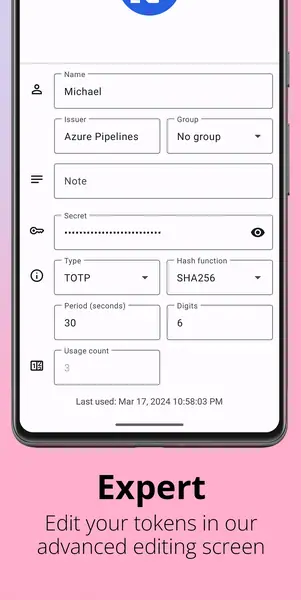
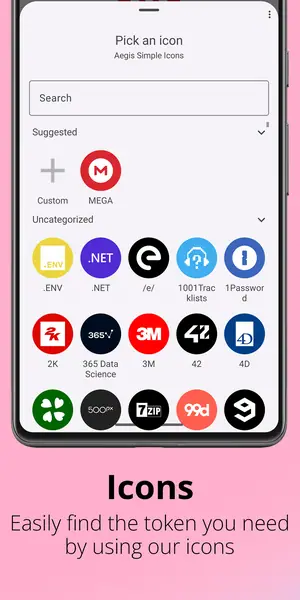
Informazioni su Aegis Authenticator
Descrizione fornita dallo sviluppatore (in inglese).
Aegis Authenticator is a free, secure and open source app to manage your 2-step verification tokens for your online services.
Compatibility Aegis supports the HOTP and TOTP algorithms. These two algorithms are industry-standard and widely supported, making Aegis compatible with thousands of services. Any web service that supports Google Authenticator will also work with Aegis Authenticator.
Encryption and biometric unlock All of your one-time passwords are stored in a vault. If you choose to set a password (highly recommended), the vault will be encrypted using strong cryptography. If someone with malicious intent gets a hold of the vault file, it’s impossible for them to retrieve the contents without knowing the password. Entering your password each time you need access to a one-time password can be cumbersome. Fortunately, you can also enable biometric unlock if your device has a biometrics sensor (i.e. fingerprint or face unlock).
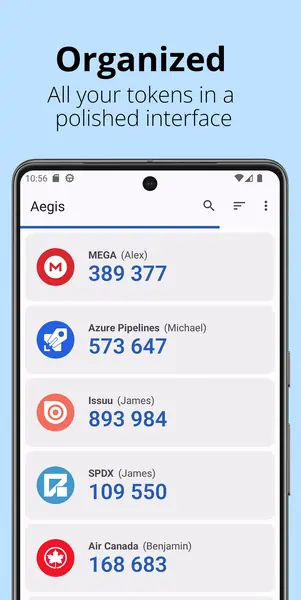
Organization Over time, you'll likely accumulate tens of entries in your vault. Aegis Authenticator has lots of organization options to make finding the one you need at a particular moment easier. Set a custom icon for an entry to make it easier to find. Search by account name or service name. Have a lot of one-time passwords? Add them to custom groups for easier access. Personal, Work and Social can each get their own group.
Backups To make sure you will never lose access to your online accounts, Aegis Authenticator can create automatic backups of the vault to a location of your choosing. If your cloud provider supports the Storage Access Framework of Android (like Nextcloud does), it can even create automatic backups to the cloud. Creating manual exports of the vault is also supported.
Making the switch To make the switch easier, Aegis Authenticator can import the entries of lots of other authenticators, including: 2FAS Authenticator, Authenticator Plus, Authy, andOTP, FreeOTP, FreeOTP+, Google Authenticator, Microsoft Authenticator, Steam, TOTP Authenticator and WinAuth (root access is required for the apps that don't have an option to export).
Feature overview
- Free and open source
- Secure
- Encrypted, can be unlocked with a password or biometrics
- Screen capture prevention
- Tap to reveal
- Compatible with Google Authenticator
- Supports industry standard algorithms: HOTP and TOTP
- Lots of ways to add new entries
- Scan a QR code or an image of one
- Enter details manually
- Import from other popular authenticator apps
- Organization
- Alphabetic/custom sorting
- Custom or automatically generated icons
- Group entries together
- Advanced entry editing
- Search by name/issuer
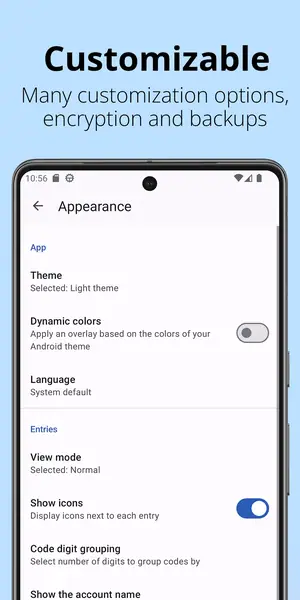
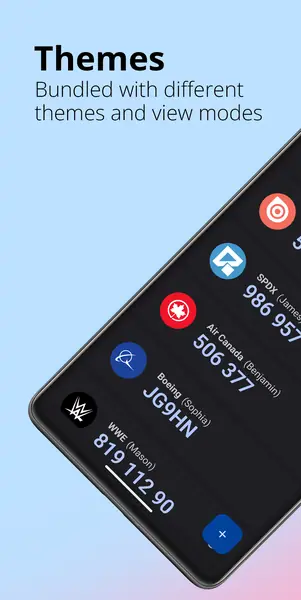
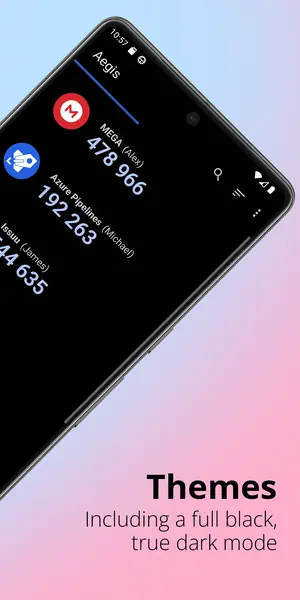
- Material design with multiple themes: Light, Dark, AMOLED
- Export (plaintext or encrypted)
- Automatic backups of the vault to a location of your choosing
Open source and license Aegis Authenticator is open source (licensed under GPL v3) and the source code can be found here: http://github.com/beemdevelopment/Aegis
Informazioni sul file APK
| Nome del pacchetto | com.beemdevelopment.aegis |
|---|---|
| Versione | 3.4.3 (codice 82) |
| Android minimo | Android 6.0 · pensata per Android 16 |
| Architetture | arm64-v8a, armeabi-v7a, x86, x86_64 |
| SHA-256 | 0eecec45de0da3ff1358004b51e2960d9178551643a6ed44f6496ea9ec999c19 |
| Firma | 09cfde62e2a81c8050d3be4c20e3f8d8ddd01531be1b47cb3b0eec213f641f89 |
| Licenza | GPL-3.0-only — licenza libera copyleft: il codice è pubblico e le versioni modificate devono restare libere |
| Codice sorgente | github.com/beemdevelopment/Aegis |
| Sito ufficiale | getaegis.app |
Autorizzazioni richieste
- Fotocamera sensibile
- Impronta / biometria
- Vibrare
- Avviarsi all'accensione
- Impronta digitale
Versioni precedenti
- Aegis Authenticator 3.4.39 settembre 2026 · 6,6 MB
- Aegis Authenticator 3.4.225 febbraio 2026 · 6,3 MB
- Aegis Authenticator 3.4.110 agosto 2025 · 6,3 MB
Come installare Aegis Authenticator APK
- Tocca Scarica l'APK qui sopra, poi apri il file al termine del download.
- Se Android lo chiede, consenti al browser di installare app sconosciute.
- Tocca Installa. Aegis Authenticator comparirà insieme alle altre app.
→ Come installare un file APK su Android (passo passo)
→ «App non installata»: cause e soluzioni
Domande frequenti
Aegis Authenticator è gratis?
Sì. Aegis Authenticator è distribuita con licenza GPL-3.0-only: gratuita, senza abbonamento e con codice sorgente pubblico.
Questo file APK è sicuro?
Il file è quello compilato e pubblicato dal repository F-Droid a partire dal codice sorgente pubblico. L'impronta SHA-256 è indicata qui sopra: puoi confrontarla dopo il download. Un APK è pericoloso? Come verificare un file prima di installarlo
Aegis Authenticator funziona sul mio telefono?
Serve almeno Android 6.0. L'app funziona anche senza i servizi Google, quindi anche sui telefoni Huawei recenti.





