Agendula APK
Agendula: Tasks
A Material 3 Expressive task app with CalDAV sync.
Scarica l'APK v1.3.2 · 7,1 MB- Versione1.3.2
- Dimensione7,1 MB
- RichiedeAndroid 10
- Aggiornata17/11/2026
- LicenzaMIT
- PrezzoGratis
Informazioni su Agendula
Descrizione fornita dallo sviluppatore (in inglese).
Agendula is a modern, open-source task app for Android.
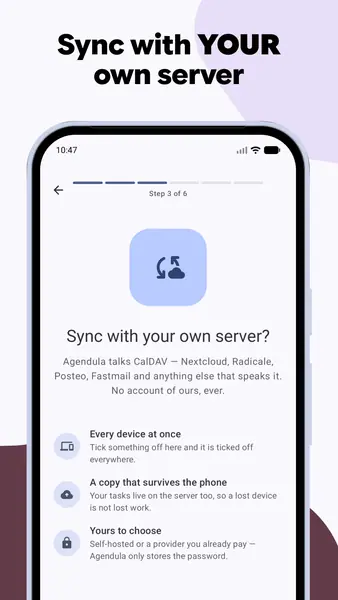
Sync your tasks over CalDAV: add a Nextcloud, Radicale, Baïkal or any other CalDAV account and pick which task lists come along. Or keep everything on the phone — Agendula stores your tasks itself, with no account and nothing else to install.
Already use OpenTasks or tasks.org? Point Agendula at that app instead, so tasks synced by DAVx5 or similar show up as they are, and copy them into Agendula's own storage whenever you like, under Settings → Storage.
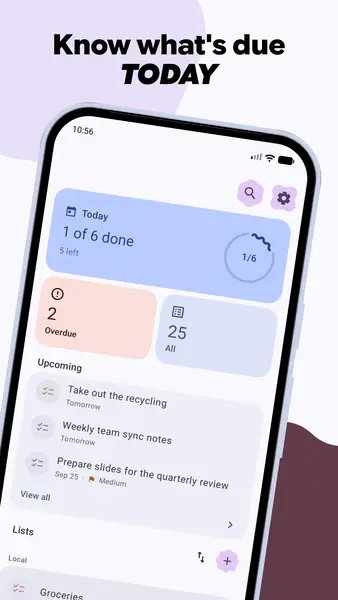
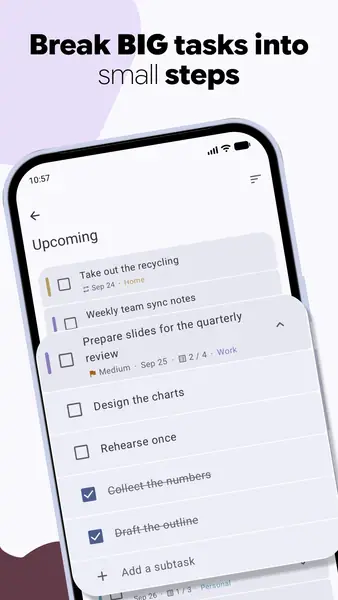
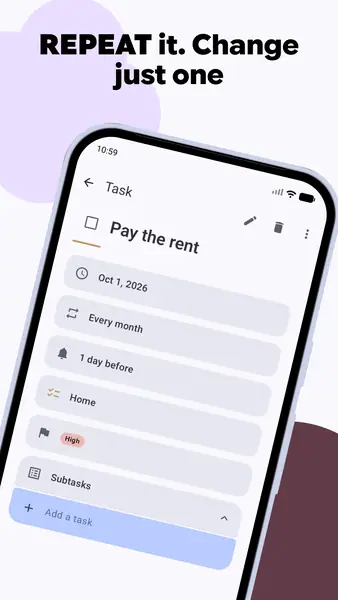
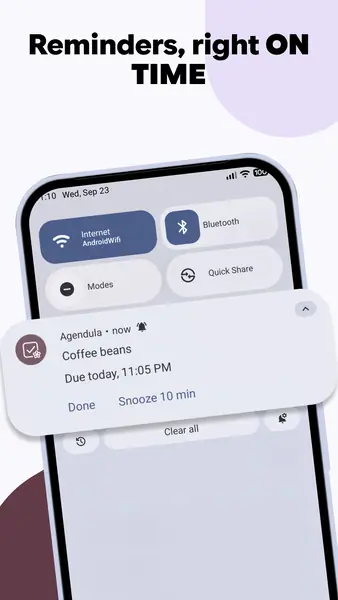
What it does: lists you manage in the app, due and start dates, all-day tasks, subtasks, priorities, progress, repeating tasks you can edit one occurrence at a time, several reminders per task with snooze, iCalendar import and export, a home-screen widget, launcher shortcuts and a Quick Settings tile.
The design is real Material 3 Expressive throughout, with dynamic color and expressive motion and shapes.
Privacy: no telemetry, no analytics, no ads. Agendula goes online only to sync with the CalDAV accounts you add. Without one, your tasks never leave the device unless you export them.
Novità della versione 1.3.2
Added
- Choose how much of a task's description reminders show: none, a short preview (new default) or all of it.
Changed
- Lists with their own default reminders are marked in the editor and in Settings.
Fixed
- With CalDAV sync, Apple Reminders now moves a ticked repeating task on too.
- Removing a task's last date also removes its reminders.
- The navigation bar and keyboard no longer cover content.
Informazioni sul file APK
| Nome del pacchetto | de.jeanlucmakiola.agendula |
|---|---|
| Versione | 1.3.2 (codice 1030299) |
| Android minimo | Android 10 · pensata per Android 16 |
| Architetture | arm64-v8a, armeabi-v7a, x86, x86_64 |
| SHA-256 | 63b32c01b51ed0b92f3470ad5fe24c393699db8bf9966973849fe529c2d431e1 |
| Firma | 097946b32c375a8cc81fcdf1985d601c06134b29613d9d8632f59178085af120 |
| Licenza | MIT — licenza libera permissiva: il codice sorgente è pubblico e riutilizzabile |
| Codice sorgente | codeberg.org/jlmakiola/agendula |
Autorizzazioni richieste
- Accesso a Internet
- Vedere lo stato della rete
- Mostrare notifiche
- Avviarsi all'accensione
- Impedire lo standby
- Funzionare in background
Altre 3 autorizzazioni tecniche
READ_SYNC_SETTINGS WRITE_SYNC_SETTINGS SCHEDULE_EXACT_ALARM
Versioni precedenti
- Agendula 1.3.217 novembre 2026 · 7,1 MB
- Agendula 1.3.06 novembre 2026 · 7,1 MB
- Agendula 1.2.029 ottobre 2026 · 6,6 MB
Come installare Agendula APK
- Tocca Scarica l'APK qui sopra, poi apri il file al termine del download.
- Se Android lo chiede, consenti al browser di installare app sconosciute.
- Tocca Installa. Agendula comparirà insieme alle altre app.
→ Come installare un file APK su Android (passo passo)
→ «App non installata»: cause e soluzioni
Domande frequenti
Agendula è gratis?
Sì. Agendula è distribuita con licenza MIT: gratuita, senza abbonamento e con codice sorgente pubblico.
Questo file APK è sicuro?
Il file è quello compilato e pubblicato dal repository F-Droid a partire dal codice sorgente pubblico. L'impronta SHA-256 è indicata qui sopra: puoi confrontarla dopo il download. Un APK è pericoloso? Come verificare un file prima di installarlo
Agendula funziona sul mio telefono?
Serve almeno Android 10. L'app funziona anche senza i servizi Google, quindi anche sui telefoni Huawei recenti.