Agendula APK
Agendula: Tasks
A Material 3 Expressive task app with CalDAV sync.
Download APK v1.3.2 · 7.1 MB- Version1.3.2
- Size7.1 MB
- RequiresAndroid 10
- Updated11/17/2026
- LicenceMIT
- PriceFree
About Agendula
Agendula is a modern, open-source task app for Android.
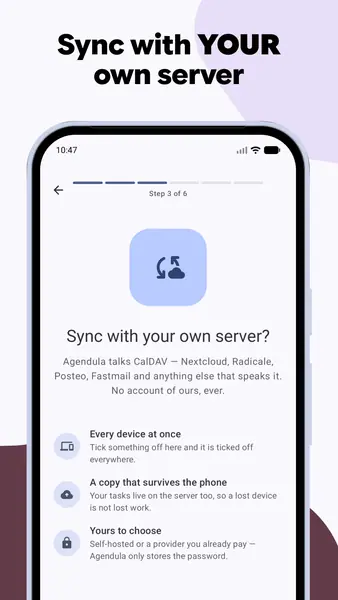
Sync your tasks over CalDAV: add a Nextcloud, Radicale, Baïkal or any other CalDAV account and pick which task lists come along. Or keep everything on the phone — Agendula stores your tasks itself, with no account and nothing else to install.
Already use OpenTasks or tasks.org? Point Agendula at that app instead, so tasks synced by DAVx5 or similar show up as they are, and copy them into Agendula's own storage whenever you like, under Settings → Storage.
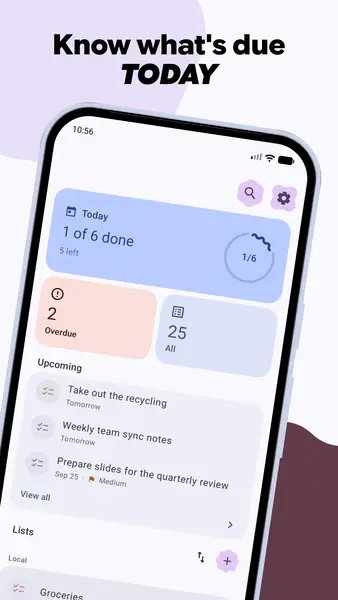
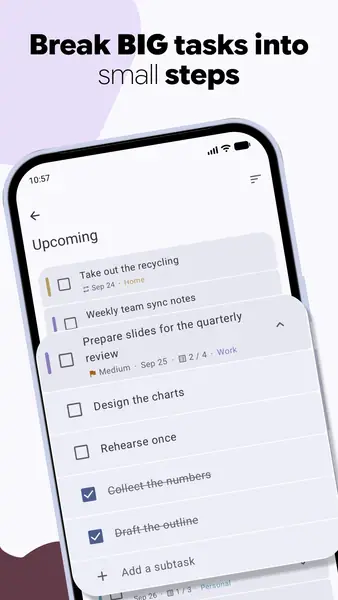
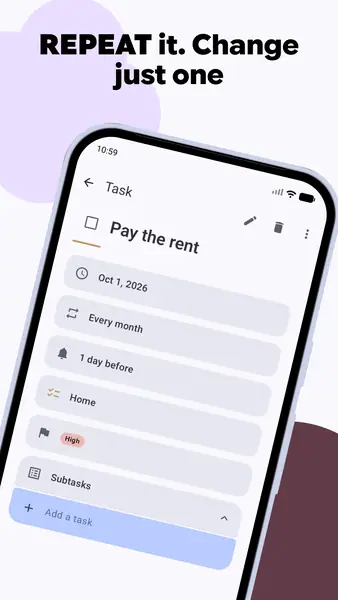
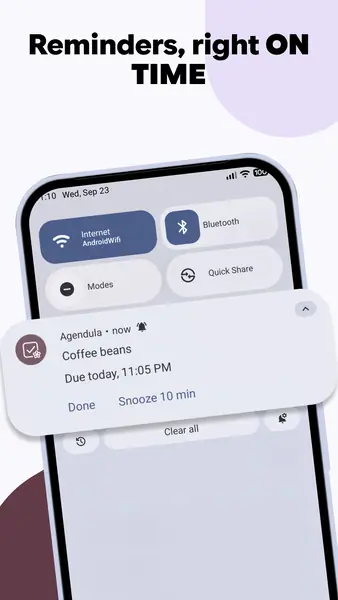
What it does: lists you manage in the app, due and start dates, all-day tasks, subtasks, priorities, progress, repeating tasks you can edit one occurrence at a time, several reminders per task with snooze, iCalendar import and export, a home-screen widget, launcher shortcuts and a Quick Settings tile.
The design is real Material 3 Expressive throughout, with dynamic color and expressive motion and shapes.
Privacy: no telemetry, no analytics, no ads. Agendula goes online only to sync with the CalDAV accounts you add. Without one, your tasks never leave the device unless you export them.
What's new in version 1.3.2
Added
- Choose how much of a task's description reminders show: none, a short preview (new default) or all of it.
Changed
- Lists with their own default reminders are marked in the editor and in Settings.
Fixed
- With CalDAV sync, Apple Reminders now moves a ticked repeating task on too.
- Removing a task's last date also removes its reminders.
- The navigation bar and keyboard no longer cover content.
APK file information
| Package name | de.jeanlucmakiola.agendula |
|---|---|
| Version | 1.3.2 (code 1030299) |
| Minimum Android | Android 10 · targets Android 16 |
| Architectures | arm64-v8a, armeabi-v7a, x86, x86_64 |
| SHA-256 | 63b32c01b51ed0b92f3470ad5fe24c393699db8bf9966973849fe529c2d431e1 |
| Signature | 097946b32c375a8cc81fcdf1985d601c06134b29613d9d8632f59178085af120 |
| Licence | MIT — permissive free licence: the source code is public and reusable |
| Source code | codeberg.org/jlmakiola/agendula |
Permissions
- Internet access
- View network status
- Show notifications
- Start at boot
- Keep the device awake
- Run in the background
3 other technical permission(s)
READ_SYNC_SETTINGS WRITE_SYNC_SETTINGS SCHEDULE_EXACT_ALARM
Older versions
- Agendula 1.3.2November 17, 2026 · 7.1 MB
- Agendula 1.3.0November 6, 2026 · 7.1 MB
- Agendula 1.2.0October 29, 2026 · 6.6 MB
How to install Agendula APK
- Tap Download APK above, then open the file once the download has finished.
- If Android asks, allow your browser to install unknown apps.
- Tap Install. Agendula then appears with your other apps.
Having trouble? Read our guides how to install an APK on Android and "App not installed": how to fix it.
Frequently asked questions
Is Agendula free?
Yes. Agendula is distributed under the MIT licence: free, no subscription, and its source code is public.
Is this APK file safe?
The file is the one built and published by the F-Droid repository from the public source code. Its SHA-256 fingerprint is shown above, so you can compare it after downloading. How to check an APK.
Will Agendula work on my phone?
You need at least Android 10. The app also works without Google services, so it runs on recent Huawei phones too.