
CryptoSafe APK
Offline AES-256-GCM text encryption with Argon2id, no internet permission
Scarica l'APK v2.1.1 · 10,4 MB- Versione2.1.1
- Dimensione10,4 MB
- RichiedeAndroid 7.0
- Aggiornata13/08/2026
- LicenzaMIT
- PrezzoGratis
Informazioni su CryptoSafe
Descrizione fornita dallo sviluppatore (in inglese).
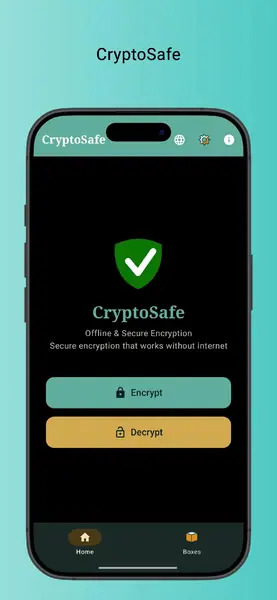
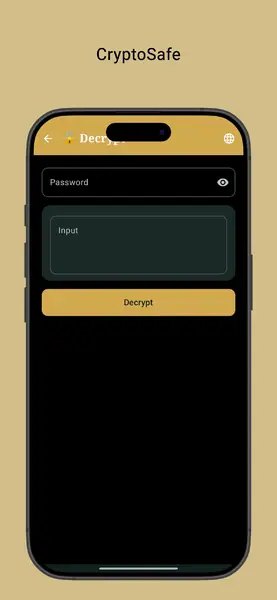
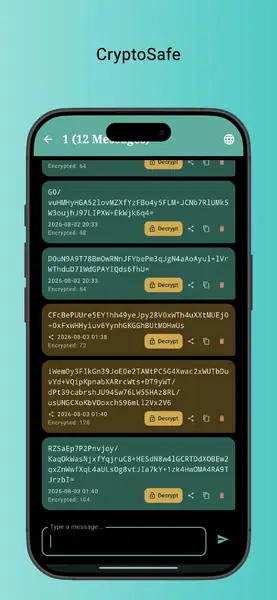
CryptoSafe is a fully offline app for encrypting and decrypting text. It doesn't use the internet at all, and everything stays on your phone.
Features:
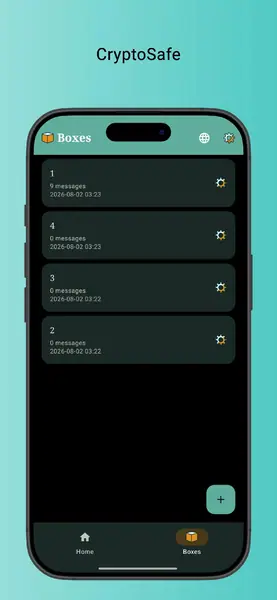
- Anonymous Boxes: chat in password-protected boxes, each with its own password
- Strong encryption: AES-256-GCM with Argon2id key derivation
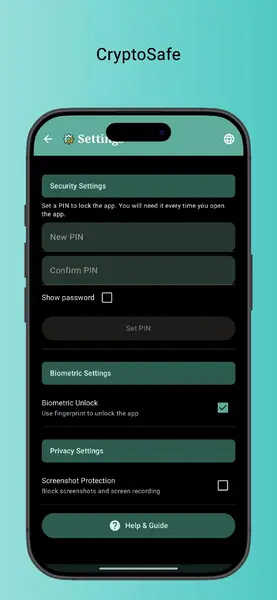
- App Lock: PIN and fingerprint unlock with an auto-lock timer
- Encrypted database (SQLCipher): nothing is stored in plaintext
- Share into a box: receive encrypted texts from WhatsApp, Telegram and other apps directly into a box
- Share from a box: share encrypted texts from a message box with other apps
- Auto-delete messages (from 1 hour to 90 days)
- Box lock modes: ask every time, remember for a while, keep for the session, or remember permanently
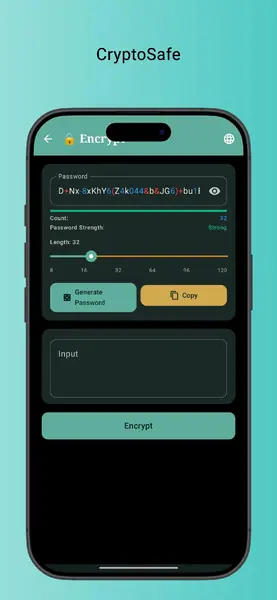
- Built-in password generator with strength indicator
- Screenshot protection on every screen
- Help & Guide screen with detailed documentation
- Translated into 15 languages
Help us improve: report issues or suggest features at https://github.com/nemoXdev/CryptoSafe/issues, or contribute a translation at https://github.com/nemoXdev/CryptoSafe/blob/develop/app/src/main/assets/locales/README.md. With your contribution, the app keeps getting better.
Novità della versione 2.1.1
- Encrypted Boxes (Chat) with per-box passwords
- App Lock with PIN and Biometric unlock
- Encrypted database (SQLCipher)
- Receive encrypted texts from other apps
- Share encrypted texts from a message box with other apps
- Auto-delete messages (1h to 90 days)
- Settings screen
- Help & Guide screen with detailed documentation
Informazioni sul file APK
| Nome del pacchetto | com.cryptosafe.app |
|---|---|
| Versione | 2.1.1 (codice 10) |
| Android minimo | Android 7.0 · pensata per Android 15 |
| Architetture | arm64-v8a, armeabi-v7a, x86, x86_64 |
| SHA-256 | 0626177f888560db68c9bb1bb745c6b53ec37e0a6005ad44a49c9b001e3826d8 |
| Firma | 06032001f6bca924ad0070c62e005700975faa09435be9ec864eb50284661c62 |
| Licenza | MIT — licenza libera permissiva: il codice sorgente è pubblico e riutilizzabile |
| Codice sorgente | github.com/nemoXdev/CryptoSafe |
Autorizzazioni richieste
- Impronta / biometria
- Impronta digitale
- Impedire lo standby
- Avviarsi all'accensione
- Funzionare in background
Versioni precedenti
- CryptoSafe 2.1.113 agosto 2026 · 10,4 MB
- CryptoSafe 2.0.010 agosto 2026 · 10,4 MB
- CryptoSafe 1.3.020 luglio 2026 · 2,4 MB
Come installare CryptoSafe APK
- Tocca Scarica l'APK qui sopra, poi apri il file al termine del download.
- Se Android lo chiede, consenti al browser di installare app sconosciute.
- Tocca Installa. CryptoSafe comparirà insieme alle altre app.
→ Come installare un file APK su Android (passo passo)
→ «App non installata»: cause e soluzioni
Domande frequenti
CryptoSafe è gratis?
Sì. CryptoSafe è distribuita con licenza MIT: gratuita, senza abbonamento e con codice sorgente pubblico.
Questo file APK è sicuro?
Il file è quello compilato e pubblicato dal repository F-Droid a partire dal codice sorgente pubblico. L'impronta SHA-256 è indicata qui sopra: puoi confrontarla dopo il download. Un APK è pericoloso? Come verificare un file prima di installarlo
CryptoSafe funziona sul mio telefono?
Serve almeno Android 7.0. L'app funziona anche senza i servizi Google, quindi anche sui telefoni Huawei recenti.