
CryptoSafe APK
Offline AES-256-GCM text encryption with Argon2id, no internet permission
Download APK v2.1.1 · 10.4 MB- Version2.1.1
- Size10.4 MB
- RequiresAndroid 7.0
- Updated8/13/2026
- LicenceMIT
- PriceFree
About CryptoSafe
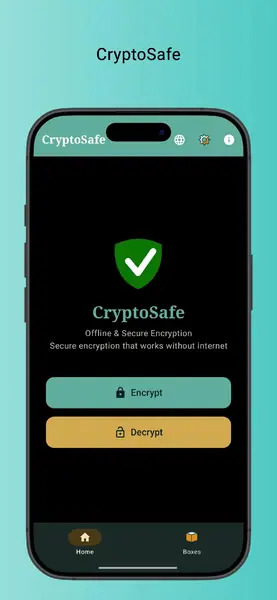
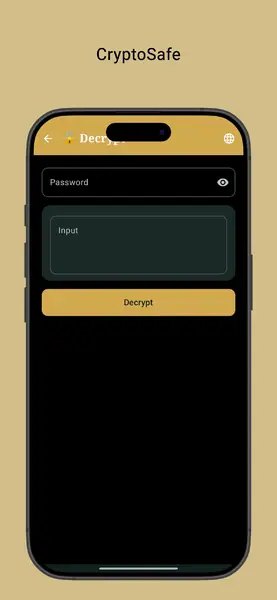
CryptoSafe is a fully offline app for encrypting and decrypting text. It doesn't use the internet at all, and everything stays on your phone.
Features:
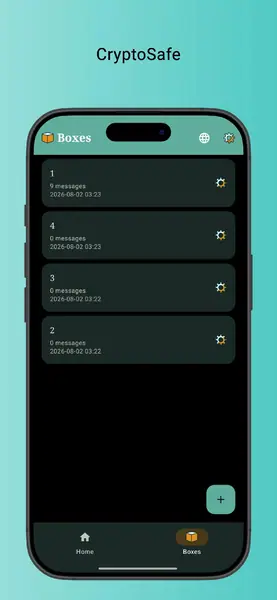
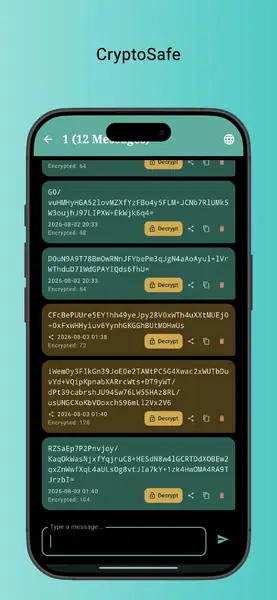
- Anonymous Boxes: chat in password-protected boxes, each with its own password
- Strong encryption: AES-256-GCM with Argon2id key derivation
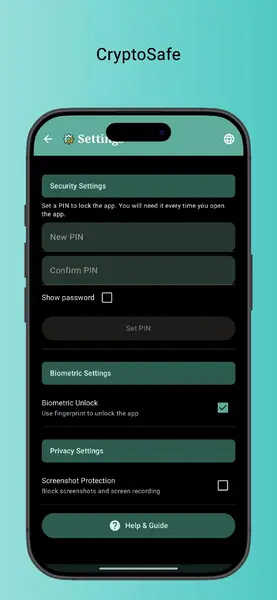
- App Lock: PIN and fingerprint unlock with an auto-lock timer
- Encrypted database (SQLCipher): nothing is stored in plaintext
- Share into a box: receive encrypted texts from WhatsApp, Telegram and other apps directly into a box
- Share from a box: share encrypted texts from a message box with other apps
- Auto-delete messages (from 1 hour to 90 days)
- Box lock modes: ask every time, remember for a while, keep for the session, or remember permanently
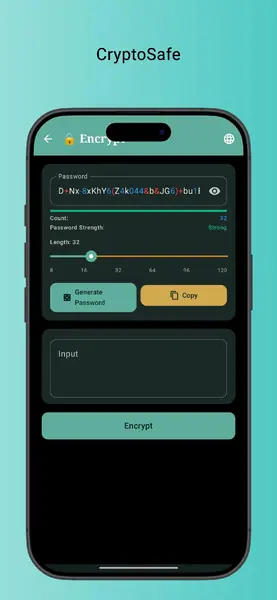
- Built-in password generator with strength indicator
- Screenshot protection on every screen
- Help & Guide screen with detailed documentation
- Translated into 15 languages
Help us improve: report issues or suggest features at https://github.com/nemoXdev/CryptoSafe/issues, or contribute a translation at https://github.com/nemoXdev/CryptoSafe/blob/develop/app/src/main/assets/locales/README.md. With your contribution, the app keeps getting better.
What's new in version 2.1.1
- Encrypted Boxes (Chat) with per-box passwords
- App Lock with PIN and Biometric unlock
- Encrypted database (SQLCipher)
- Receive encrypted texts from other apps
- Share encrypted texts from a message box with other apps
- Auto-delete messages (1h to 90 days)
- Settings screen
- Help & Guide screen with detailed documentation
APK file information
| Package name | com.cryptosafe.app |
|---|---|
| Version | 2.1.1 (code 10) |
| Minimum Android | Android 7.0 · targets Android 15 |
| Architectures | arm64-v8a, armeabi-v7a, x86, x86_64 |
| SHA-256 | 0626177f888560db68c9bb1bb745c6b53ec37e0a6005ad44a49c9b001e3826d8 |
| Signature | 06032001f6bca924ad0070c62e005700975faa09435be9ec864eb50284661c62 |
| Licence | MIT — permissive free licence: the source code is public and reusable |
| Source code | github.com/nemoXdev/CryptoSafe |
Permissions
- Fingerprint / biometrics
- Fingerprint
- Keep the device awake
- Start at boot
- Run in the background
Older versions
- CryptoSafe 2.1.1August 13, 2026 · 10.4 MB
- CryptoSafe 2.0.0August 10, 2026 · 10.4 MB
- CryptoSafe 1.3.0July 20, 2026 · 2.4 MB
How to install CryptoSafe APK
- Tap Download APK above, then open the file once the download has finished.
- If Android asks, allow your browser to install unknown apps.
- Tap Install. CryptoSafe then appears with your other apps.
Having trouble? Read our guides how to install an APK on Android and "App not installed": how to fix it.
Frequently asked questions
Is CryptoSafe free?
Yes. CryptoSafe is distributed under the MIT licence: free, no subscription, and its source code is public.
Is this APK file safe?
The file is the one built and published by the F-Droid repository from the public source code. Its SHA-256 fingerprint is shown above, so you can compare it after downloading. How to check an APK.
Will CryptoSafe work on my phone?
You need at least Android 7.0. The app also works without Google services, so it runs on recent Huawei phones too.