
Keep Screen On APK
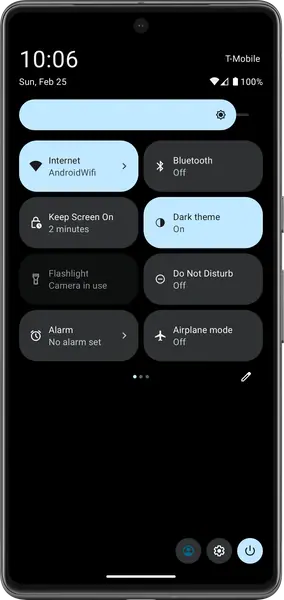
A screen timeout quick settings tile
Scarica l'APK v1.29.1 · 3,0 MB- Versione1.29.1
- Dimensione3,0 MB
- RichiedeAndroid 7.0
- Aggiornata25/10/2026
- LicenzaGPL-3.0-only
- PrezzoGratis
Informazioni su Keep Screen On
Descrizione fornita dallo sviluppatore (in inglese).
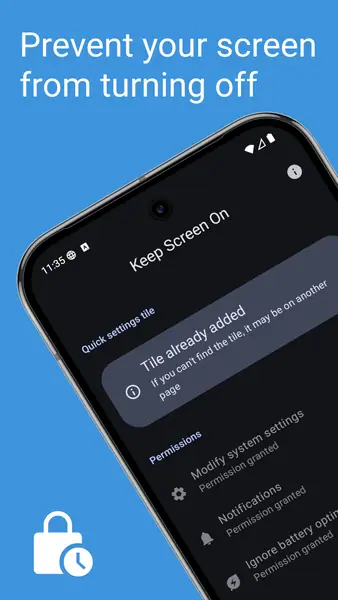
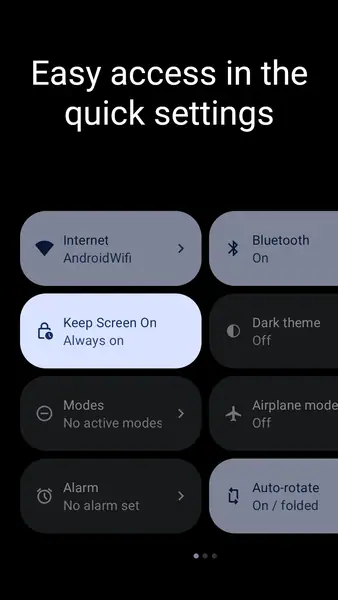
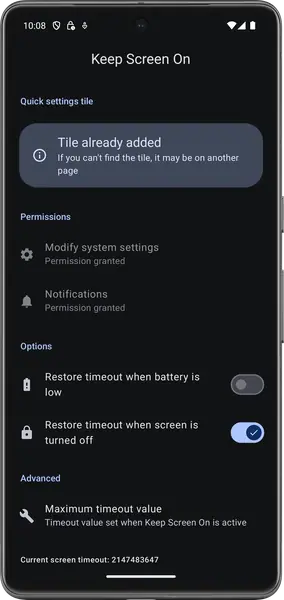
Keep Screen On allows you to add a quick settings tile, with which you can easily disable screen timeout and then restore the previous timeout value.
For example, this may be useful to you if you need the display to stay on temporarily when viewing a website or document or if your device does not have the option to set the screen timeout to never in the settings.
Features:
- Disable screen timeout or set a specific value
- Quick settings tile
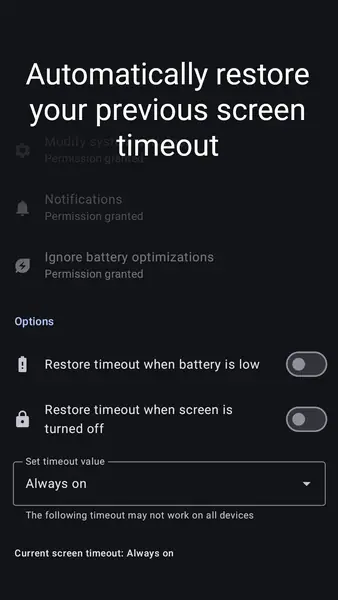
- Automatically restore timeout when battery is low
- Automatically restore timeout when is screen is turned off
- Material You
- No creepy ads or trackers
- No internet permission
- Open Source
Source code: https://github.com/elastic-rock/KeepScreenOn
Novità della versione 1.29.1
- Added functionality to restore timeout on shutdown
- Changed default timeout to Always On
- Streamlined notification behavior for consistency
- Fixed occasionally occurring crash when adding widget from app
- Updated to target API 37
- Updated dependencies
- Removed donation option (I am no longer going to be accepting donations as I believe other projects deserve it more)
Informazioni sul file APK
| Nome del pacchetto | com.elasticrock.keepscreenon |
|---|---|
| Versione | 1.29.1 (codice 63) |
| Android minimo | Android 7.0 · pensata per API 37 |
| Architetture | arm64-v8a, armeabi-v7a, x86, x86_64 |
| SHA-256 | 8182f3056b183837f800c91306ed45a5319415feb948695ea76c8a30d7080f86 |
| Firma | bb9503be1486028133b33eabce9732100e9a331065e32fa2a033a93498bae6d6 |
| Licenza | GPL-3.0-only — licenza libera copyleft: il codice è pubblico e le versioni modificate devono restare libere |
| Codice sorgente | github.com/elastic-rock/KeepScreenOn |
Autorizzazioni richieste
- Funzionare in background
- Mostrare notifiche
- Impedire lo standby
- Vedere lo stato della rete
- Avviarsi all'accensione
Altre 1 autorizzazioni tecniche
WRITE_SETTINGS
Versioni precedenti
- Keep Screen On 1.29.125 ottobre 2026 · 3,0 MB
- Keep Screen On 1.28.01 gennaio 2026 · 3,5 MB
- Keep Screen On 1.27.023 ottobre 2025 · 1,4 MB
Come installare Keep Screen On APK
- Tocca Scarica l'APK qui sopra, poi apri il file al termine del download.
- Se Android lo chiede, consenti al browser di installare app sconosciute.
- Tocca Installa. Keep Screen On comparirà insieme alle altre app.
→ Come installare un file APK su Android (passo passo)
→ «App non installata»: cause e soluzioni
Domande frequenti
Keep Screen On è gratis?
Sì. Keep Screen On è distribuita con licenza GPL-3.0-only: gratuita, senza abbonamento e con codice sorgente pubblico.
Questo file APK è sicuro?
Il file è quello compilato e pubblicato dal repository F-Droid a partire dal codice sorgente pubblico. L'impronta SHA-256 è indicata qui sopra: puoi confrontarla dopo il download. Un APK è pericoloso? Come verificare un file prima di installarlo
Keep Screen On funziona sul mio telefono?
Serve almeno Android 7.0. L'app funziona anche senza i servizi Google, quindi anche sui telefoni Huawei recenti.





