Keep Screen On APK
A screen timeout quick settings tile
Download APK v1.29.1 · 3.0 MB- Version1.29.1
- Size3.0 MB
- RequiresAndroid 7.0
- Updated10/25/2026
- LicenceGPL-3.0-only
- PriceFree
About Keep Screen On
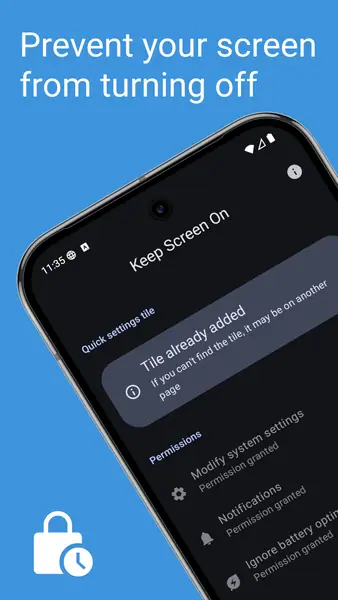
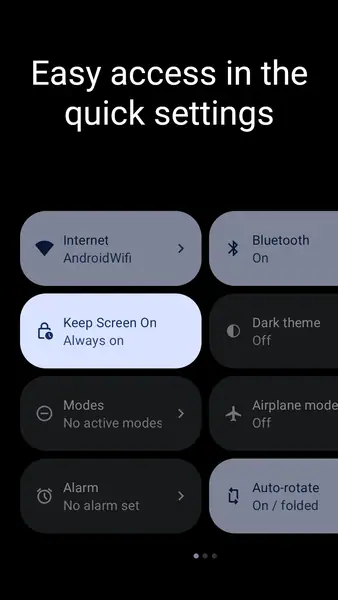
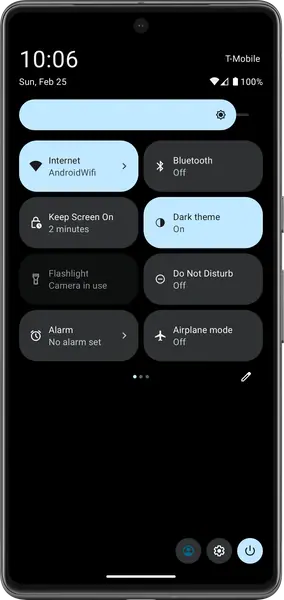
Keep Screen On allows you to add a quick settings tile, with which you can easily disable screen timeout and then restore the previous timeout value.
For example, this may be useful to you if you need the display to stay on temporarily when viewing a website or document or if your device does not have the option to set the screen timeout to never in the settings.
Features:
- Disable screen timeout or set a specific value
- Quick settings tile
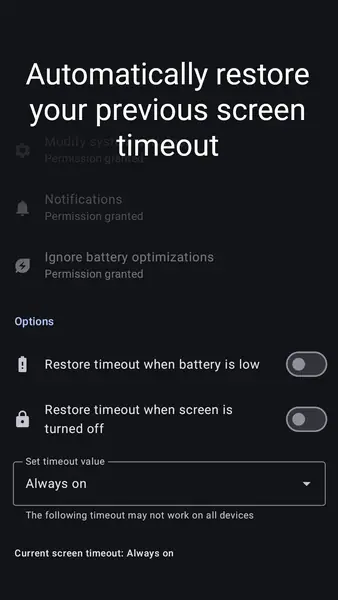
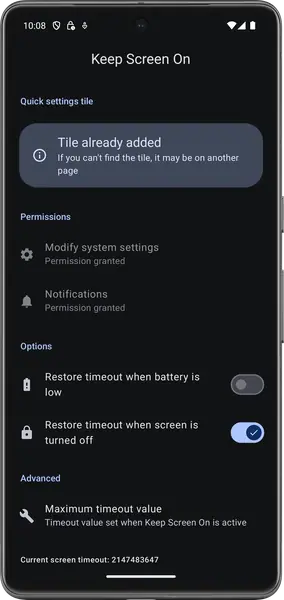
- Automatically restore timeout when battery is low
- Automatically restore timeout when is screen is turned off
- Material You
- No creepy ads or trackers
- No internet permission
- Open Source
Source code: https://github.com/elastic-rock/KeepScreenOn
What's new in version 1.29.1
- Added functionality to restore timeout on shutdown
- Changed default timeout to Always On
- Streamlined notification behavior for consistency
- Fixed occasionally occurring crash when adding widget from app
- Updated to target API 37
- Updated dependencies
- Removed donation option (I am no longer going to be accepting donations as I believe other projects deserve it more)
APK file information
| Package name | com.elasticrock.keepscreenon |
|---|---|
| Version | 1.29.1 (code 63) |
| Minimum Android | Android 7.0 · targets API 37 |
| Architectures | arm64-v8a, armeabi-v7a, x86, x86_64 |
| SHA-256 | 8182f3056b183837f800c91306ed45a5319415feb948695ea76c8a30d7080f86 |
| Signature | bb9503be1486028133b33eabce9732100e9a331065e32fa2a033a93498bae6d6 |
| Licence | GPL-3.0-only — copyleft free licence: the code is public and modified versions must stay free |
| Source code | github.com/elastic-rock/KeepScreenOn |
Permissions
- Run in the background
- Show notifications
- Keep the device awake
- View network status
- Start at boot
1 other technical permission(s)
WRITE_SETTINGS
Older versions
- Keep Screen On 1.29.1October 25, 2026 · 3.0 MB
- Keep Screen On 1.28.0January 1, 2026 · 3.5 MB
- Keep Screen On 1.27.0October 23, 2025 · 1.4 MB
How to install Keep Screen On APK
- Tap Download APK above, then open the file once the download has finished.
- If Android asks, allow your browser to install unknown apps.
- Tap Install. Keep Screen On then appears with your other apps.
Having trouble? Read our guides how to install an APK on Android and "App not installed": how to fix it.
Frequently asked questions
Is Keep Screen On free?
Yes. Keep Screen On is distributed under the GPL-3.0-only licence: free, no subscription, and its source code is public.
Is this APK file safe?
The file is the one built and published by the F-Droid repository from the public source code. Its SHA-256 fingerprint is shown above, so you can compare it after downloading. How to check an APK.
Will Keep Screen On work on my phone?
You need at least Android 7.0. The app also works without Google services, so it runs on recent Huawei phones too.





