
kMemo APK
Offline-first block notes with kDrive or WebDAV sync
Scarica l'APK v0.3.1 · 24,9 MB- Versione0.3.1
- Dimensione24,9 MB
- RichiedeAndroid 7.0
- Aggiornata23/11/2026
- LicenzaGPL-3.0-only
- PrezzoGratis
Informazioni su kMemo
Descrizione fornita dallo sviluppatore (in inglese).
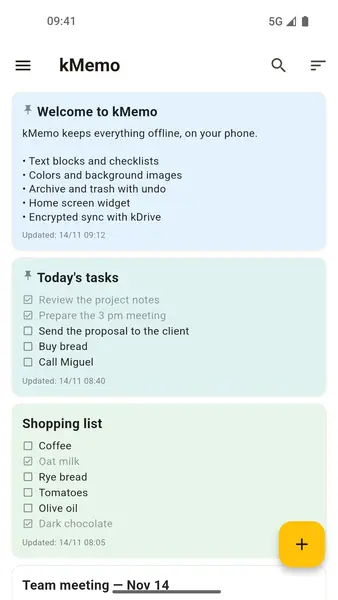
kMemo is an offline-first, block-based note-taking app built with Flutter and local SQLite (Drift).
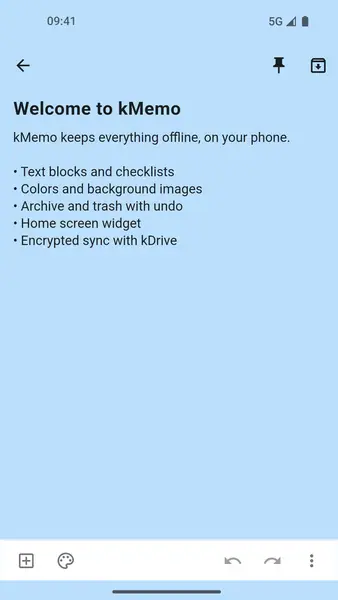
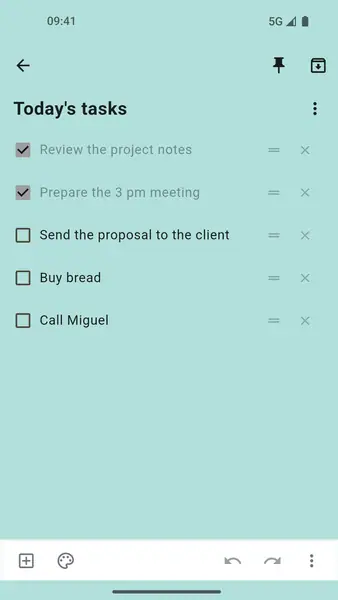
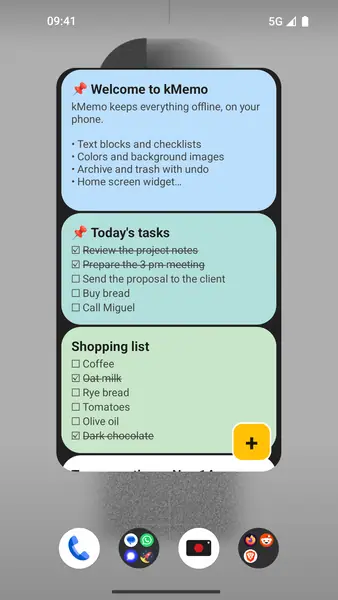
Notes are made of independent text blocks and checklists, so you can capture ideas, tasks and long notes in the same place. The app works fully offline: every note is stored locally on your device.
Features:
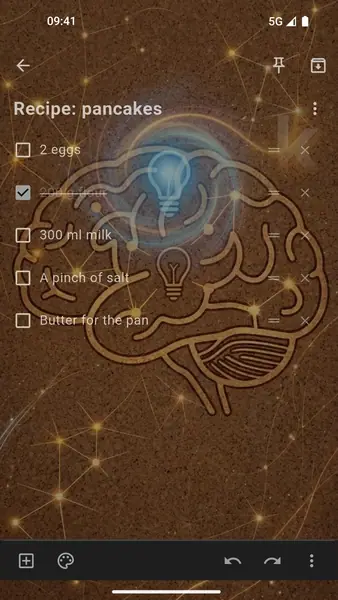
- Block-based editor with text and checklist blocks.
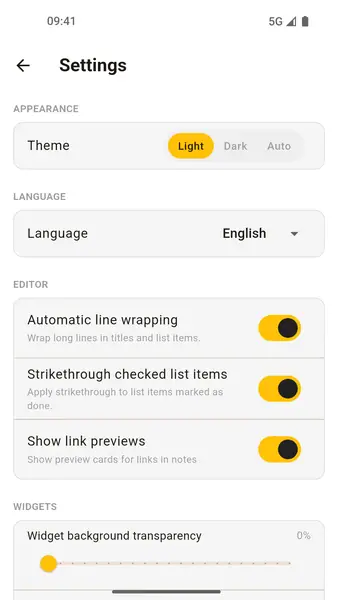
- Light, dark and system themes, with custom colors per note.
- Archive and trash, with restore and permanent deletion.
- Home screen widget (Android) showing your latest notes, pinned first.
- Optional remote sync with kDrive (Infomaniak) or any WebDAV server, including self-hosted ones. Both use the same format, and only one backend is configured at a time.
- Optional client-side AES-256 encryption. Notes are never uploaded in plain text while encryption is enabled.
- Link previews (Open Graph) with an explicit opt-in fetch; nothing is fetched automatically.
- Export to .docx and share notes through the system share sheet.
- Six languages: Portuguese, English, French, German, Italian and Spanish.
- No telemetry and no ads.
kMemo is not affiliated with, endorsed or sponsored by Infomaniak. kDrive is a trademark of Infomaniak.
Novità della versione 0.3.1
Sync fixes.
- Editing a checklist no longer creates "(Conflict)" copies of your own note, one per tap while a sync was running.
Informazioni sul file APK
| Nome del pacchetto | com.marotoweb.kmemo |
|---|---|
| Versione | 0.3.1 (codice 243) |
| Android minimo | Android 7.0 · pensata per Android 16 |
| Architetture | x86_64 |
| SHA-256 | 4047c4c7bad63dcda3ff5867dd480ae0e613204196913bb4d525c5ddd04aa5ee |
| Firma | b1bd4eb13022a25b6b0ac9b079ea255feac109d7a613c9448c287ee822ab19b2 |
| Licenza | GPL-3.0-only — licenza libera copyleft: il codice è pubblico e le versioni modificate devono restare libere |
| Codice sorgente | github.com/marotoweb/kmemo |
Autorizzazioni richieste
- Accesso a Internet
- Impedire lo standby
- Vedere lo stato della rete
- Avviarsi all'accensione
- Funzionare in background
Versioni precedenti
- kMemo 0.3.120 novembre 2026 · 24,9 MB
- kMemo 0.3.123 novembre 2026 · 23,5 MB
- kMemo 0.3.120 novembre 2026 · 21,5 MB
Come installare kMemo APK
- Tocca Scarica l'APK qui sopra, poi apri il file al termine del download.
- Se Android lo chiede, consenti al browser di installare app sconosciute.
- Tocca Installa. kMemo comparirà insieme alle altre app.
→ Come installare un file APK su Android (passo passo)
→ «App non installata»: cause e soluzioni
Domande frequenti
kMemo è gratis?
Sì. kMemo è distribuita con licenza GPL-3.0-only: gratuita, senza abbonamento e con codice sorgente pubblico.
Questo file APK è sicuro?
Il file è quello compilato e pubblicato dal repository F-Droid a partire dal codice sorgente pubblico. L'impronta SHA-256 è indicata qui sopra: puoi confrontarla dopo il download. Un APK è pericoloso? Come verificare un file prima di installarlo
kMemo funziona sul mio telefono?
Serve almeno Android 7.0. L'app funziona anche senza i servizi Google, quindi anche sui telefoni Huawei recenti.





