
kMemo APK
Offline-first block notes with kDrive or WebDAV sync
Download APK v0.3.1 · 24.9 MB- Version0.3.1
- Size24.9 MB
- RequiresAndroid 7.0
- Updated11/23/2026
- LicenceGPL-3.0-only
- PriceFree
About kMemo
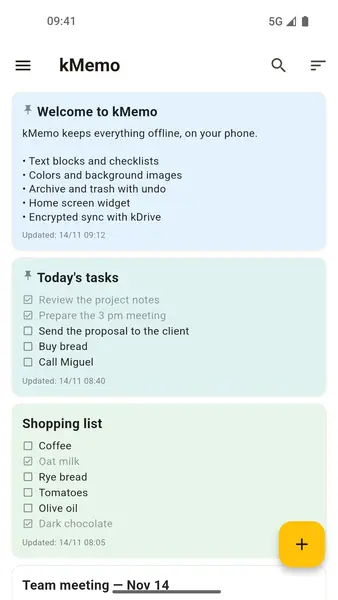
kMemo is an offline-first, block-based note-taking app built with Flutter and local SQLite (Drift).
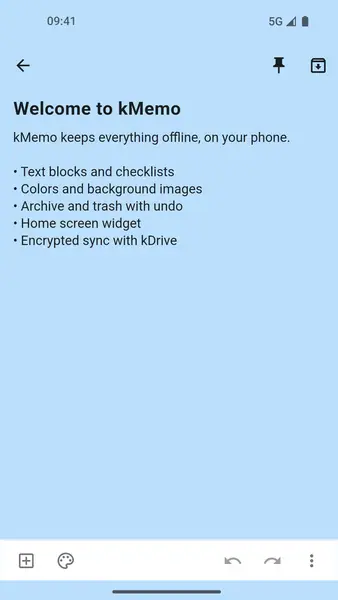
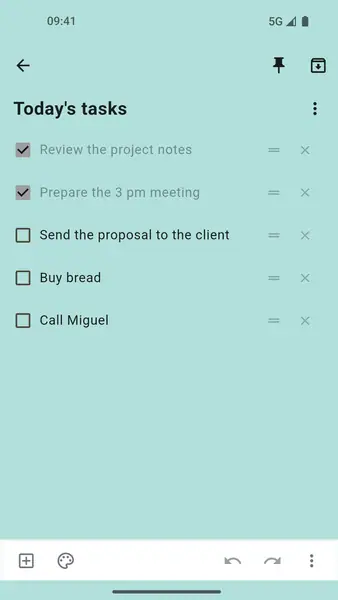
Notes are made of independent text blocks and checklists, so you can capture ideas, tasks and long notes in the same place. The app works fully offline: every note is stored locally on your device.
Features:
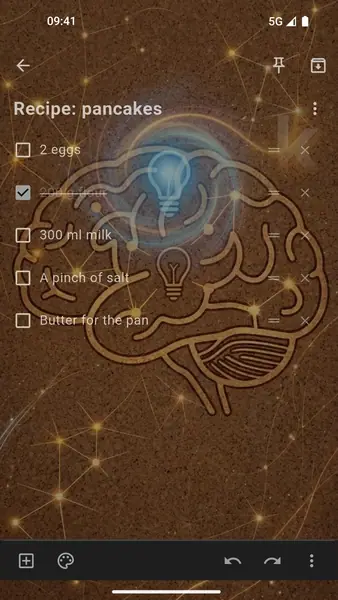
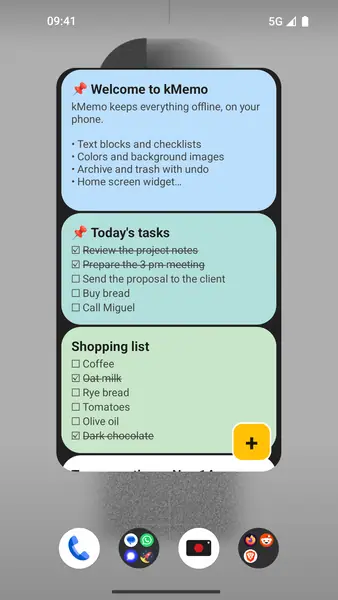
- Block-based editor with text and checklist blocks.
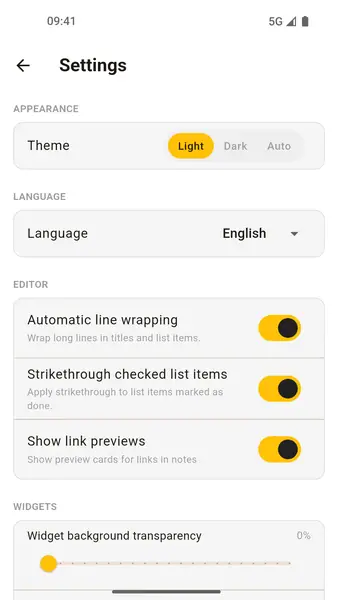
- Light, dark and system themes, with custom colors per note.
- Archive and trash, with restore and permanent deletion.
- Home screen widget (Android) showing your latest notes, pinned first.
- Optional remote sync with kDrive (Infomaniak) or any WebDAV server, including self-hosted ones. Both use the same format, and only one backend is configured at a time.
- Optional client-side AES-256 encryption. Notes are never uploaded in plain text while encryption is enabled.
- Link previews (Open Graph) with an explicit opt-in fetch; nothing is fetched automatically.
- Export to .docx and share notes through the system share sheet.
- Six languages: Portuguese, English, French, German, Italian and Spanish.
- No telemetry and no ads.
kMemo is not affiliated with, endorsed or sponsored by Infomaniak. kDrive is a trademark of Infomaniak.
What's new in version 0.3.1
Sync fixes.
- Editing a checklist no longer creates "(Conflict)" copies of your own note, one per tap while a sync was running.
APK file information
| Package name | com.marotoweb.kmemo |
|---|---|
| Version | 0.3.1 (code 243) |
| Minimum Android | Android 7.0 · targets Android 16 |
| Architectures | x86_64 |
| SHA-256 | 4047c4c7bad63dcda3ff5867dd480ae0e613204196913bb4d525c5ddd04aa5ee |
| Signature | b1bd4eb13022a25b6b0ac9b079ea255feac109d7a613c9448c287ee822ab19b2 |
| Licence | GPL-3.0-only — copyleft free licence: the code is public and modified versions must stay free |
| Source code | github.com/marotoweb/kmemo |
Permissions
- Internet access
- Keep the device awake
- View network status
- Start at boot
- Run in the background
Older versions
- kMemo 0.3.1November 20, 2026 · 24.9 MB
- kMemo 0.3.1November 23, 2026 · 23.5 MB
- kMemo 0.3.1November 20, 2026 · 21.5 MB
How to install kMemo APK
- Tap Download APK above, then open the file once the download has finished.
- If Android asks, allow your browser to install unknown apps.
- Tap Install. kMemo then appears with your other apps.
Having trouble? Read our guides how to install an APK on Android and "App not installed": how to fix it.
Frequently asked questions
Is kMemo free?
Yes. kMemo is distributed under the GPL-3.0-only licence: free, no subscription, and its source code is public.
Is this APK file safe?
The file is the one built and published by the F-Droid repository from the public source code. Its SHA-256 fingerprint is shown above, so you can compare it after downloading. How to check an APK.
Will kMemo work on my phone?
You need at least Android 7.0. The app also works without Google services, so it runs on recent Huawei phones too.





