Kryptos APK
Encrypt inside any messenger: the keyboard encrypts, the screen decrypts
Scarica l'APK v2.4 · 24,7 MB- Versione2.4
- Dimensione24,7 MB
- RichiedeAndroid 8.0
- Aggiornata22/09/2026
- LicenzaAGPL-3.0-only
- PrezzoGratis
Informazioni su Kryptos
Descrizione fornita dallo sviluppatore (in inglese).
Kryptos encrypts messages directly inside the chat, so you never have to switch between apps.
The Kryptos keyboard installs like any other system keyboard: enable it once, and it will be available everywhere you type. Write a message in WhatsApp, Telegram, or SMS, tap the lock icon, and the text in the input field is instantly replaced with ciphertext ready to send. Incoming messages are decrypted automatically, directly on top of the chat as you scroll, with no copying or app switching required. Both the keyboard and on-screen decryption are built into the system, so they work in any app.
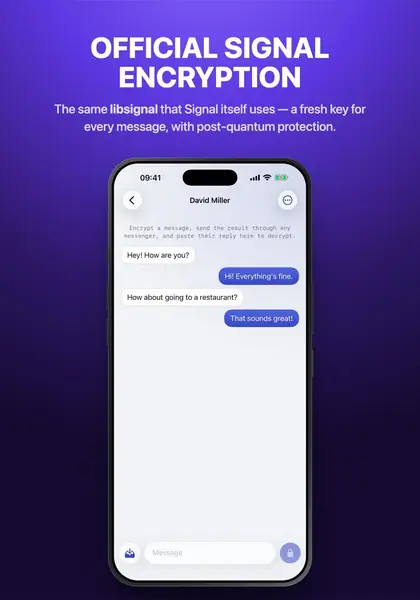
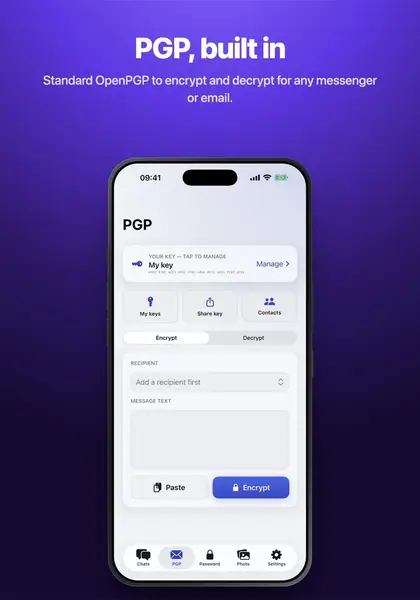
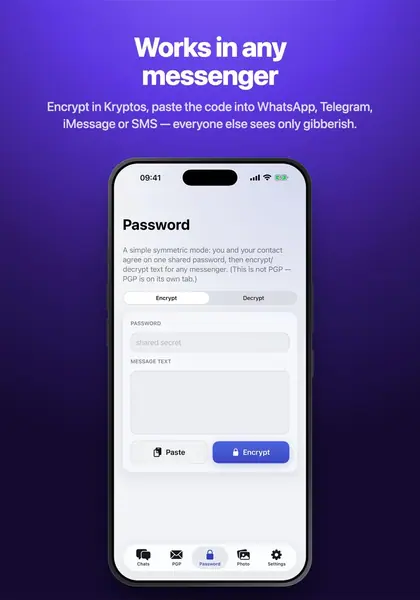
Encryption: the Signal Protocol, powered by the official Signal libsignal library, a new key for every message, and protection against future quantum computers. Contacts can be verified using a safety code. If a full chat protocol is more than you need, there is a simple mode based on a shared password. PGP is also built in for users who rely on it. To the messenger, the encrypted message looks like nothing more than a meaningless string of characters with no recognizable markers.
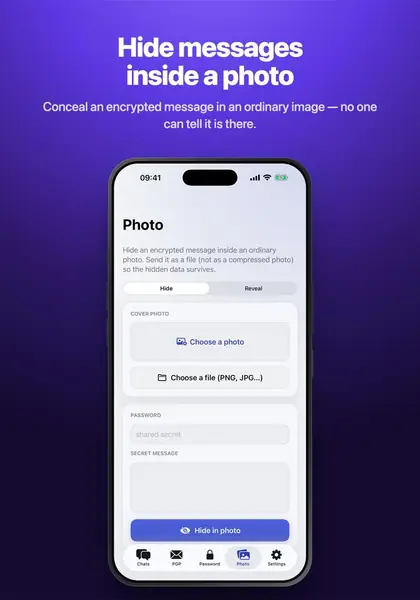
Steganography hides the very fact that a message was written. Encrypted text can be hidden inside an ordinary photo or disguised as a harmless-looking sequence of real words. Without the password, the hidden content cannot be extracted from the image.
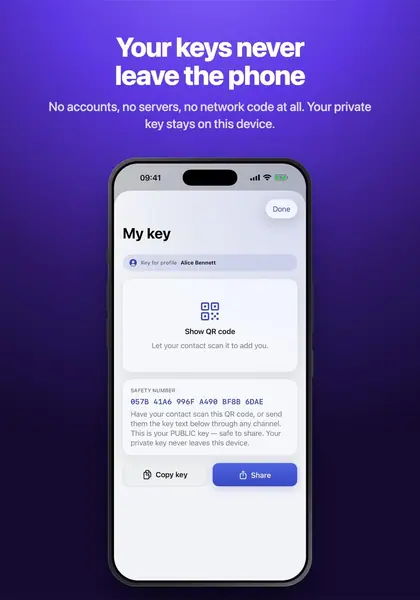
Nothing connects to the internet: the app contains no networking code. Kryptos requests only the permissions it needs for QR code scanning, vibration, and overlay functionality. No accounts, phone numbers, servers, or analytics. Keys are generated directly on the device, stored in Android’s secure keystore, and never leave it.
Access to the app can be protected with biometrics or a password. There is also a panic-wipe password: entering it into the same password field permanently deletes all stored data. The clipboard is cleared automatically, messages can be set to disappear after a timer, and screenshots and the app preview in the recent-apps screen can be blocked. All your keys can also be exported to a single password-protected file for transfer to a new phone.
Also included: light and dark themes, multiple app languages, a step-by-step guide with answers to frequently asked questions, emoji support, and fully offline autocorrect for English, Russian, German, and Persian, plus pinyin input for Chinese.
Novità della versione 2.4
IMPORTANT: 2.4 is not compatible with older versions, both sides have to update.
Brazilian Portuguese. The language key is now a globe, hold it to switch keyboards. Comma key instead of emoji. New settings: vibration, key text size, key enlargement, automatic capitals. The cursor moves with a finger. Chats can go into the backup. Settings are stored encrypted. The keyboard and on-screen decryption lock 5 minutes after you leave. Libraries updated. Many fixes.
Informazioni sul file APK
| Nome del pacchetto | com.kryptos.android |
|---|---|
| Versione | 2.4 (codice 13) |
| Android minimo | Android 8.0 · pensata per Android 14 |
| Architetture | arm64-v8a, armeabi-v7a |
| SHA-256 | 00c6a3565959498709a4458f30e540df3f9125d63c55ba4706f44e17d854f492 |
| Firma | 6470246992edc4a44478d40cb84fcb2bb08138162794c4ae951f5d4b8faf8e54 |
| Licenza | AGPL-3.0-only — licenza libera copyleft: il codice è pubblico e le versioni modificate devono restare libere |
| Codice sorgente | github.com/swisslite/Kryptos |
| Sito ufficiale | datakeeper.pages.dev/kryptos |
Autorizzazioni richieste
- Fotocamera sensibile
- Microfono sensibile
- Vibrare
- Impronta / biometria
- Impronta digitale
Altre 1 autorizzazioni tecniche
HIDE_OVERLAY_WINDOWS
Versioni precedenti
- Kryptos 2.422 settembre 2026 · 24,7 MB
- Kryptos 2.3.35 settembre 2026 · 23,2 MB
- Kryptos 2.3.221 agosto 2026 · 22,6 MB
Come installare Kryptos APK
- Tocca Scarica l'APK qui sopra, poi apri il file al termine del download.
- Se Android lo chiede, consenti al browser di installare app sconosciute.
- Tocca Installa. Kryptos comparirà insieme alle altre app.
→ Come installare un file APK su Android (passo passo)
→ «App non installata»: cause e soluzioni
Domande frequenti
Kryptos è gratis?
Sì. Kryptos è distribuita con licenza AGPL-3.0-only: gratuita, senza abbonamento e con codice sorgente pubblico.
Questo file APK è sicuro?
Il file è quello compilato e pubblicato dal repository F-Droid a partire dal codice sorgente pubblico. L'impronta SHA-256 è indicata qui sopra: puoi confrontarla dopo il download. Un APK è pericoloso? Come verificare un file prima di installarlo
Kryptos funziona sul mio telefono?
Serve almeno Android 8.0. L'app funziona anche senza i servizi Google, quindi anche sui telefoni Huawei recenti.