Kryptos APK
Encrypt inside any messenger: the keyboard encrypts, the screen decrypts
Download APK v2.4 · 24.7 MB- Version2.4
- Size24.7 MB
- RequiresAndroid 8.0
- Updated9/22/2026
- LicenceAGPL-3.0-only
- PriceFree
About Kryptos
Kryptos encrypts messages directly inside the chat, so you never have to switch between apps.
The Kryptos keyboard installs like any other system keyboard: enable it once, and it will be available everywhere you type. Write a message in WhatsApp, Telegram, or SMS, tap the lock icon, and the text in the input field is instantly replaced with ciphertext ready to send. Incoming messages are decrypted automatically, directly on top of the chat as you scroll, with no copying or app switching required. Both the keyboard and on-screen decryption are built into the system, so they work in any app.
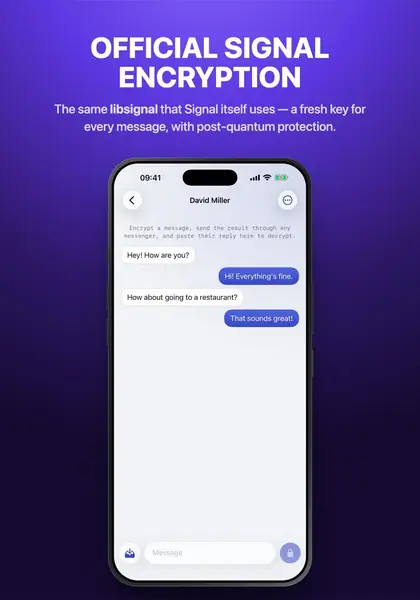
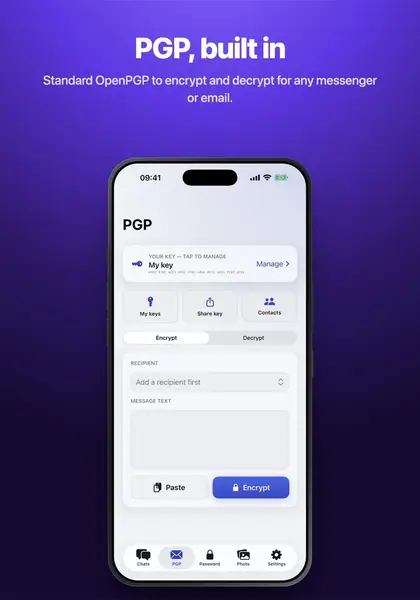
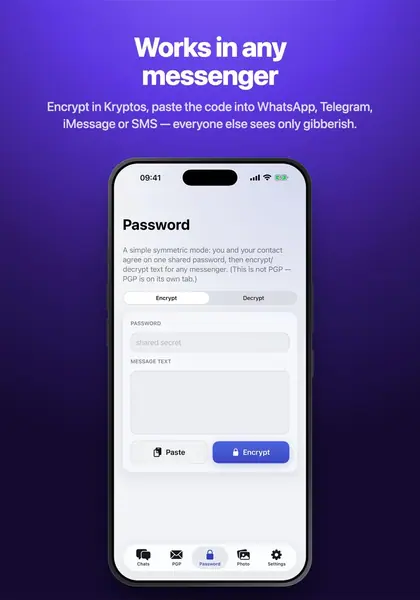
Encryption: the Signal Protocol, powered by the official Signal libsignal library, a new key for every message, and protection against future quantum computers. Contacts can be verified using a safety code. If a full chat protocol is more than you need, there is a simple mode based on a shared password. PGP is also built in for users who rely on it. To the messenger, the encrypted message looks like nothing more than a meaningless string of characters with no recognizable markers.
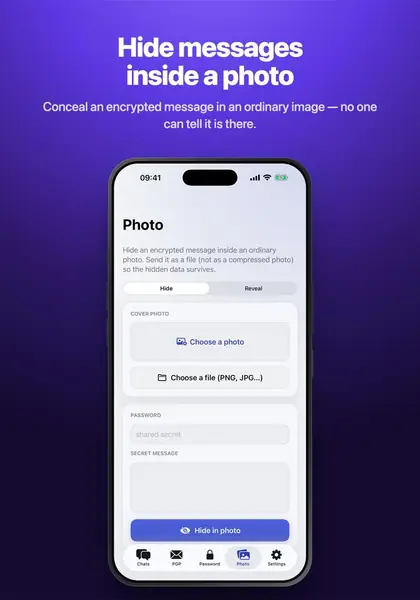
Steganography hides the very fact that a message was written. Encrypted text can be hidden inside an ordinary photo or disguised as a harmless-looking sequence of real words. Without the password, the hidden content cannot be extracted from the image.
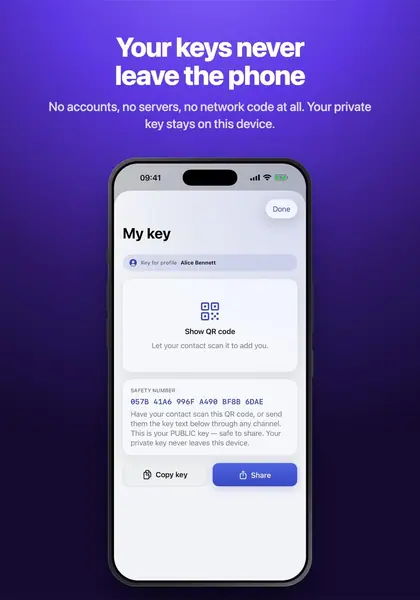
Nothing connects to the internet: the app contains no networking code. Kryptos requests only the permissions it needs for QR code scanning, vibration, and overlay functionality. No accounts, phone numbers, servers, or analytics. Keys are generated directly on the device, stored in Android’s secure keystore, and never leave it.
Access to the app can be protected with biometrics or a password. There is also a panic-wipe password: entering it into the same password field permanently deletes all stored data. The clipboard is cleared automatically, messages can be set to disappear after a timer, and screenshots and the app preview in the recent-apps screen can be blocked. All your keys can also be exported to a single password-protected file for transfer to a new phone.
Also included: light and dark themes, multiple app languages, a step-by-step guide with answers to frequently asked questions, emoji support, and fully offline autocorrect for English, Russian, German, and Persian, plus pinyin input for Chinese.
What's new in version 2.4
IMPORTANT: 2.4 is not compatible with older versions, both sides have to update.
Brazilian Portuguese. The language key is now a globe, hold it to switch keyboards. Comma key instead of emoji. New settings: vibration, key text size, key enlargement, automatic capitals. The cursor moves with a finger. Chats can go into the backup. Settings are stored encrypted. The keyboard and on-screen decryption lock 5 minutes after you leave. Libraries updated. Many fixes.
APK file information
| Package name | com.kryptos.android |
|---|---|
| Version | 2.4 (code 13) |
| Minimum Android | Android 8.0 · targets Android 14 |
| Architectures | arm64-v8a, armeabi-v7a |
| SHA-256 | 00c6a3565959498709a4458f30e540df3f9125d63c55ba4706f44e17d854f492 |
| Signature | 6470246992edc4a44478d40cb84fcb2bb08138162794c4ae951f5d4b8faf8e54 |
| Licence | AGPL-3.0-only — copyleft free licence: the code is public and modified versions must stay free |
| Source code | github.com/swisslite/Kryptos |
| Official website | datakeeper.pages.dev/kryptos |
Permissions
- Camera sensitive
- Microphone sensitive
- Vibrate
- Fingerprint / biometrics
- Fingerprint
1 other technical permission(s)
HIDE_OVERLAY_WINDOWS
Older versions
- Kryptos 2.4September 22, 2026 · 24.7 MB
- Kryptos 2.3.3September 5, 2026 · 23.2 MB
- Kryptos 2.3.2August 21, 2026 · 22.6 MB
How to install Kryptos APK
- Tap Download APK above, then open the file once the download has finished.
- If Android asks, allow your browser to install unknown apps.
- Tap Install. Kryptos then appears with your other apps.
Having trouble? Read our guides how to install an APK on Android and "App not installed": how to fix it.
Frequently asked questions
Is Kryptos free?
Yes. Kryptos is distributed under the AGPL-3.0-only licence: free, no subscription, and its source code is public.
Is this APK file safe?
The file is the one built and published by the F-Droid repository from the public source code. Its SHA-256 fingerprint is shown above, so you can compare it after downloading. How to check an APK.
Will Kryptos work on my phone?
You need at least Android 8.0. The app also works without Google services, so it runs on recent Huawei phones too.