Music APK
Offline player with bit-perfect USB output, DSD and a parametric equalizer
Scarica l'APK vv0.3.2 · 5,5 MB- Versionev0.3.2
- Dimensione5,5 MB
- RichiedeAndroid 14
- Aggiornata20/11/2026
- LicenzaGPL-3.0-only
- PrezzoGratis
Informazioni su Music
Descrizione fornita dallo sviluppatore (in inglese).
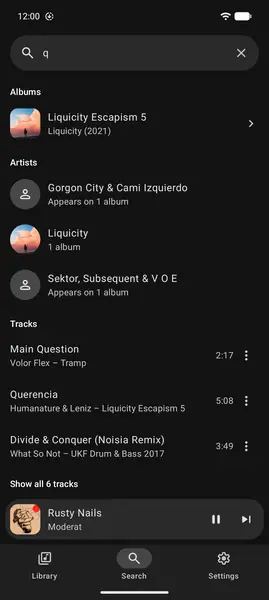
Music plays the audio files in the folders you choose and nothing else. It has no internet permission, doesn’t ask for access to your storage or media, and keeps nothing about you: the library, playlists and settings stay on your phone.
Your library:
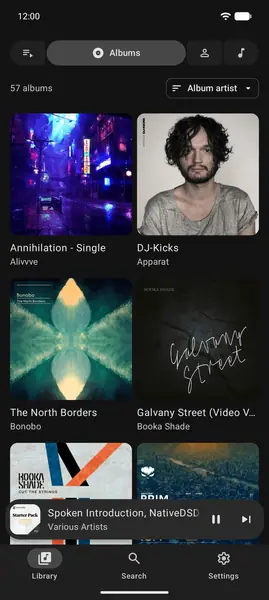
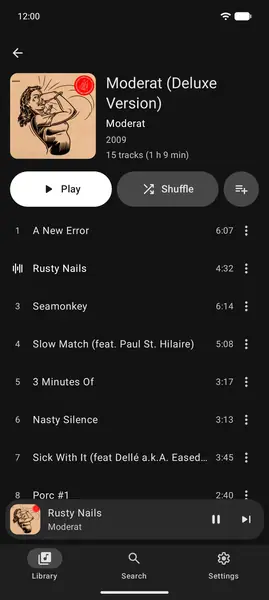
- Albums, artists, tracks and playlists, in the order you like
- Compilations and multi-disc albums grouped properly
- Search across the whole library, ignoring diacritics
- New and changed files picked up on every start; very short files can be left out
- Most played tracks, based on a simple play count per track
Playback:
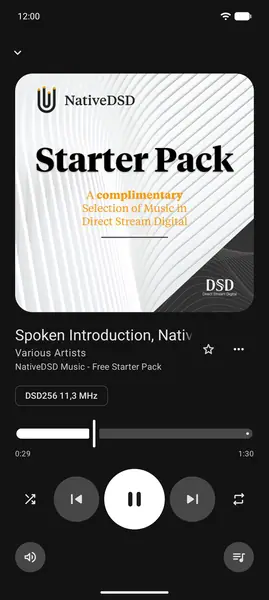
- FLAC, ALAC, AAC, MP3, Ogg Vorbis, Opus and DSD (DSF, DSDIFF), with gapless playback
- ReplayGain by track, by album or automatic, with clipping prevention
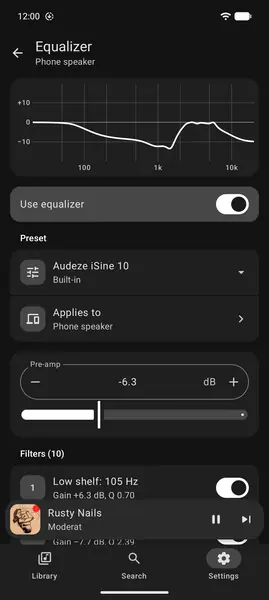
- A parametric equalizer with your own presets and import of AutoEq (Equalizer APO) files
- An equalizer preset for each output device – speaker, headphones, Bluetooth, USB DAC – applied when playback switches to it
- Bit-perfect output to USB DACs, switched on per DAC: audio sent unchanged, at each file’s own sample rate, and DSD unconverted (DoP) where the DAC supports it
- A queue you can reorder, which shows shuffle and repeat as they play and is kept across restarts
- The file’s technical details and tags on the now-playing screen
Playlists:
- Your own playlists and Starred
- Import and export of M3U, M3U8, PLS and XSPF; unavailable tracks keep their place and come back when found
And also:
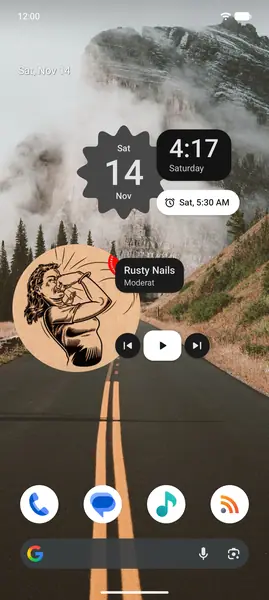
- Home-screen widgets: Now playing, Playlist and Most played albums
- Backup and restore of settings, playlists, equalizer presets and remembered devices to a file you choose
- English and Polish, independent of the system language
- Material 3 Expressive design with your phone’s colors
Novità della versione v0.3.2
v0.3.2
Changes:
- Refined app icon: the note has a pointed stem and a deeper gradient
Informazioni sul file APK
| Nome del pacchetto | sh.hnet.music |
|---|---|
| Versione | v0.3.2 (codice 6) |
| Android minimo | Android 14 · pensata per API 37 |
| Architetture | arm64-v8a, armeabi-v7a, x86, x86_64 |
| SHA-256 | 54bb27713097169e0f799f4db0a7375df6a0dcfbf6c18932e5b69e13971dbe66 |
| Firma | 5d4fa49c90c4a9680772006895872fb01d45b10ca9808655b195ad88eed77b6f |
| Licenza | GPL-3.0-only — licenza libera copyleft: il codice è pubblico e le versioni modificate devono restare libere |
| Codice sorgente | git.hnet.sh/hkr/music |
Autorizzazioni richieste
- Funzionare in background
- Impedire lo standby
Altre 1 autorizzazioni tecniche
MODIFY_AUDIO_SETTINGS
Versioni precedenti
- Music v0.3.220 novembre 2026 · 5,5 MB
- Music v0.3.017 novembre 2026 · 5,5 MB
Come installare Music APK
- Tocca Scarica l'APK qui sopra, poi apri il file al termine del download.
- Se Android lo chiede, consenti al browser di installare app sconosciute.
- Tocca Installa. Music comparirà insieme alle altre app.
→ Come installare un file APK su Android (passo passo)
→ «App non installata»: cause e soluzioni
Domande frequenti
Music è gratis?
Sì. Music è distribuita con licenza GPL-3.0-only: gratuita, senza abbonamento e con codice sorgente pubblico.
Questo file APK è sicuro?
Il file è quello compilato e pubblicato dal repository F-Droid a partire dal codice sorgente pubblico. L'impronta SHA-256 è indicata qui sopra: puoi confrontarla dopo il download. Un APK è pericoloso? Come verificare un file prima di installarlo
Music funziona sul mio telefono?
Serve almeno Android 14. L'app funziona anche senza i servizi Google, quindi anche sui telefoni Huawei recenti.