
Music APK
Offline player with bit-perfect USB output, DSD and a parametric equalizer
Download APK vv0.3.2 · 5.5 MB- Versionv0.3.2
- Size5.5 MB
- RequiresAndroid 14
- Updated11/20/2026
- LicenceGPL-3.0-only
- PriceFree
About Music
Music plays the audio files in the folders you choose and nothing else. It has no internet permission, doesn’t ask for access to your storage or media, and keeps nothing about you: the library, playlists and settings stay on your phone.
Your library:
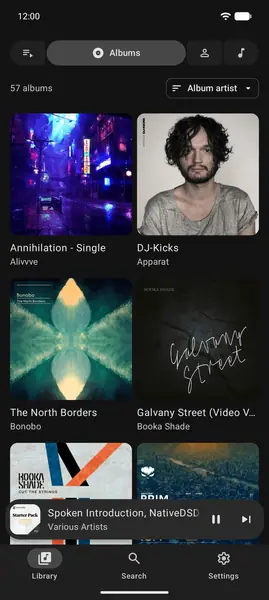
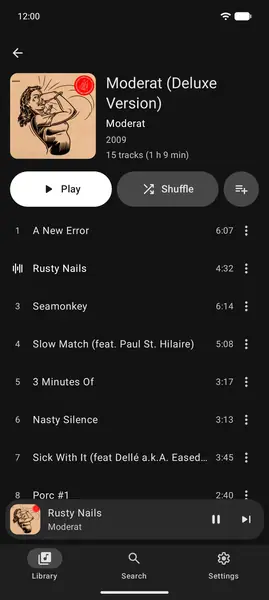
- Albums, artists, tracks and playlists, in the order you like
- Compilations and multi-disc albums grouped properly
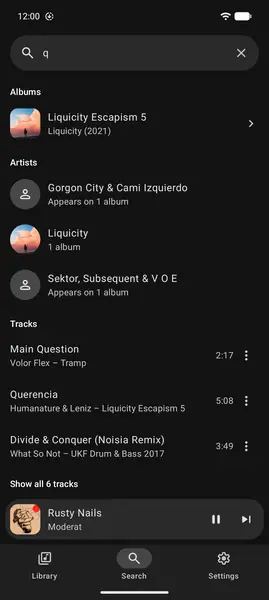
- Search across the whole library, ignoring diacritics
- New and changed files picked up on every start; very short files can be left out
- Most played tracks, based on a simple play count per track
Playback:
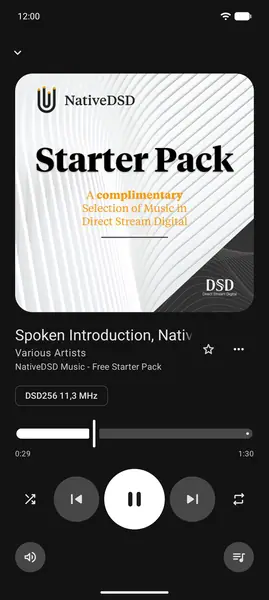
- FLAC, ALAC, AAC, MP3, Ogg Vorbis, Opus and DSD (DSF, DSDIFF), with gapless playback
- ReplayGain by track, by album or automatic, with clipping prevention
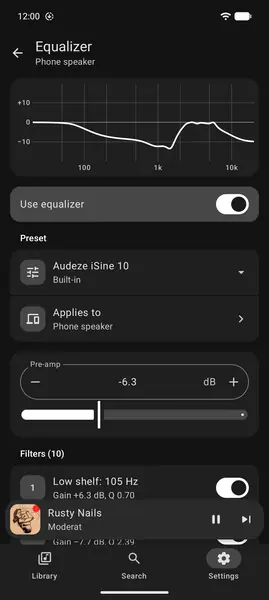
- A parametric equalizer with your own presets and import of AutoEq (Equalizer APO) files
- An equalizer preset for each output device – speaker, headphones, Bluetooth, USB DAC – applied when playback switches to it
- Bit-perfect output to USB DACs, switched on per DAC: audio sent unchanged, at each file’s own sample rate, and DSD unconverted (DoP) where the DAC supports it
- A queue you can reorder, which shows shuffle and repeat as they play and is kept across restarts
- The file’s technical details and tags on the now-playing screen
Playlists:
- Your own playlists and Starred
- Import and export of M3U, M3U8, PLS and XSPF; unavailable tracks keep their place and come back when found
And also:
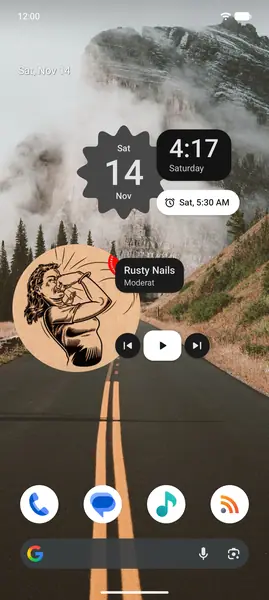
- Home-screen widgets: Now playing, Playlist and Most played albums
- Backup and restore of settings, playlists, equalizer presets and remembered devices to a file you choose
- English and Polish, independent of the system language
- Material 3 Expressive design with your phone’s colors
What's new in version v0.3.2
v0.3.2
Changes:
- Refined app icon: the note has a pointed stem and a deeper gradient
APK file information
| Package name | sh.hnet.music |
|---|---|
| Version | v0.3.2 (code 6) |
| Minimum Android | Android 14 · targets API 37 |
| Architectures | arm64-v8a, armeabi-v7a, x86, x86_64 |
| SHA-256 | 54bb27713097169e0f799f4db0a7375df6a0dcfbf6c18932e5b69e13971dbe66 |
| Signature | 5d4fa49c90c4a9680772006895872fb01d45b10ca9808655b195ad88eed77b6f |
| Licence | GPL-3.0-only — copyleft free licence: the code is public and modified versions must stay free |
| Source code | git.hnet.sh/hkr/music |
Permissions
- Run in the background
- Keep the device awake
1 other technical permission(s)
MODIFY_AUDIO_SETTINGS
Older versions
- Music v0.3.2November 20, 2026 · 5.5 MB
- Music v0.3.0November 17, 2026 · 5.5 MB
How to install Music APK
- Tap Download APK above, then open the file once the download has finished.
- If Android asks, allow your browser to install unknown apps.
- Tap Install. Music then appears with your other apps.
Having trouble? Read our guides how to install an APK on Android and "App not installed": how to fix it.
Frequently asked questions
Is Music free?
Yes. Music is distributed under the GPL-3.0-only licence: free, no subscription, and its source code is public.
Is this APK file safe?
The file is the one built and published by the F-Droid repository from the public source code. Its SHA-256 fingerprint is shown above, so you can compare it after downloading. How to check an APK.
Will Music work on my phone?
You need at least Android 14. The app also works without Google services, so it runs on recent Huawei phones too.