
neutriNote CE APK
A hub of written thoughts in fast searchable plain text
Scarica l'APK v4.6.9 · 3,5 MB- Versione4.6.9
- Dimensione3,5 MB
- RichiedeAndroid 8.0
- Aggiornata31/10/2026
- LicenzaGPL-3.0-or-later
- PrezzoGratis

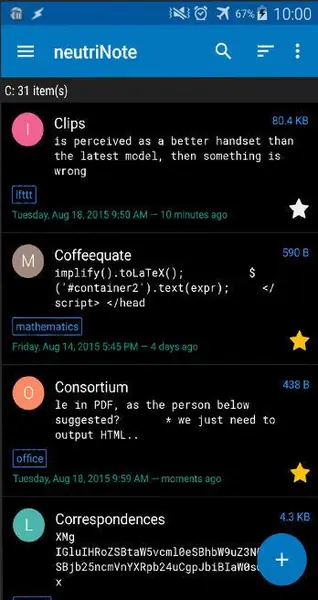
Informazioni su neutriNote CE
Descrizione fornita dallo sviluppatore (in inglese).
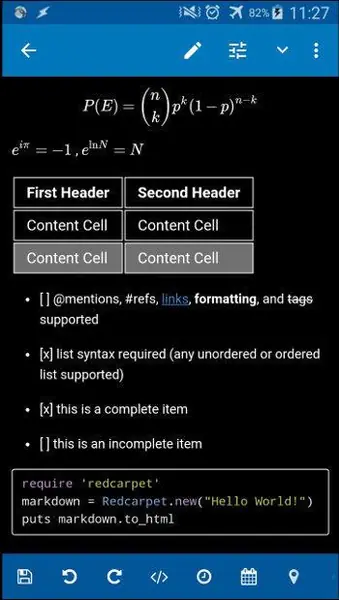
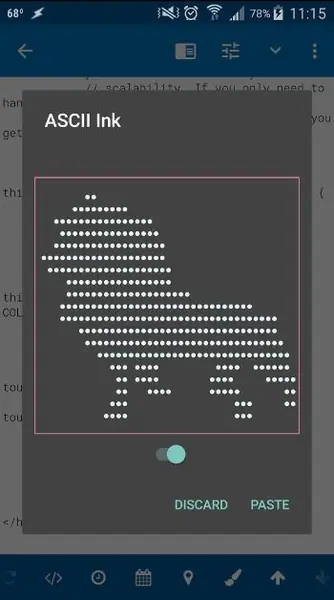
neutriNote in a nutshell: all-in-one preservation of written thoughts, be those text, math (LaTeX), rich markdown, drawings, etc., in fully searchable plain text (universal UTF-8).
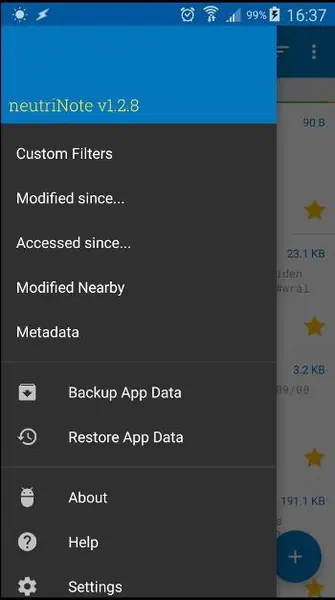
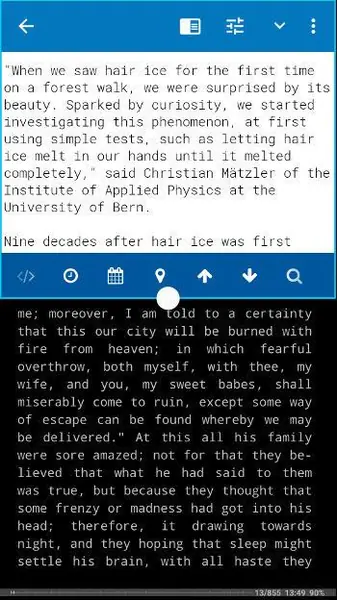
- Uncluttered UI: Fine-tuned user interface elements to reduce app switching. Accessible search filters for precise navigation to your note contents with minimum taps.
- Customization: Your workflow can be further automated by Tasker, Barcode Scanner, ColorDict, and other add-ons, or by connecting neutriNote's repository to web-based services. Options available to deep configure your note taking process.
- Backup: Multiple ways to backup your notes. Freedom to pick a cloud backend that works for you: open source P2P Syncthing, Dropbox, or third party Google Drive, Box, OneDrive components.
- Cost: Totally free. No hidden permission (see below). Optional add-ons can be purchased to support its development.
App Permissions Explained:
- Location access for location based search, location stamps, etc.
- Camera access for built-in barcode scanner.
- Storage access for core functions.
- Permission required by Sony devices to avoid crashes on certain models
- Permission to access network as MathJax is used for math rendering. MathJax will be cached for offline rendering later.
- Permission to receive boot completion for Tasker to schedule backup requests on legacy devices (pre-Android 8.0). It has no effect on devices running later versions of Android.
- and 2. can be denied/revoked as needed either from Settings or via Marshmallow's runtime permissions.
GitHub: https://github.com/appml/neutrinote
Novità della versione 4.6.9
v4.6.9
- Minor UI fixes.
Informazioni sul file APK
| Nome del pacchetto | com.appmindlab.nano |
|---|---|
| Versione | 4.6.9 (codice 1389) |
| Android minimo | Android 8.0 · pensata per Android 16 |
| Architetture | Tutte (universale) |
| SHA-256 | 975272bfa0c938f3c946f1e3f0d31f346ba3fcde633f7bbe1545af152389cec0 |
| Firma | 46f05ec209b7d5179156716196dfbbf3242d0f3f73a7a77aa9bf369bfad6d9da |
| Licenza | GPL-3.0-or-later — licenza libera copyleft: il codice è pubblico e le versioni modificate devono restare libere |
| Codice sorgente | github.com/appml/neutrinote |
Autorizzazioni richieste
- Accesso a Internet
- Vedere lo stato della rete
- Posizione precisa (GPS) sensibile
- Posizione approssimativa sensibile
- Leggere l'archivio
- Scrivere nell'archivio
- Mostrare notifiche
- Avviarsi all'accensione
- Fotocamera sensibile
- Funzionare in background
Versioni precedenti
- neutriNote CE 4.6.931 ottobre 2026 · 3,5 MB
- neutriNote CE 4.6.812 settembre 2026 · 3,5 MB
- neutriNote CE 4.6.77 settembre 2026 · 3,5 MB
Come installare neutriNote CE APK
- Tocca Scarica l'APK qui sopra, poi apri il file al termine del download.
- Se Android lo chiede, consenti al browser di installare app sconosciute.
- Tocca Installa. neutriNote CE comparirà insieme alle altre app.
→ Come installare un file APK su Android (passo passo)
→ «App non installata»: cause e soluzioni
Domande frequenti
neutriNote CE è gratis?
Sì. neutriNote CE è distribuita con licenza GPL-3.0-or-later: gratuita, senza abbonamento e con codice sorgente pubblico.
Questo file APK è sicuro?
Il file è quello compilato e pubblicato dal repository F-Droid a partire dal codice sorgente pubblico. L'impronta SHA-256 è indicata qui sopra: puoi confrontarla dopo il download. Un APK è pericoloso? Come verificare un file prima di installarlo
neutriNote CE funziona sul mio telefono?
Serve almeno Android 8.0. L'app funziona anche senza i servizi Google, quindi anche sui telefoni Huawei recenti.





