
Package Manager APK
A powerful application to manage your apps!
Scarica l'APK vv8.0 · 2,8 MB- Versionev8.0
- Dimensione2,8 MB
- RichiedeAndroid 7.0
- Aggiornata27/08/2026
- LicenzaGPL-3.0-or-later
- PrezzoGratis
Informazioni su Package Manager
Descrizione fornita dallo sviluppatore (in inglese).
Package Manager is a highly powerful application to manage apps, both system and user, installed on an android device.
WARNING: I Am NOT Responsible for any Damages on Your Device!
ROOT Access is required for some advanced features.
Features
Package Manager is a simple, yet powerful application, offering the following features:
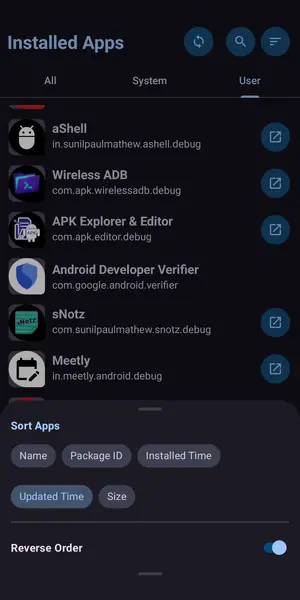
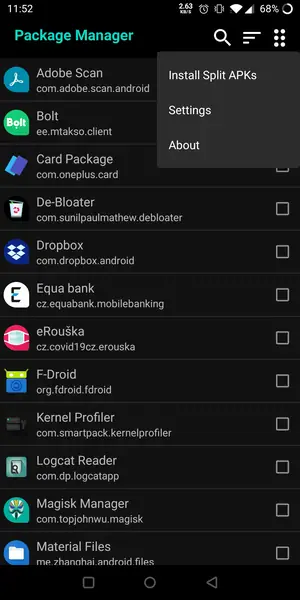
- A beautiful list view of System and User applications, together or separately.
- Helps to do basic tasks such as Open app, show app info, visit PlayStore page, uninstall (User apps), etc.
- Install Split apk's/app bundles (supported bundle formats: .apks, .apkm, and .xapk) from device storage.
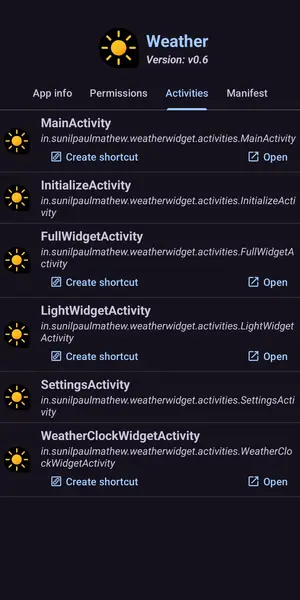
- Explore and export contents of an installed app (Experimental).
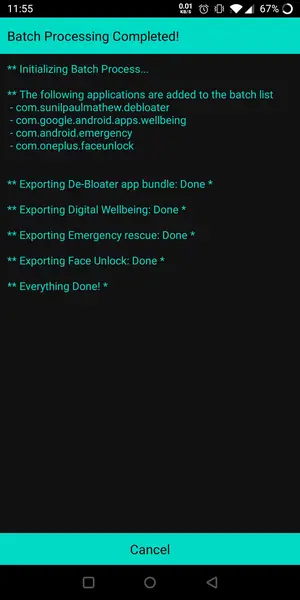
- Export individual or a batch of apps (including Split apk's) into device storage.
- Do advanced tasks such as (need Root access):
- Uninstall an individual or a batch of system apps (de-bloating).
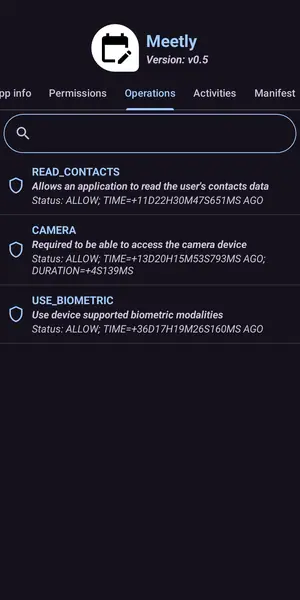
- Control Operations (AppOps).
- Disable or Enable individual or a batch of apps.
Translations
Please help me to translate this application via POEditor. You may also translate after downloading the original language string available GitHub.
Novità della versione v8.0
- Modernized UI with bottom sheet dialogs, a custom navigation view, and a redesigned sorting menu.
- Implemented swipe gestures to navigate between pages.
- Polished layouts across dialogs, headers, and app lists for better visual consistency.
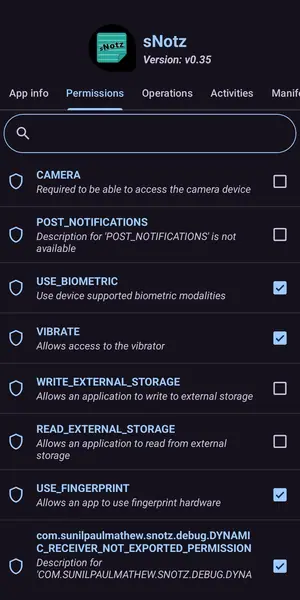
- Added search functionality in Permissions and AppOps.
- Added new naming options for exported APKs and simplified export messages.
- Fixed APK Picker button overlap issue on viewpager screens.
- Cleaned up unused resources, strings, and dead share links
Informazioni sul file APK
| Nome del pacchetto | com.smartpack.packagemanager |
|---|---|
| Versione | v8.0 (codice 80) |
| Android minimo | Android 7.0 · pensata per API 37 |
| Architetture | Tutte (universale) |
| SHA-256 | 6e325c0137d7eecaf10c0f88b83691c3f2cccadeb208406cfc1abb7756b89013 |
| Firma | ec59d0ae2fecc86d01160caea7fbca5b57cf4e0b2bc82b021fcbc0f94059f5a2 |
| Licenza | GPL-3.0-or-later — licenza libera copyleft: il codice è pubblico e le versioni modificate devono restare libere |
| Codice sorgente | github.com/SmartPack/PackageManager |
| Sito ufficiale | smartpack.github.io/PackageManager |
Autorizzazioni richieste
- Installare altre app sensibile
- Scrivere nell'archivio
- Vedere le app installate sensibile
- Leggere l'archivio
Altre 1 autorizzazioni tecniche
REQUEST_DELETE_PACKAGES
Versioni precedenti
- Package Manager v8.027 agosto 2026 · 2,8 MB
- Package Manager v7.99 giugno 2026 · 2,8 MB
- Package Manager v7.824 aprile 2026 · 2,6 MB
Come installare Package Manager APK
- Tocca Scarica l'APK qui sopra, poi apri il file al termine del download.
- Se Android lo chiede, consenti al browser di installare app sconosciute.
- Tocca Installa. Package Manager comparirà insieme alle altre app.
→ Come installare un file APK su Android (passo passo)
→ «App non installata»: cause e soluzioni
Domande frequenti
Package Manager è gratis?
Sì. Package Manager è distribuita con licenza GPL-3.0-or-later: gratuita, senza abbonamento e con codice sorgente pubblico.
Questo file APK è sicuro?
Il file è quello compilato e pubblicato dal repository F-Droid a partire dal codice sorgente pubblico. L'impronta SHA-256 è indicata qui sopra: puoi confrontarla dopo il download. Un APK è pericoloso? Come verificare un file prima di installarlo
Package Manager funziona sul mio telefono?
Serve almeno Android 7.0. L'app funziona anche senza i servizi Google, quindi anche sui telefoni Huawei recenti.