
Permission Manager X APK
eXtended Permission Manager - a small app to manage permissions and AppOps
Scarica l'APK vv1.30-foss · 2,9 MB- Versionev1.30-foss
- Dimensione2,9 MB
- RichiedeAndroid 7.0
- Aggiornata14/11/2025
- LicenzaAGPL-3.0-or-later
- PrezzoGratis
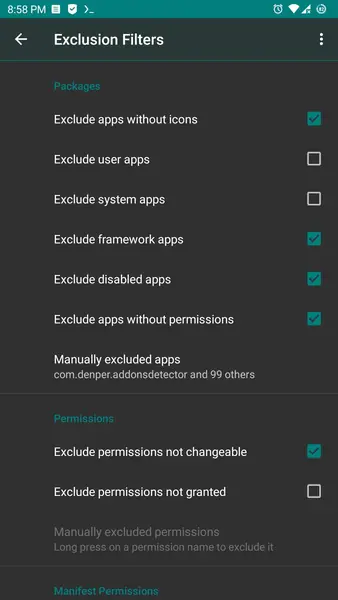
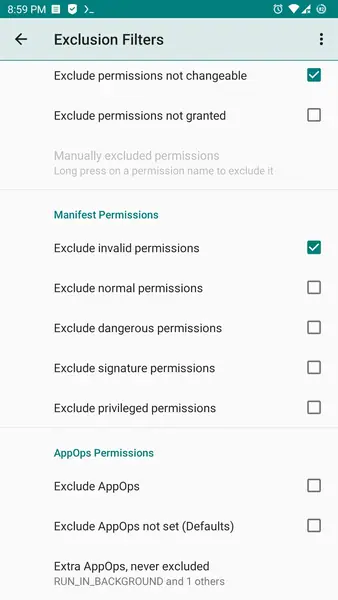
Informazioni su Permission Manager X
Descrizione fornita dallo sviluppatore (in inglese).
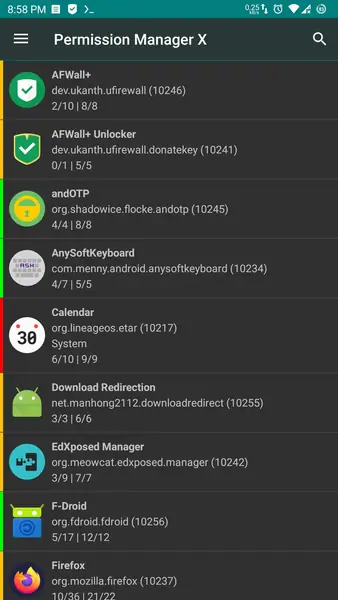
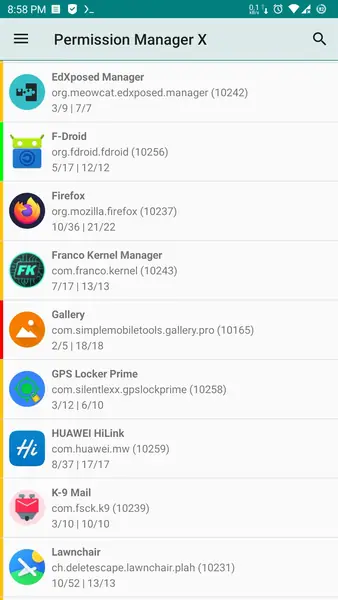
Using eXtended Permission Manager, for each installed app, on single screen, you can:
- View, grant or revoke manifest permissions
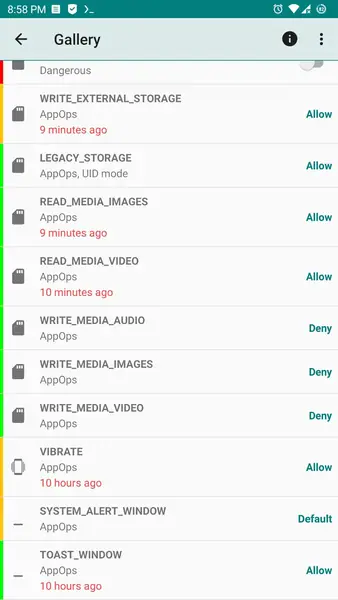
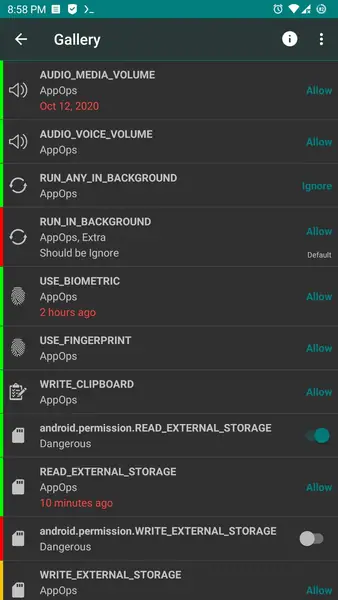
- View AppOps permissions and choose one of multiple modes
- Set your desired reference value for every changeable permission
Manifest permissions are those normally called permissions e.g. Storage, Camera etc. AppOps (app operations) is a robust framework Android uses at back end for access control. With every Android release manifest permissions are becoming more dependent on AppOps. So it's fun to control both simultaneously and see how they relate to each other.
In short, AppOps provide a fine-grained control over many of the manifest permissions. Plus it provides additional controls like background execution, vibration, clipboard access etc. Just install the app to explore it yourself.
When you reinstall an app, or change your device, or upgrade your ROM, it's a time-taking process to review all installed apps for granted permissions and revoke the unnecessary ones (after all privacy matters). PMX provides you the solution. Set reference states of permissions, which can be quickly backed up and restored, and colored bars at left make it quite easy to review packages and permissions at a glance.
Confused? We are here to explain. Please start with:
- What is PMX?
- Why do I need to use PMX?
- What are manifest permissions and AppOps?
- What are Permission References?
Paid version (available as Play Store and Pro flavors) offers extra features including Permission Watcher, Scheduled Checks, Permission View and Batch Operations / Profiles.
Beta builds are released in Telegram channel.
Guide: https://mirfatif.github.io/PermissionManagerX/help
Informazioni sul file APK
| Nome del pacchetto | com.mirfatif.permissionmanagerx |
|---|---|
| Versione | v1.30-foss (codice 130) |
| Android minimo | Android 7.0 · pensata per Android 16 |
| Architetture | arm64-v8a, armeabi-v7a, x86, x86_64 |
| SHA-256 | 59f0f881ab03a82a9c3d97fef6a20ba08657089d4a3f134143b8a10374bca2e3 |
| Firma | a7b13d3c2b9e0f52f87a21b9706d35fedad0500ec61809055ed76bf6fd8c042a |
| Licenza | AGPL-3.0-or-later — licenza libera copyleft: il codice è pubblico e le versioni modificate devono restare libere |
| Codice sorgente | github.com/mirfatif/PermissionManagerX |
| Sito ufficiale | mirfatif.github.io/PermissionManagerX/help/help |
Autorizzazioni richieste
- Accesso a Internet
- Vedere le app installate sensibile
- Mostrare notifiche
- Funzionare in background
Altre 1 autorizzazioni tecniche
GET_APP_OPS_STATS
Versioni precedenti
- Permission Manager X v1.30-foss14 novembre 2025 · 2,9 MB
- Permission Manager X v1.27-fd6 settembre 2024 · 2,7 MB
- Permission Manager X v1.25-fd9 giugno 2024 · 2,7 MB
Come installare Permission Manager X APK
- Tocca Scarica l'APK qui sopra, poi apri il file al termine del download.
- Se Android lo chiede, consenti al browser di installare app sconosciute.
- Tocca Installa. Permission Manager X comparirà insieme alle altre app.
→ Come installare un file APK su Android (passo passo)
→ «App non installata»: cause e soluzioni
Domande frequenti
Permission Manager X è gratis?
Sì. Permission Manager X è distribuita con licenza AGPL-3.0-or-later: gratuita, senza abbonamento e con codice sorgente pubblico.
Questo file APK è sicuro?
Il file è quello compilato e pubblicato dal repository F-Droid a partire dal codice sorgente pubblico. L'impronta SHA-256 è indicata qui sopra: puoi confrontarla dopo il download. Un APK è pericoloso? Come verificare un file prima di installarlo
Permission Manager X funziona sul mio telefono?
Serve almeno Android 7.0. L'app funziona anche senza i servizi Google, quindi anche sui telefoni Huawei recenti.