
Permission Manager X APK
eXtended Permission Manager - a small app to manage permissions and AppOps
Download APK vv1.30-foss · 2.9 MB- Versionv1.30-foss
- Size2.9 MB
- RequiresAndroid 7.0
- Updated11/14/2025
- LicenceAGPL-3.0-or-later
- PriceFree
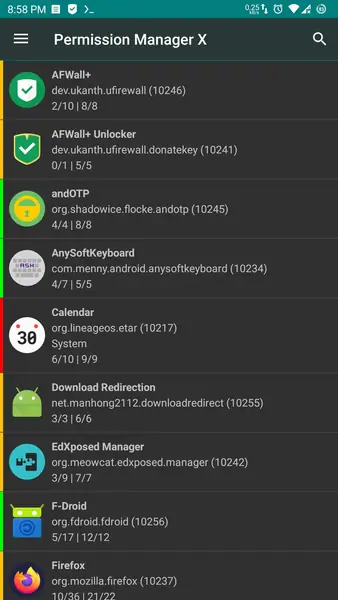
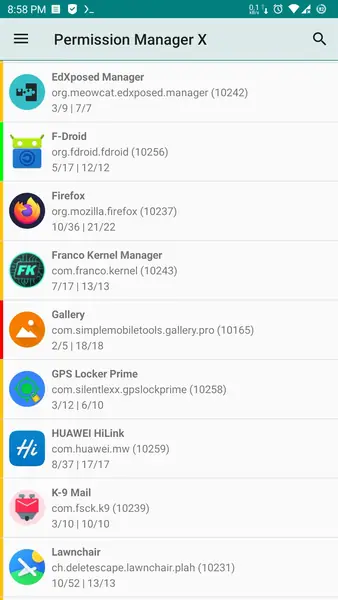
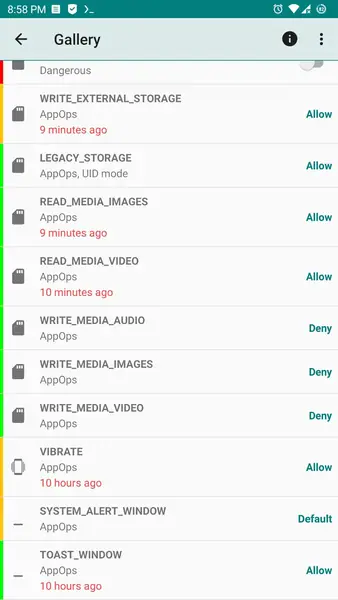
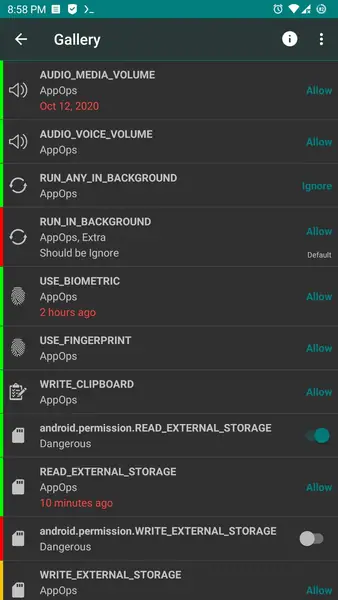
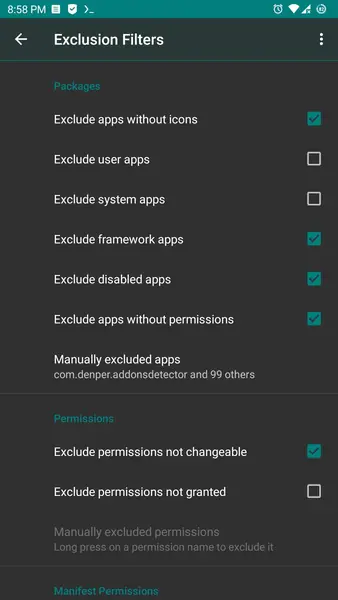
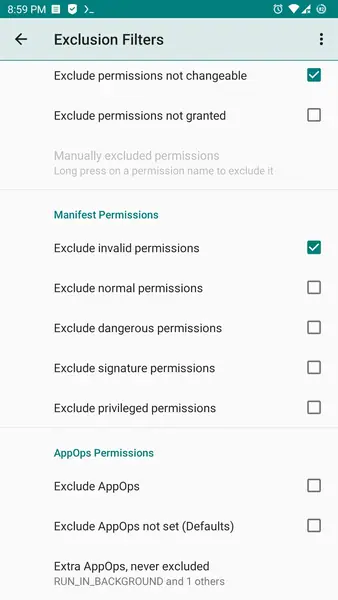
About Permission Manager X
Using eXtended Permission Manager, for each installed app, on single screen, you can:
- View, grant or revoke manifest permissions
- View AppOps permissions and choose one of multiple modes
- Set your desired reference value for every changeable permission
Manifest permissions are those normally called permissions e.g. Storage, Camera etc. AppOps (app operations) is a robust framework Android uses at back end for access control. With every Android release manifest permissions are becoming more dependent on AppOps. So it's fun to control both simultaneously and see how they relate to each other.
In short, AppOps provide a fine-grained control over many of the manifest permissions. Plus it provides additional controls like background execution, vibration, clipboard access etc. Just install the app to explore it yourself.
When you reinstall an app, or change your device, or upgrade your ROM, it's a time-taking process to review all installed apps for granted permissions and revoke the unnecessary ones (after all privacy matters). PMX provides you the solution. Set reference states of permissions, which can be quickly backed up and restored, and colored bars at left make it quite easy to review packages and permissions at a glance.
Confused? We are here to explain. Please start with:
- What is PMX?
- Why do I need to use PMX?
- What are manifest permissions and AppOps?
- What are Permission References?
Paid version (available as Play Store and Pro flavors) offers extra features including Permission Watcher, Scheduled Checks, Permission View and Batch Operations / Profiles.
Beta builds are released in Telegram channel.
Guide: https://mirfatif.github.io/PermissionManagerX/help
APK file information
| Package name | com.mirfatif.permissionmanagerx |
|---|---|
| Version | v1.30-foss (code 130) |
| Minimum Android | Android 7.0 · targets Android 16 |
| Architectures | arm64-v8a, armeabi-v7a, x86, x86_64 |
| SHA-256 | 59f0f881ab03a82a9c3d97fef6a20ba08657089d4a3f134143b8a10374bca2e3 |
| Signature | a7b13d3c2b9e0f52f87a21b9706d35fedad0500ec61809055ed76bf6fd8c042a |
| Licence | AGPL-3.0-or-later — copyleft free licence: the code is public and modified versions must stay free |
| Source code | github.com/mirfatif/PermissionManagerX |
| Official website | mirfatif.github.io/PermissionManagerX/help/help |
Permissions
- Internet access
- See installed apps sensitive
- Show notifications
- Run in the background
1 other technical permission(s)
GET_APP_OPS_STATS
Older versions
- Permission Manager X v1.30-fossNovember 14, 2025 · 2.9 MB
- Permission Manager X v1.27-fdSeptember 6, 2024 · 2.7 MB
- Permission Manager X v1.25-fdJune 9, 2024 · 2.7 MB
How to install Permission Manager X APK
- Tap Download APK above, then open the file once the download has finished.
- If Android asks, allow your browser to install unknown apps.
- Tap Install. Permission Manager X then appears with your other apps.
Having trouble? Read our guides how to install an APK on Android and "App not installed": how to fix it.
Frequently asked questions
Is Permission Manager X free?
Yes. Permission Manager X is distributed under the AGPL-3.0-or-later licence: free, no subscription, and its source code is public.
Is this APK file safe?
The file is the one built and published by the F-Droid repository from the public source code. Its SHA-256 fingerprint is shown above, so you can compare it after downloading. How to check an APK.
Will Permission Manager X work on my phone?
You need at least Android 7.0. The app also works without Google services, so it runs on recent Huawei phones too.