
Picard Barcode Scanner APK
Simplifies tagging your CDs and LPs with MusicBrainz Picard
Scarica l'APK v1.8 · 4,3 MB- Versione1.8
- Dimensione4,3 MB
- RichiedeAndroid 6.0
- Aggiornata21/04/2026
- LicenzaGPL-3.0-or-later
- PrezzoGratis
Informazioni su Picard Barcode Scanner
Descrizione fornita dallo sviluppatore (in inglese).
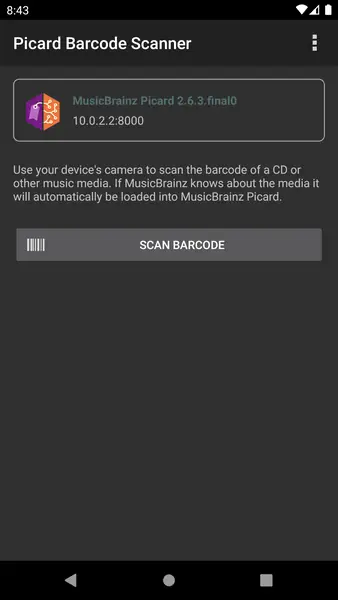
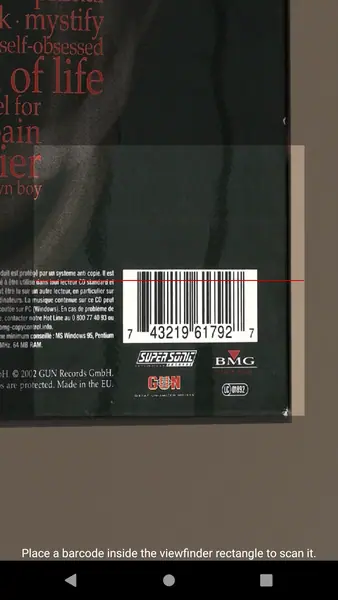
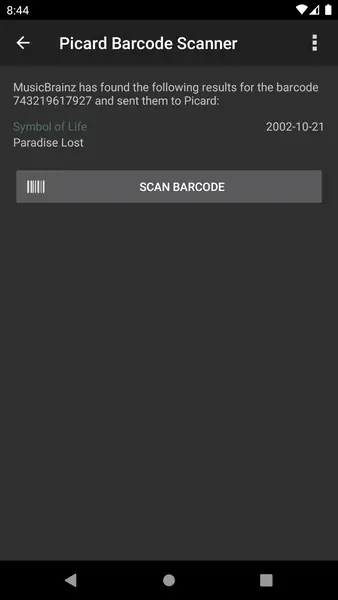
Picard Barcode Scanner allows you to load releases into MusicBrainz Picard by using your Android device as a barcode scanner. Just scan the barcode of an album and it will search MusicBrainz for matching releases and loads them into Picard on your desktop computer.
This is especially useful if you have your physical music collection already digitized and want to tag the files using exactly the album you own.
Please note: This is not a music file tagger for Android but rather a helper tool for MusicBrainz Picard on your desktop.
Requirements:
- Picard 1.0 or later
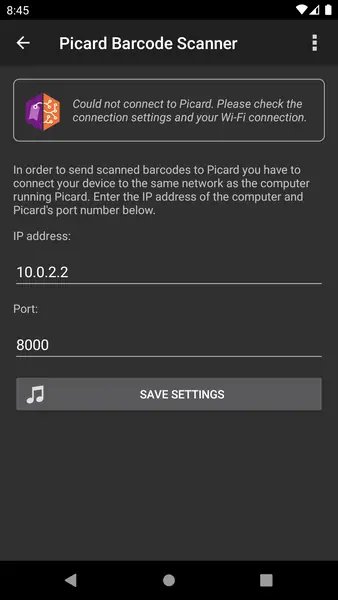
- Your Android device and the computer running Picard should be both on the same network, and the port 8000 should be accessible
This app is free software published under the GPLv3. The source code is available on GitHub.
You can help translate this app into your language. Please visit the Picard Barcode Scanner localization project on https://translate.uploadedlobster.com/engage/picard-barcode-scanner/
Informazioni sul file APK
| Nome del pacchetto | org.musicbrainz.picard.barcodescanner |
|---|---|
| Versione | 1.8 (codice 38) |
| Android minimo | Android 6.0 · pensata per Android 15 |
| Architetture | Tutte (universale) |
| SHA-256 | 9b56ca6e19a93f06716281fc732545bce7c2754a8492d3e01bc90b061ca62014 |
| Firma | 52e8ac74aea0d8283a6913ea1a29b51a12ae493ef6c9e1ae533e3d045439ef02 |
| Licenza | GPL-3.0-or-later — licenza libera copyleft: il codice è pubblico e le versioni modificate devono restare libere |
| Codice sorgente | github.com/phw/PicardBarcodeScanner |
Autorizzazioni richieste
- Accesso a Internet
- Fotocamera sensibile
Versioni precedenti
- Picard Barcode Scanner 1.821 aprile 2026 · 4,3 MB
- Picard Barcode Scanner 1.726 novembre 2025 · 4,4 MB
- Picard Barcode Scanner 1.6.516 ottobre 2025 · 4,3 MB
Come installare Picard Barcode Scanner APK
- Tocca Scarica l'APK qui sopra, poi apri il file al termine del download.
- Se Android lo chiede, consenti al browser di installare app sconosciute.
- Tocca Installa. Picard Barcode Scanner comparirà insieme alle altre app.
→ Come installare un file APK su Android (passo passo)
→ «App non installata»: cause e soluzioni
Domande frequenti
Picard Barcode Scanner è gratis?
Sì. Picard Barcode Scanner è distribuita con licenza GPL-3.0-or-later: gratuita, senza abbonamento e con codice sorgente pubblico.
Questo file APK è sicuro?
Il file è quello compilato e pubblicato dal repository F-Droid a partire dal codice sorgente pubblico. L'impronta SHA-256 è indicata qui sopra: puoi confrontarla dopo il download. Un APK è pericoloso? Come verificare un file prima di installarlo
Picard Barcode Scanner funziona sul mio telefono?
Serve almeno Android 6.0. L'app funziona anche senza i servizi Google, quindi anche sui telefoni Huawei recenti.





