
Pie Launcher APK
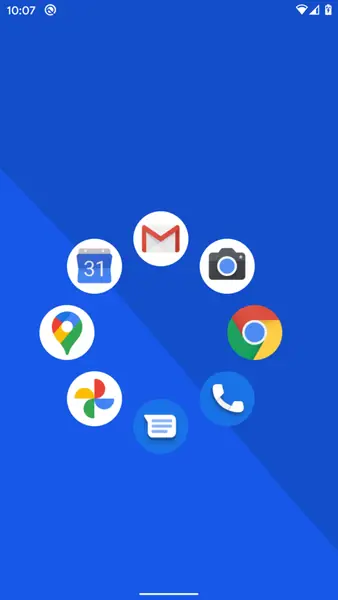
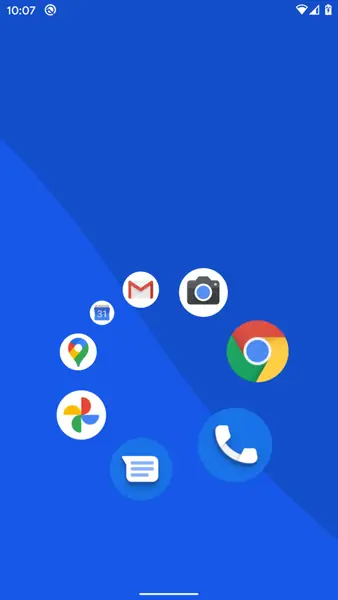
Control your phone with a dynamic pie menu instead of fixed positioned icons.
Scarica l'APK v1.29.0 · 329 KB- Versione1.29.0
- Dimensione329 KB
- RichiedeAPI 9
- Aggiornata17/11/2026
- LicenzaMIT
- PrezzoGratis
Informazioni su Pie Launcher
Descrizione fornita dallo sviluppatore (in inglese).
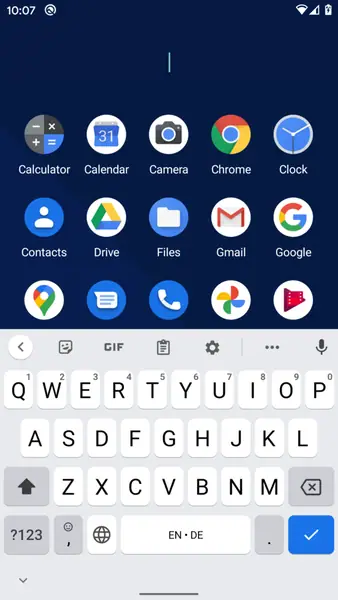
Swipe to open the pie menu and choose an app to start. Or just tap and type the name of an app you don't use regularly.
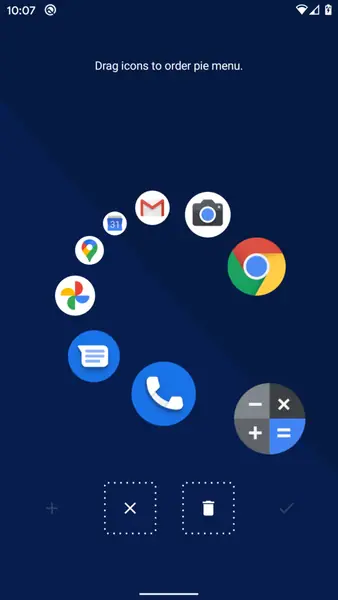
Long press an app in the listing of apps to enter the editor for the pie menu. Use just 4, 6 or 8 icons in the pie menu to make the most out of it.
As soon as you're used to it, you can open your most used apps with muscle memory anywhere on the screen without even looking at it.
This is open source: https://github.com/markusfisch/PieLauncher
Novità della versione 1.29.0
- Add an option to show app shortcuts in search
- Add an option to learn from search selections
- Add an option to switch menus with a second finger
- Improve icon pack support
- Improve support for menu entries from other profiles
Informazioni sul file APK
| Nome del pacchetto | de.markusfisch.android.pielauncher |
|---|---|
| Versione | 1.29.0 (codice 76) |
| Android minimo | API 9 · pensata per API 37 |
| Architetture | Tutte (universale) |
| SHA-256 | c43ec071c785433464637fc6ff25186b71e1f680c5c9ab4a59fe3a1c90a1ac31 |
| Firma | 2385e49ff072d90dcef9db2890b330533ce472efeb7901994e0d222d5200978b |
| Licenza | MIT — licenza libera permissiva: il codice sorgente è pubblico e riutilizzabile |
| Codice sorgente | github.com/markusfisch/PieLauncher |
Autorizzazioni richieste
- Vedere le app installate sensibile
Altre 3 autorizzazioni tecniche
REQUEST_IGNORE_BATTERY_OPTIMIZATIONS ACCESS_HIDDEN_PROFILES EXPAND_STATUS_BAR
Versioni precedenti
- Pie Launcher 1.29.017 novembre 2026 · 329 KB
- Pie Launcher 1.28.018 luglio 2026 · 329 KB
- Pie Launcher 1.27.012 luglio 2026 · 325 KB
Come installare Pie Launcher APK
- Tocca Scarica l'APK qui sopra, poi apri il file al termine del download.
- Se Android lo chiede, consenti al browser di installare app sconosciute.
- Tocca Installa. Pie Launcher comparirà insieme alle altre app.
→ Come installare un file APK su Android (passo passo)
→ «App non installata»: cause e soluzioni
Domande frequenti
Pie Launcher è gratis?
Sì. Pie Launcher è distribuita con licenza MIT: gratuita, senza abbonamento e con codice sorgente pubblico.
Questo file APK è sicuro?
Il file è quello compilato e pubblicato dal repository F-Droid a partire dal codice sorgente pubblico. L'impronta SHA-256 è indicata qui sopra: puoi confrontarla dopo il download. Un APK è pericoloso? Come verificare un file prima di installarlo
Pie Launcher funziona sul mio telefono?
Serve almeno API 9. L'app funziona anche senza i servizi Google, quindi anche sui telefoni Huawei recenti.





