PlugBrain APK
PlugBrain: Screen Time Blocker
Block distracting apps with a quick math challenge. Less scrolling, more focus.
Scarica l'APK v1.6.5 · 4,1 MB- Versione1.6.5
- Dimensione4,1 MB
- RichiedeAndroid 9
- Aggiornata23/11/2026
- LicenzaGPL-3.0-only
- PrezzoGratis
Informazioni su PlugBrain
Descrizione fornita dallo sviluppatore (in inglese).
Stuck in the scroll? PlugBrain breaks the doomscrolling habit with a quick math problem.
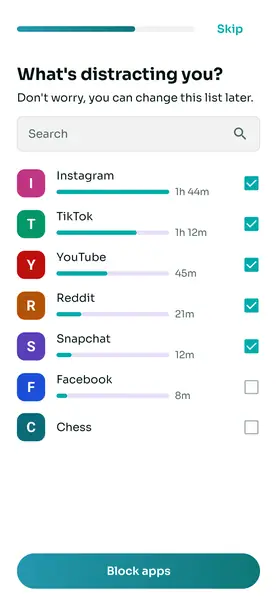
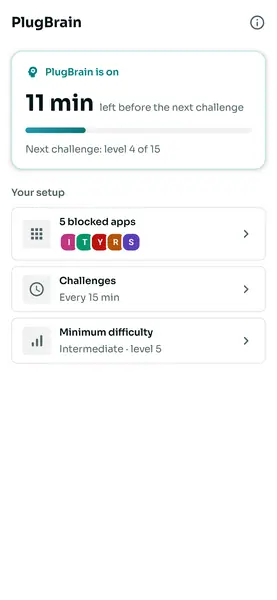
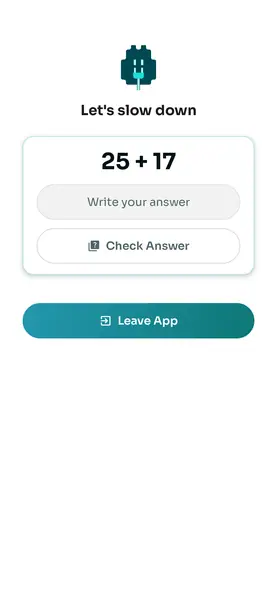
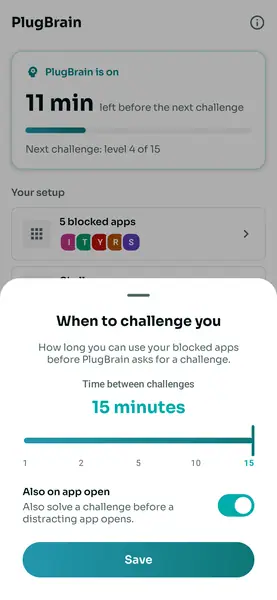
Pick the apps that steal your time and use your phone as usual. When it's time for a break, a math challenge pops up over the app. Solve it to keep going, or tap Leave App and take your time back. Want to think twice before you even start? Turn on a challenge every time a distracting app opens.
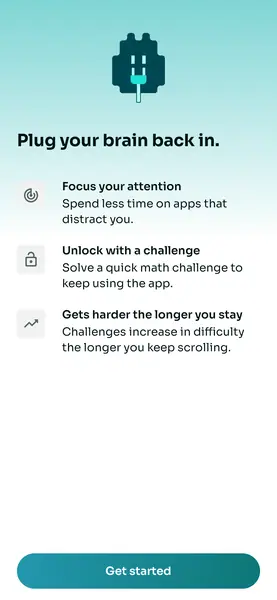
The more you scroll, the harder it gets
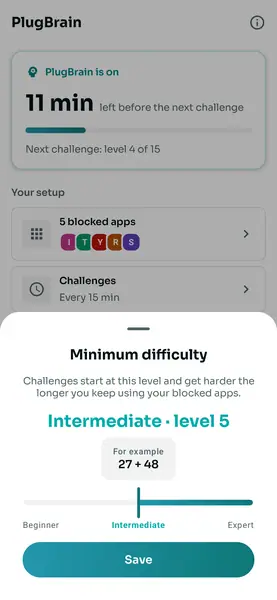
Every challenge you solve makes the next one tougher. Step away and it eases off again, down to your starting level: Beginner, Intermediate or Expert. More than 40 kinds of problems, from quick sums to multi-digit multiplication, keep your brain switched on.
Why PlugBrain
- An app blocker that makes you think, not a timer you tap past
- Cut screen time on social media, games, videos or any app you choose
- Difficulty that adapts to your own habits
- Works offline, light and dark theme, 13 languages
Private by design
- No ads, no account, no tracking
- No internet permission: nothing leaves your phone
- Free and open source (GPL-3.0)
Permissions
PlugBrain uses usage access, display over other apps and the Accessibility service to see which app is open and show the challenge on top. During a challenge it also blocks calculators. It only reads the name of the open app, never what is on your screen or what you type.
Novità della versione 1.6.5
- New challenges: bigger squares and averages of two-digit numbers
- Levels rebalanced so questions match their difficulty and easy ones don't repeat
- Pasting an answer now gives you a new challenge
- PlugBrain now speaks Spanish and Brazilian Portuguese
Informazioni sul file APK
| Nome del pacchetto | app.plugbrain.android |
|---|---|
| Versione | 1.6.5 (codice 165) |
| Android minimo | Android 9 · pensata per Android 16 |
| Architetture | arm64-v8a, armeabi-v7a, x86, x86_64 |
| SHA-256 | 1aac36ad13aeba62ebe4120956165648c6fbbc45585dd85b98c11d9878a19bf0 |
| Firma | 776dfaa24e8316225bd4a1caa00cfdfdd87beb17571e5b3469cfdb92453d4ba9 |
| Licenza | GPL-3.0-only — licenza libera copyleft: il codice è pubblico e le versioni modificate devono restare libere |
| Codice sorgente | github.com/msbelaid/PlugBrain |
Autorizzazioni richieste
- Vedere le app installate sensibile
- Funzionare in background
- Mostrare sopra altre app sensibile
Altre 2 autorizzazioni tecniche
PACKAGE_USAGE_STATS REQUEST_IGNORE_BATTERY_OPTIMIZATIONS
Versioni precedenti
- PlugBrain 1.6.523 novembre 2026 · 4,1 MB
- PlugBrain 1.6.49 novembre 2026 · 4,0 MB
- PlugBrain 1.6.34 novembre 2026 · 4,0 MB
Come installare PlugBrain APK
- Tocca Scarica l'APK qui sopra, poi apri il file al termine del download.
- Se Android lo chiede, consenti al browser di installare app sconosciute.
- Tocca Installa. PlugBrain comparirà insieme alle altre app.
→ Come installare un file APK su Android (passo passo)
→ «App non installata»: cause e soluzioni
Domande frequenti
PlugBrain è gratis?
Sì. PlugBrain è distribuita con licenza GPL-3.0-only: gratuita, senza abbonamento e con codice sorgente pubblico.
Questo file APK è sicuro?
Il file è quello compilato e pubblicato dal repository F-Droid a partire dal codice sorgente pubblico. L'impronta SHA-256 è indicata qui sopra: puoi confrontarla dopo il download. Un APK è pericoloso? Come verificare un file prima di installarlo
PlugBrain funziona sul mio telefono?
Serve almeno Android 9. L'app funziona anche senza i servizi Google, quindi anche sui telefoni Huawei recenti.