Screen Time APK
Easily track the time you spend on your device and apps.
Scarica l'APK v1.4.2 · 2,4 MB- Versione1.4.2
- Dimensione2,4 MB
- RichiedeAndroid 7.0
- Aggiornata23/11/2026
- LicenzaGPL-3.0-or-later
- PrezzoGratis
Informazioni su Screen Time
Descrizione fornita dallo sviluppatore (in inglese).
Screen Time is a simple app that lets you easily track the time you spend on your device and apps.
Features:
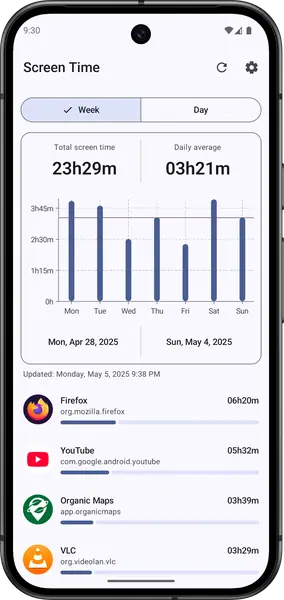
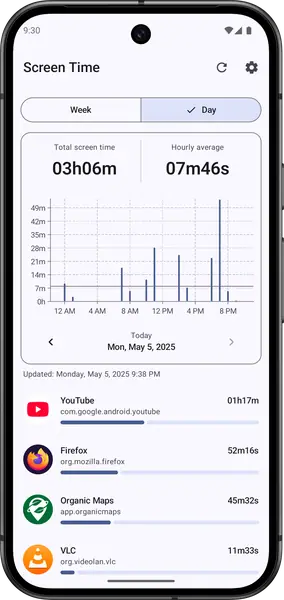
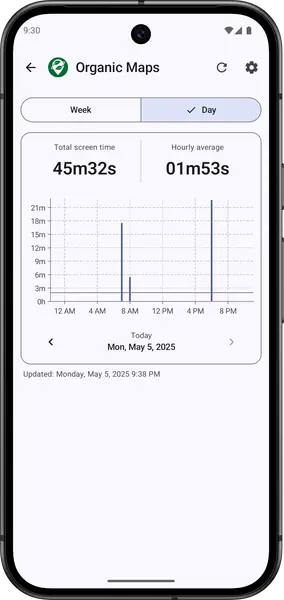
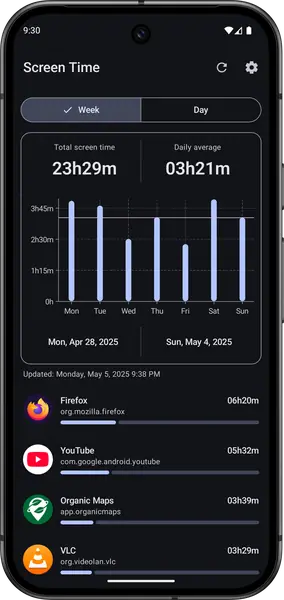
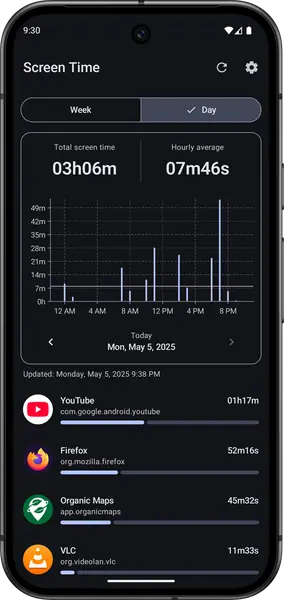
- Displays total screen time for your device over the past week or for a chosen day.
- Comparative graph showing screen time across different days of the week.
- Comparative graph displaying screen time for each hour of the day.
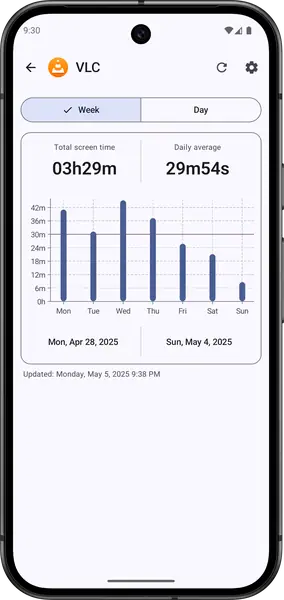
- Ability to view screen time and comparative graphs for each individual app.
- Comparative list of screen time for each app, sorted from the most used to the least used during the chosen period.
- Simple and modern interface.
- Home screen widget.
- No ads.
- No data collection (internet permissions disabled).
- Open source.
- Developed in Kotlin with Jetpack Compose and Material 3.
The source code is available here: https://gitlab.com/Atharok/ScreenTime
Novità della versione 1.4.2
1.4.2
- Updated Sardinian translation (thanks to l2212).
- Updated dependencies.
Informazioni sul file APK
| Nome del pacchetto | com.atharok.screentime |
|---|---|
| Versione | 1.4.2 (codice 14) |
| Android minimo | Android 7.0 · pensata per API 37 |
| Architetture | arm64-v8a, armeabi-v7a, x86, x86_64 |
| SHA-256 | 48fa67bda9f260d8edcc77e589646c3c749119b6ebd674011b09381e32324cae |
| Firma | e6cf1629d462a3686aa4ba2d37e02777257fd0a3bbe5540d8c70f80e12d111cd |
| Licenza | GPL-3.0-or-later — licenza libera copyleft: il codice è pubblico e le versioni modificate devono restare libere |
| Codice sorgente | gitlab.com/Atharok/ScreenTime |
| Sito ufficiale | atharok.gitlab.io/site/projects/screen-time/ |
Autorizzazioni richieste
- Vedere le app installate sensibile
- Impedire lo standby
- Vedere lo stato della rete
- Avviarsi all'accensione
- Funzionare in background
Altre 1 autorizzazioni tecniche
PACKAGE_USAGE_STATS
Versioni precedenti
- Screen Time 1.4.223 novembre 2026 · 2,4 MB
- Screen Time 1.4.124 settembre 2026 · 2,4 MB
- Screen Time 1.4.02 agosto 2026 · 2,5 MB
Come installare Screen Time APK
- Tocca Scarica l'APK qui sopra, poi apri il file al termine del download.
- Se Android lo chiede, consenti al browser di installare app sconosciute.
- Tocca Installa. Screen Time comparirà insieme alle altre app.
→ Come installare un file APK su Android (passo passo)
→ «App non installata»: cause e soluzioni
Domande frequenti
Screen Time è gratis?
Sì. Screen Time è distribuita con licenza GPL-3.0-or-later: gratuita, senza abbonamento e con codice sorgente pubblico.
Questo file APK è sicuro?
Il file è quello compilato e pubblicato dal repository F-Droid a partire dal codice sorgente pubblico. L'impronta SHA-256 è indicata qui sopra: puoi confrontarla dopo il download. Un APK è pericoloso? Come verificare un file prima di installarlo
Screen Time funziona sul mio telefono?
Serve almeno Android 7.0. L'app funziona anche senza i servizi Google, quindi anche sui telefoni Huawei recenti.